

| Select Colour: | Black (Base), White (Base) |
|---|---|
| Availability | In Stock |
| Condition | Brand New |
Features
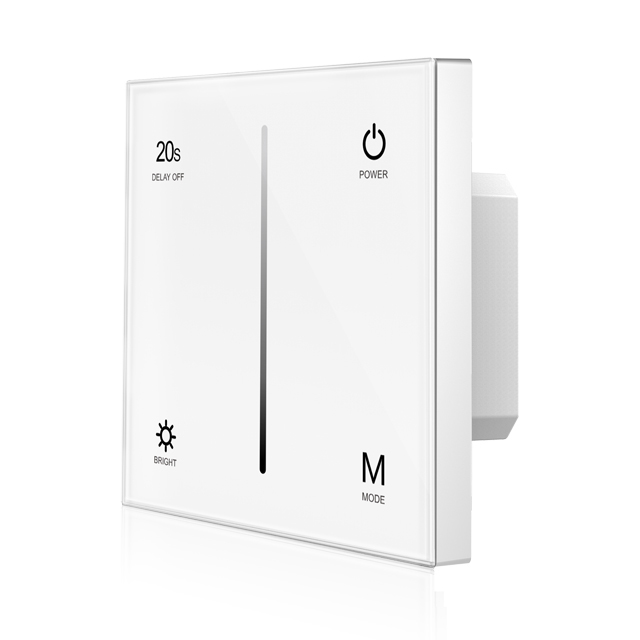
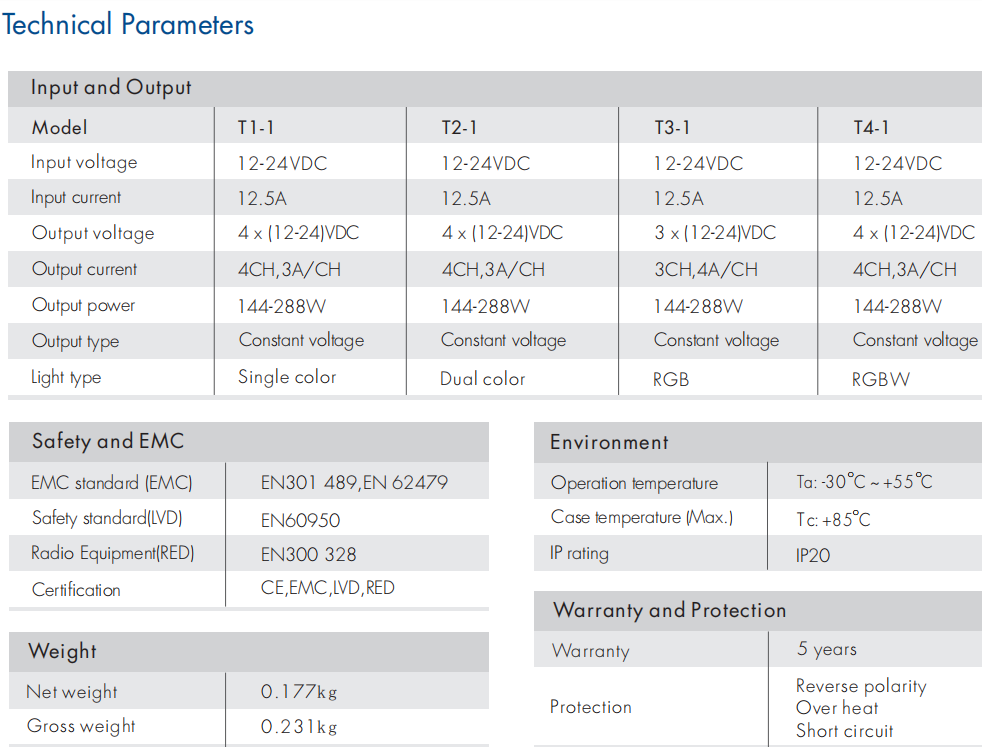
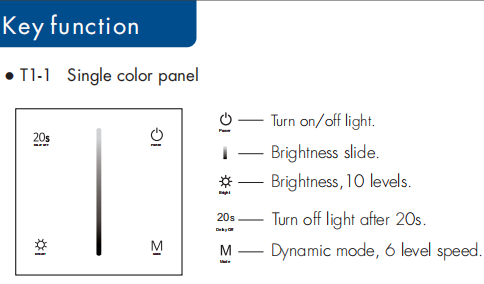
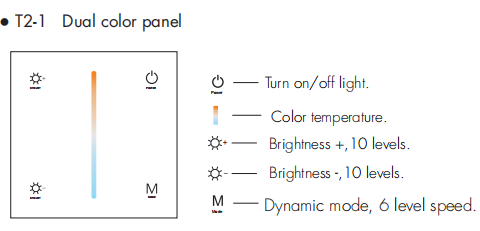
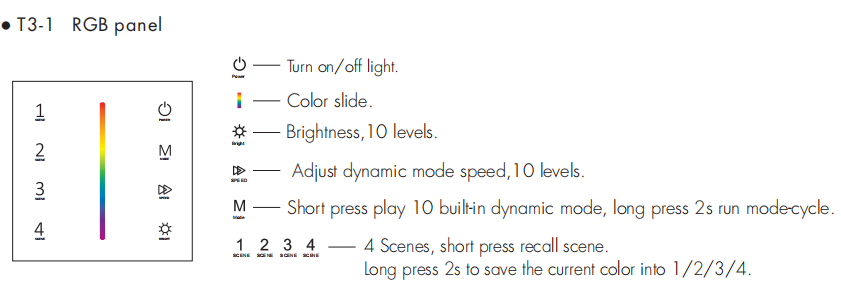
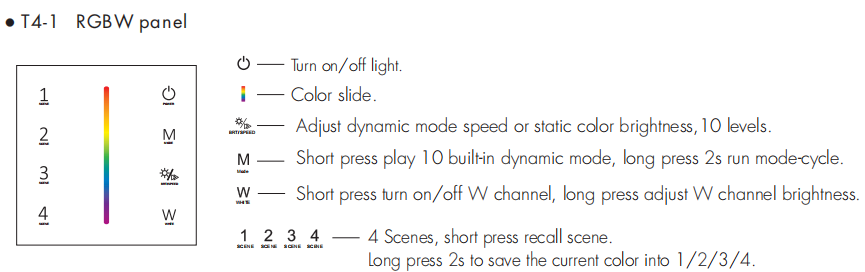
● Touch panel single color, dual color, RGB or RGBW PWM constant voltage controller.
● Ultra sensitive high strength glass touch panel with touch color slide in the middle and backlighting.
● Compatibility with RF 2.4G single zone or multiple zone remote control.
● Touch keys with LED indicator.
● White & Black glass panel available.
LED power supply voltage and power select :
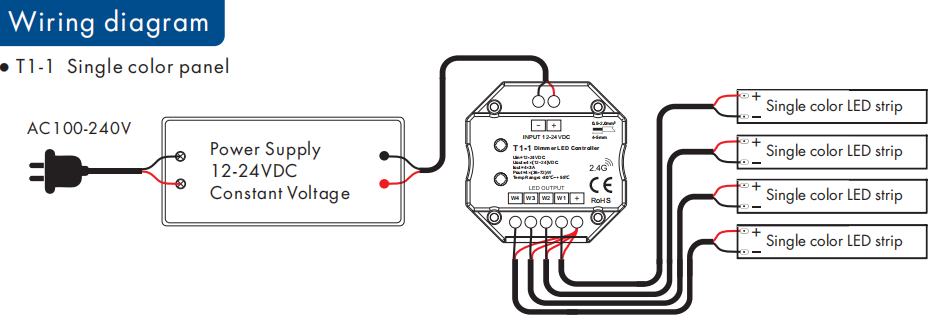
● 12V lamp, Input 12V power supply, can load 0~144W,
● 24V lamp, Input 24V power supply, can load 0~288W, The power supply power must larger than load power 20%.
Standards and Certifications


Specifications Download 
Match Remote Control (two match ways)
The touch panel controller can also match with the RF remote (optional).
End user can choose the suitable match/delete ways. Two options are offered for selection:
Use On/Off key
Match:
Turn on light, turn off, immediately press the On/Off key of the panel for 5s, then press on/off key
(single zone remote) or zone key (multiple zone remote) of the RF remote within 5s. The LED indicator fast flash 3 times means match is successful.
Delete:
Turn on light, turn off, immediately press the On/Off key of the panel for 10s, delete all matched RF remote. The LED indicator fast flash 6 times means all matched remotes were deleted.
Use Power Restart
Match:
Switch off the power, then switch on power again, immediately short press on/off key (single zone remote) or zone key (multiple zone remote) 3 times on the remote. The light blinks 3 times means match is successful.
.
Delete:
Switch off the power, then switch on power again, immediately short press on/off key (single zone remote) or zone key (multiple zone remote) 5 times on the remote. The light blinks 5 times means all matched remotes were deleted.
