| Select Colour: | Black (Base), White (Base) |
|---|---|
| Availability | In Stock |
| Condition | Brand New |
 Summary
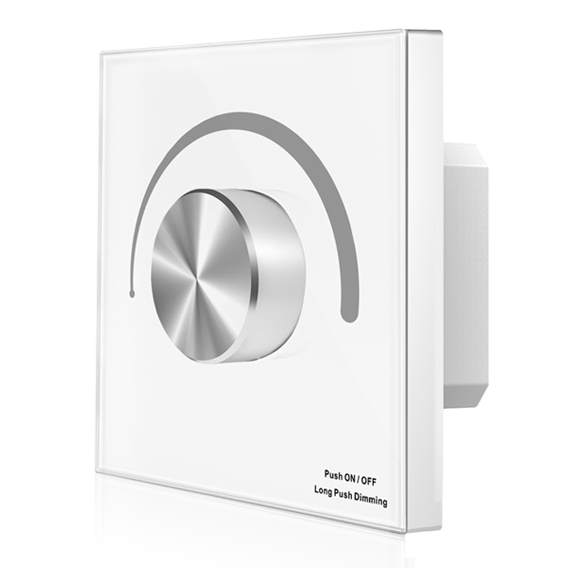
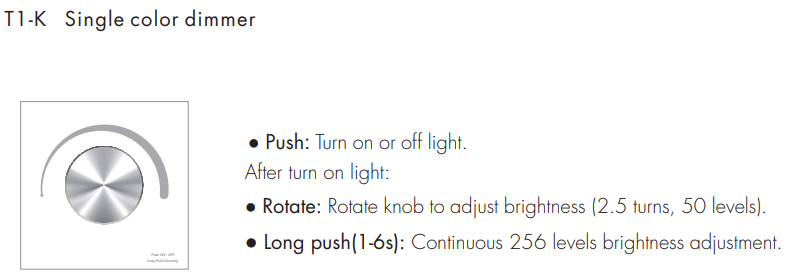
Rotary panel single color PWM constant voltage controller, can also be used as single color remote.
Rotate knob to change brightness. Smooth dimming and switch without any flickering. Adopt 2.4GHz wireless technology, remote distance up to 30m. when used as controller, can accept up to 10 remote control. when used as remote, can remote control multiple controller. Features
1-3 color/Glass panel/Rotary dimming/DC input/3 channel constant voltage PWM output/Wireless remote control
Wall Mounted Rotary Panel
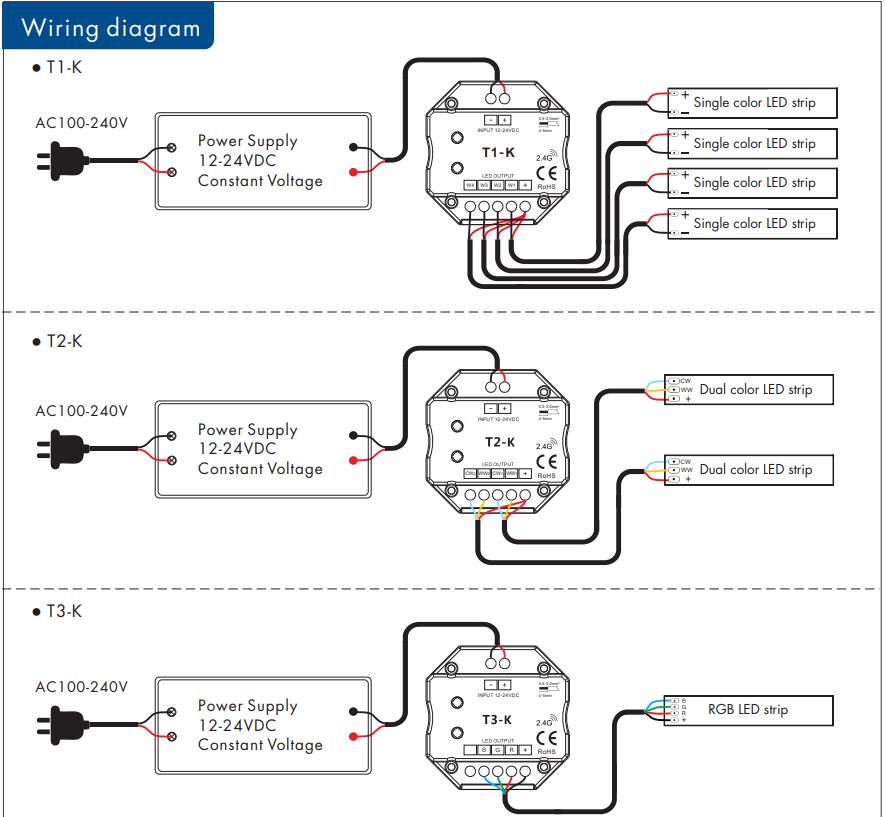
● Rotary panel single color, dual color, or RGB PWM constant voltage controller.
● Rotate the knob to change RGB color, color temperature, or brightness.
● 256 levels 0-100% dimming smoothly without any flash.
● Compatibility with RF 2.4G single zone or multiple zones remote control.
● Push/Rotate with chord tones and LED indicator.
● White & Black glass panel available.

Standards and Certifications


Input and Output
Model: T1-K
Input voltage: 12-24VDC
Input current: 12.5A
Output voltage: 4 x (12-24)VDC
Output current: 4CH,3A/CH
Output power: 144-288W
Output type: Constant voltage
Light type: Single color
Safety and EMC
EMC standard (EMC): EN301 489,EN 62479
Safety standard(LVD): EN60950
Radio Equipment(RED): EN300 328
Certification: CE,EMC,LVD,RED
LED power supply voltage and power select :
● 12V lamp, Input 12V power supply, can load 0~144W,
● 24V lamp, Input 24V power supply, can load 0~288W, The power supply power must larger than load power 20%.
Match Remote Control (two-match ways)
The rotary panel controller can also match with the RF remote (optional).
End-user can choose the suitable match/delete ways. Two options are offered for selection:
Use Knob
Match:
Turn on light, turn off, immediately push the knob for 5s, then press on/off key (single-zone remote) or zone key (multiple zones remote) of the RF remote within 5s. The LED indicator fast flashes 3 times
means the match is successful.
Delete:
Turn on light, turn off, immediately push the knob for 10s, delete all matched RF remote. The LED indicator fast flashes 6 times means all matched remotes were deleted.
Use Power Restart
Match:
Switch off the power, then switch on power again, immediately short press on/off key (single-zone remote) or zone key (multiple zones remote) 3 times on the remote. The light blinks 3 times means the match is successful.
Delete:
Switch off the power, then switch on power again, immediately short press on/off key (single-zone remote) or zone key (multiple zones remote) 5 times on the remote. The light blinks 5 times means all matched remotes were deleted.