

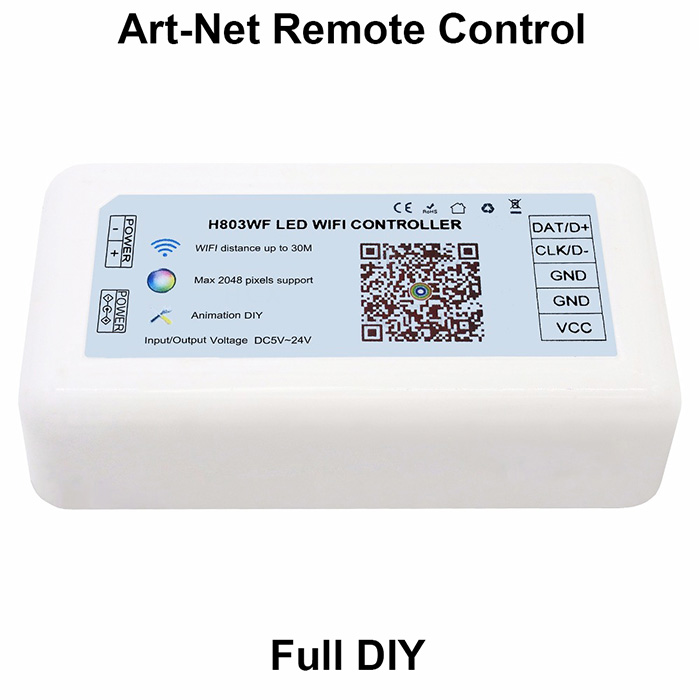
| Availability | In Stock |
|---|---|
| Condition | Brand New |
Model Number: CONFULL-H803WiFi
Item Type: RGB
Apply LED Strip: LED full color strip
Certification: CE,FC,RoHS
sdrive pixels number: 2048
Voltage: 5-24V
Working temperature: -30°C ~ +85°C
Max. Load Power: 3W
Controled Method: WiFi control
Connection Mode: WLAN
Material: plastic
Wattage: 0.5W
Warranty: 1 year
Features: WiFi remote control
Apply For: Android device only
Software Download: https://www.superlightingled.com/PDF/Madmapper 5.1 Install.zip
https://www.superlightingled.com/PDF/madrix-5.0.zip
https://www.superlightingled.com/PDF/MadrixWygInstall.exe
https://www.superlightingled.com/PDF/2021-LedEdit_setup.rar
https://www.superlightingled.com/PDF/ArtnetSettingTools.exe
Madrix Offline Program Recording Software Download
https://www.superlightingled.com/PDF/CaptureArtnetTools%20V1.49.1-EN.rar
Product Display


Manual
App download link:

Step2. Assume you have a 16x16 (pixels) WS2812B screen, connect it to H803WIFI

Note: Though H803WIFI can provide power for screen, when input voltage is 5V, max output power is 5V x 4A= 20W.
To make sure screen works fine, sometimes you have to output the power from power supply or add an extra power supply for screen, same for strip or other lights.
Step3. Program in App
(1). Turn on WiFi in your phone
(2). Open H803WF.apk

Controller name starts with "HCX", no password, select it and connect phone to controller

Back to App

If none of the connection method fits your real connection, choose "Custom sculpt", then click "Edit sculpt"


Then, click "Send sculpt"


By now, you should be able to control lights with H803WIFI. However, H803WIFI can do more
(1). Edit animation


(2). Bridge H803WIFI to router
If you want to control one H803WIFI or multiple H803WIFIs with your phone while surfing Internet, the following steps are essential


Now, you can use phone to control H803WIFI while surfing Internet
If you want to use phone to control many H803WIFIs, steps are bascially the same:
Connect phone to H803WIFI directly first, then follow step1 to step8 above


(4). Art-Net Remote Control


Safety
Supply voltage of this product is 110/220 Volts AC, do not exceed.
Shorting output wires my cause damage to controller.
Always observe proper polarity when connecting power and load.
For indoor use only - this product is not waterproof or weatherproof.
Note
QUICK and SLOW speed buttons will only work when unit is in one of the color changing (dynamic) modes.
Connect according to the Wiring Schematic drawing.
Do not exceed 80% of Power Supply capacity when calculating Power Supply size to use in your led system.
Package including
1x controller