

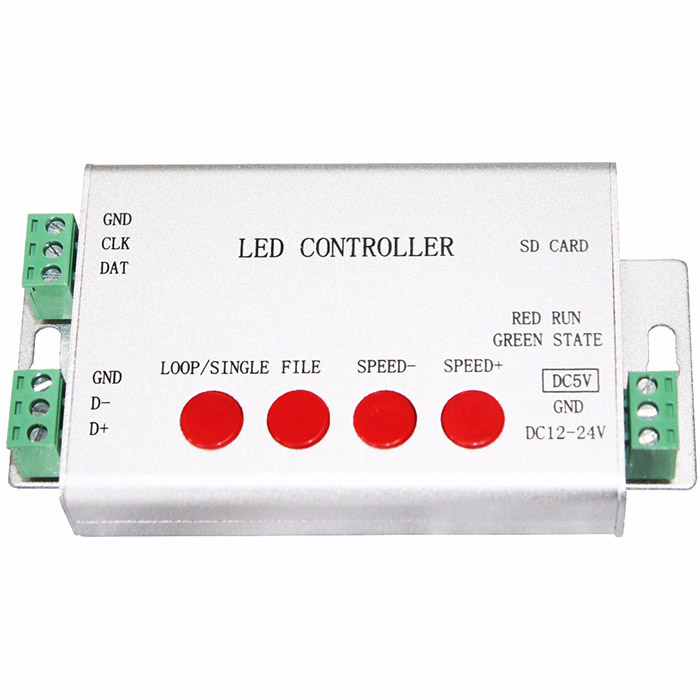
| Availability | In Stock |
|---|---|
| Condition | Brand New |
Model Number: CONFULL-H801SB
Item Type: RGB Controler
Apply LED Strip: full color lights
Certification: CE,FC,RoHS
drive pixels number: 2048
Voltage: 5-24V
Working temperature: -30°C ~ +85°C
Max. Load Power: 10W
Connection Mode: wire
Material: aluminium alloy
Wattage: 0.3W
Warranty: 1 year
Button Number:4
Controled Method: button control
Specification Download
Product Display


SD Card Control Mode
Step 1. Connect controller to lights
Assume you have a roll of 5m strip, 1m 30 pixels, WS2812B, RGB(color order)


Note: lots of chips share one option


For more details of software, please refer to the video.
Test File Download: https://drive.google.com/open?id=0B1gzqyV6hfOgTkRHRTR2dGswT0U
(one port controls 200 pixels, for WS2812B, UCS1903 and other single line chips, just put them into SD card)
Button operation and indicator lights status
Power controller on.
With SD card inserted, green light is on and keeps still, red light is flashing.
Without SD card, green and red light are on and all keep still.

Internal Control Mode
In this mode, controller needs to know
(1). pixel number
(2). how pixels are connected
(3). clock rate
(4). chip model
(5). controller type
(6). color order
Still, we take one roll 5 meters WS2812B strip for example. Color order: RGB. 1m 30 pixels
Step 1. Make file needed for this mode in LED Build


Step 2. Put the file into SD card, insert SD card, power controller on then off, take SD card out, power controller on
Step 3. Connect them all together

There are 18 kinds of animation built-in, press four buttons to control them.
DMX512 Console Mode

Note:
In this mode, H801SB only supports the following chips
LPD6803, LPD8806, LPD1882, LPD1889, LPD1883, UCS6909, UCS6912, UCS1903, UCS1909, UCS1912, WS2801, WS2811, WS2812, TM1803, TM1804, TM1809, TM1812, TM1913, TM1914, TM1926, TM1814, INK1003, LX1003, LX2003, LX2006, TLS3001, P9813, P9816, SM16711.
Multiple H806SBs work in synchrony mode
In this mode, every controller needs sd card

8. Set address for DMX512 chips


(3). Only after lights are repowered is address updated.
(4). H801SB can address for maximum 1024 pixels.
Unit Type: piece Package Weight: 0.2kg (0.44lb.) Package Size: 15cm x 8cm x 4cm (5.91in x 3.15in x 1.57in)
Supply voltage of this product is 110/220 Volts AC, do not exceed.
Shorting output wires my cause damage to controller.
Always observe proper polarity when connecting power and load.
For indoor use only - this product is not waterproof or weatherproof.
Note
QUICK and SLOW speed buttons will only work when unit is in one of the color changing (dynamic) modes.
Connect according to the Wiring Schematic drawing.
Do not exceed 80% of Power Supply capacity when calculating Power Supply size to use in your led system.