

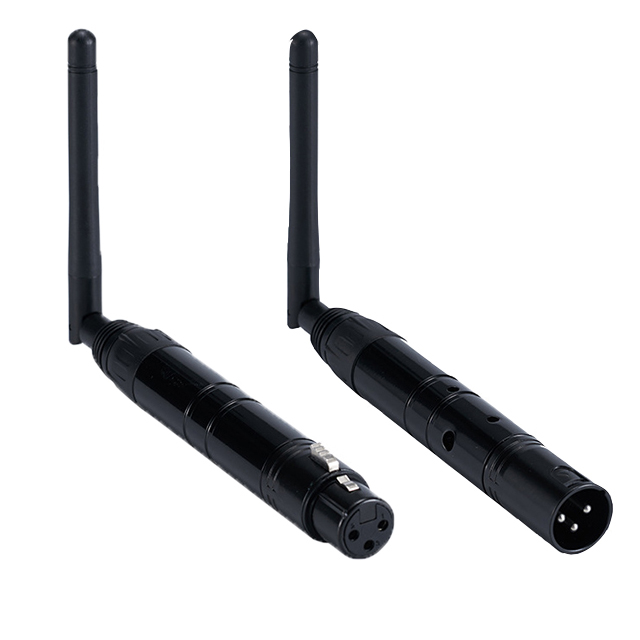
| Select Colour: | Black (Base), White (Base) |
|---|---|
| Availability | In Stock |
| Condition | Brand New |
DMX512 wireless receiver/transmitter transmits standard DMX512 protocol data(generated by console) by the wireless way.
No time delay when signal data is transmitting, signal data is real-time and reliably. This product adopts a 2.4G ISM
frequency section. High effect GFSK modulate communication design, jumping frequency automatically, high anti-jamming
ability.
Specification:
1.2.4G wireless DMX512 T/R
2.126 channels jumping frequency automatically, high anti-jamming ability, to ensure works reliability.
3.7 groups ID code settable, user can use 7 groups individual wireless net without any interfering.
4.Each other in the same place. (Tricolor LED displaying indicators)
5.Input voltage: 5 VDC 500mA
6.Communication distance: 400M(visible distance)
7.Work frequency section: 2.4G ISM,126 channels frequency section.
8. Max transmitting power rate: 20dBm.
Features
● DM-WT: DMX512 2.4G wireless transmitter, XLR3 male connector.
● DM-WR: DMX512 2.4G wireless receiver, XLR3 female connector.
● 126 channels jumping frequency automatically, high anti-jamming ability, to ensure works reliability.
● 7 groups ID code selectable, user can use 7 groups individual wireless net without any interfere.
● Each other in the same place. (Tricolor LED displaying indicators)
● Input voltage: 5 VDC 500mA
● Communication distance: 400 meters (visible distance)
● Work frequency section: 2.4G ISM,126 channels frequency section.
● Max transmitting power rate: 20dBm.
● For indoor use only.

Standards and Certifications


Operation
ID code and LED color corresponding relationship:
1: Red 2: Green 3: Red+Green(Yellow) 4: Blue
5: Red+Blue(Purple) 6: Green+Blue(Cyan) 7: Red+Green+Blue(White)
1. Press the momentary switch above the side led indicator to indicate ID setting.
2. Press again the ID key, to the color ID desired, adding 1 each time you press the switch will change the color ID code.
3. Working condition:
LED constant light up with different ID color: No DMX or wireless signal.
Red LED flash: Transmitting DMX signal.
Green LED flash: Receiving DMX signal.
4. RF frequency 2.4G ISM, it's searching automatically.
5. ID Code “1-7” groups ID code of transmitter and receiver. (Same LED Color).
Establishing Communication:
1. Power on DMX512 wireless receiver first and then following to power up the transmitter.
2. Press the “key” button to set the same ID value of the transmitter and receiver.
Please use different ID values if you need to use more than 1 group of wireless universals at the same time in the same place.
3. The red LED flashes when the transmitter transmits DMX data by no interfered frequency section, then receiver changes communicated frequency section, green LED flash till received corrected same ID value. LED flash faster once DMX data faster.
4. Communication was established correctly.
Please note some DMX fixtures need to be placed into slave mode for proper DMX control. If in the master mode they will send a DMX signal out the XLR jacks causing the auto scan transmitter/receivers to go
into a transmitter mode due to the DMX signal being present.


