

| Availability | In Stock |
|---|---|
| Condition | Brand New |
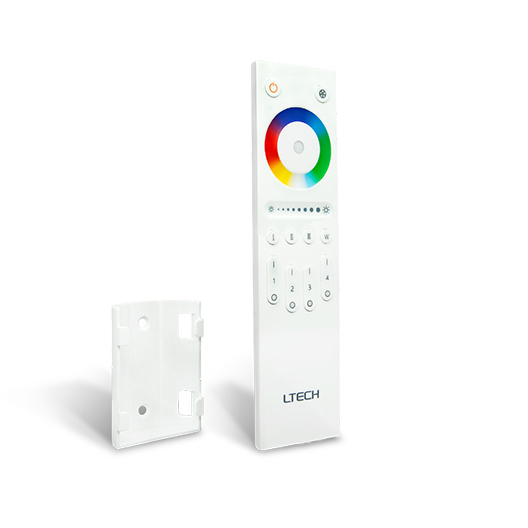
The Ltech Q4 offers sophisticated, multi-zone control for your dynamic RGBW LED lighting. This remote control moves beyond simple buttons, providing an intuitive touch color wheel and a dedicated brightness slider for precise, real-time adjustments. Engineered for the Ltech LT-BUS Control System, the Q4 allows you to manage up to four distinct lighting zones independently or in sync, making it an ideal lighting remote control for complex residential and commercial projects. Its reliable 2.4GHz RF signal ensures responsive performance across your space. As a dedicated supplier of professional lighting components since 2015, we ensure our control solutions deliver both advanced functionality and dependable operation.
Select from a vast spectrum of colors instantly and accurately with a highly responsive touch-sensitive color circle.
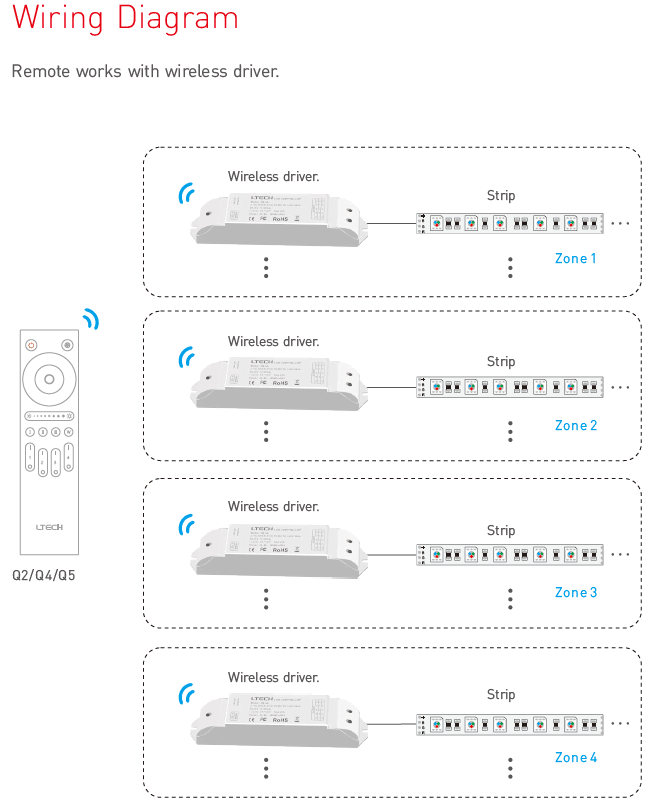
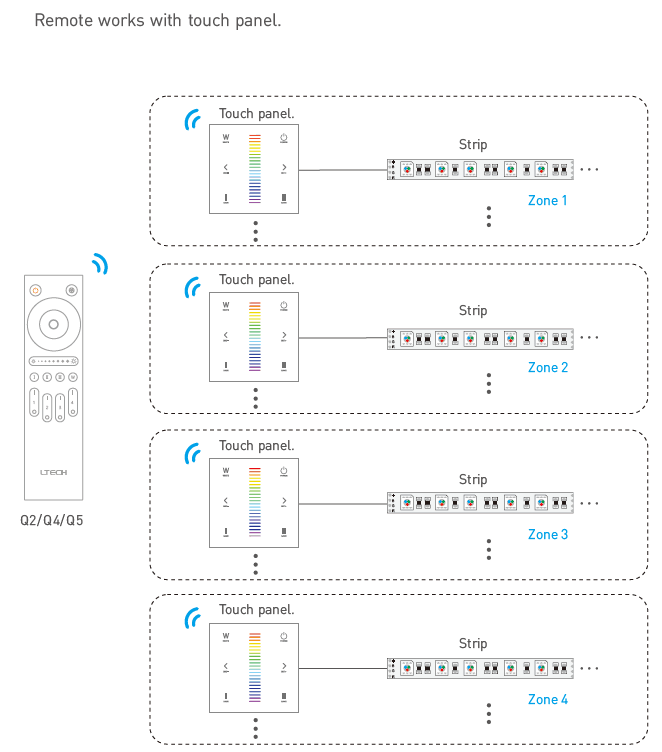
Control up to four separate areas or groups of RGBW LED strips, allowing for different colors and brightness levels in each zone.
Access 12 pre-programmed dynamic effects and save up to four of your favorite custom lighting scenes for instant recall.
A separate button allows for quick on/off switching and brightness adjustment of the white channel on your RGBW LED strips.
Enjoy a stable, long-range wireless connection that works through walls and obstacles without requiring line-of-sight.
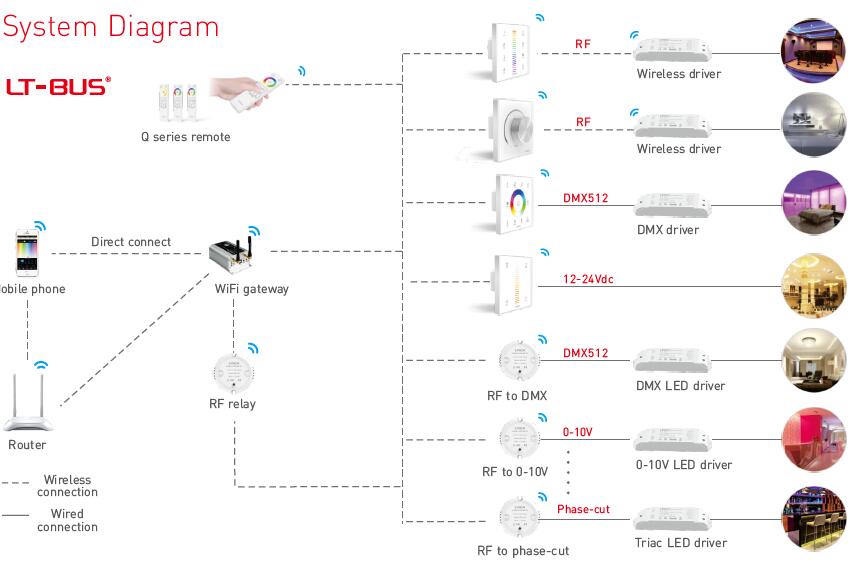
Seamlessly integrates with Ltech wireless receivers like the F4-5A and F4-DMX-5A, as well as various E-series touch panels.
| Parameter | Details |
|---|---|
| Product Model | LT-Q4 |
| Remote Type | 4-Zone RGBW Control |
| Input Voltage | 3V DC (2x AAA Batteries) |
| Wireless Technology | RF 2.4GHz |
| Control Interface | Touch Color Circle, Brightness Slider, Buttons |
| Dynamic Modes | 12 built-in modes |
| Scene Keys | 4 (Short press to play, long press to save) |
| Working Temperature | -20℃ to 55℃ |
| Dimensions (Remote) | 162 × 42 × 15 mm (L×W×H) |
| Dimensions (Package) | 166 × 47 × 22 mm (L×W×H) |
| Gross Weight | 85g |
| Compatible Wireless Receivers | F4-5A, F4-DMX-5A, F5-DMX-4A |
| Compatible Touch Panels | E3/E3S/E4/E4S, EX3/EX3S/EX4/EX4S, EX7/EX7S/EX8/EX8S |
PDFQ4
Q: What is the wireless range of the Q4 remote?
A:The Q4 uses a 2.4GHz RF signal, which typically provides a reliable control range of up to 30 meters (approximately 98 feet) in an open environment, and can transmit through walls.
Q: Can I control four different colors in the four zones at the same time?
A:Yes, absolutely. Each of the four zones is controlled independently. You can set Zone 1 to blue, Zone 2 to red, Zone 3 to green, and Zone 4 to white, all from the same remote.
Q: What kind of batteries does the Q4 remote require?
A:The remote is powered by two standard AAA batteries (also known as 7th batteries). Please note that batteries are not included with the product.
Q: What should I do if my led remote control is not working?
A:First, please check the batteries and replace them if they are low. Next, ensure the remote is correctly paired with its receiver by following the pairing steps in our guide. If issues persist, try clearing the code and re-pairing the devices.
Q: Is this remote compatible with standard RGB or single-color LED strips?
A:This remote is specifically designed for 4-channel RGBW LED strips. While it may offer limited functionality with 3-channel RGB strips, you will lose the dedicated white light control. It is not recommended for single-color or CCT strips.
Q: How is the Q4 different from the Ltech F-series remotes?
A:The Q4 is a more advanced controller featuring a touch-sensitive color wheel for intuitive color selection and supports 4 zones with scene-saving capabilities. The F-series remotes are generally more compact, button-operated controllers designed for more specific tasks like dimming, CCT, or basic RGBW control.