Go to Top
SuperLightingLED
SUPERLIGHTINGLED CO., LTD
Web: www.superlightingled.com
Email: [email protected]
Date: 2026-11-03 | ID: 2186

DALI touch panel EDA1 For LED Strip Light

MODEL: EDA1
Price based on selections below:
$45.99
AvailabilityIn Stock
ConditionBrand New
Technical Specifications

The EDA1 DALI touch panel provides dedicated 1-channel switching and dimming commands across any standard DALI lighting system. Conforming to the IEC62386 international standard for DALI digital addressable lighting interface protocols, this touch panel dimmer communicates directly over the 2-wire digital communication loop without requiring a separate line-voltage AC power connection. Operating with an ultra-low static current of 6mA @ 16V and standby current of 4mA @ 16V, the EDA1 draws all operational energy directly from the central DALI bus power supply. The rear-mounted DIP switch enables straightforward configuration for unicast, group, scene, or broadcast transmission modes. Pair the EDA1 with compatible DALI receivers to regulate single-color architectural linear fixtures and Single Color LED Strip Lights with responsive, step-free tactile management.
DALI touch panel EDA1 For LED Strip Light - photo 4
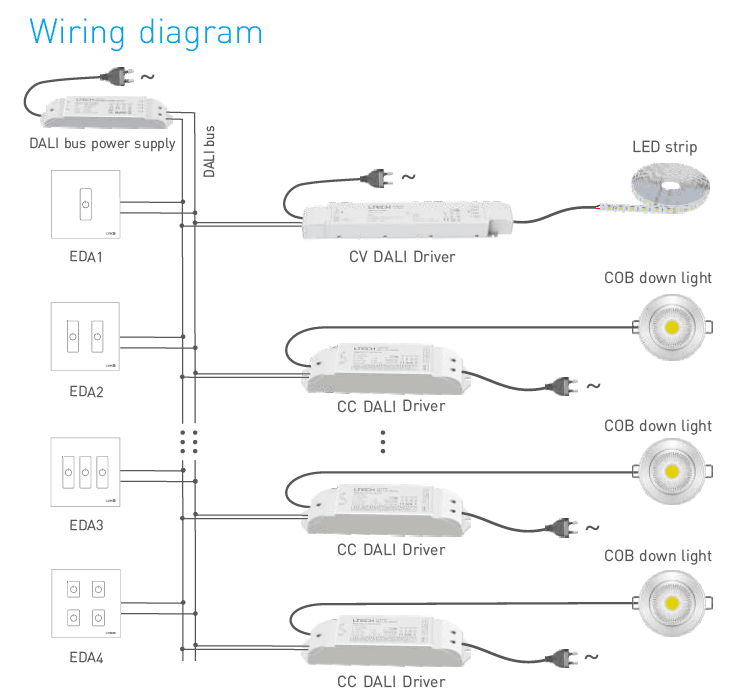
EDA1 wiring schematic connecting directly to the DALI digital bus line

Key Features of the EDA1 DALI Dimmer Touch Panel

Standard IEC62386 Compliance

Seamlessly integrates into certified DALI networks alongside standard ballasts and drivers.

DALI Bus Powered Architecture

Consumes 6mA @ 16V directly from the DALI bus line, eliminating separate 12V/24V or line-voltage feeds.

Hardware DIP Switch Addressing

Assigns device target addresses on-site quickly without mandatory PC software commissioning tools.

Multi-Mode Control Logic

Configurable for unicast individual address, group assignment, scene recall, or broadcast dimming.

Glass Capacitive Touch Interface

Delivers smooth brightness adjustment and instantaneous on/off toggling across a scratch-resistant surface.

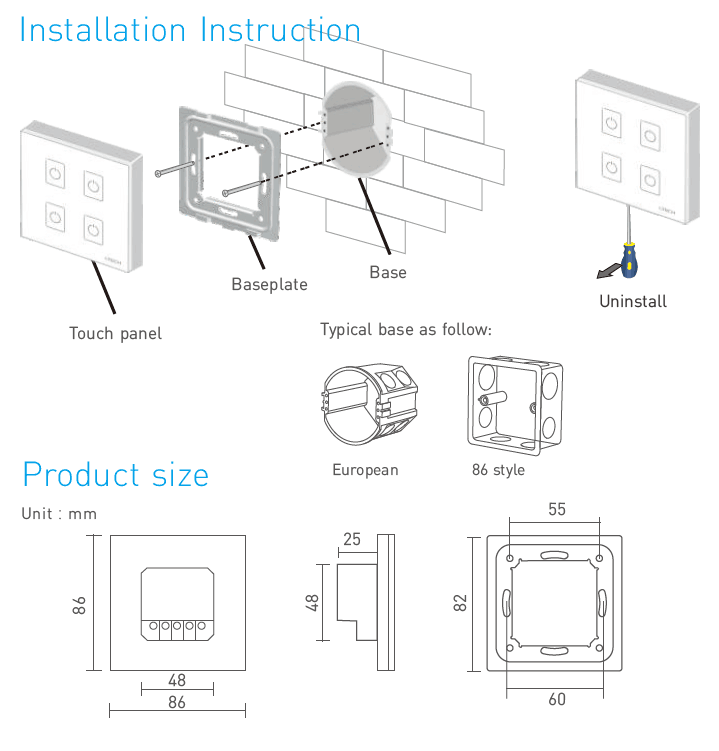
Standard 86-Type Wall Mounting

Fits standard 86 x 86 mm back boxes with a shallow 37 mm total depth for tidy architectural integration.
Technical Highlights & Engineering Advantages

  • Eliminates local mains wiring by utilizing the 9.5V-22.5V standard DALI signal voltage for all operational power.
  • Delivers precise 0.1% to 100% logarithmic dimming commands that match human eye sensitivity curves.
  • Supports 16 discrete lighting groups and 16 user-configurable lighting scenes within standard DALI installations.
  • Features integrated visual indicator LEDs on the touch surface to confirm command transmission and power status.
  • Wide operational ambient temperature range rated from -30℃ to 55℃ for consistent commercial reliability.
DALI touch panel EDA1 For LED Strip Light - photo 1
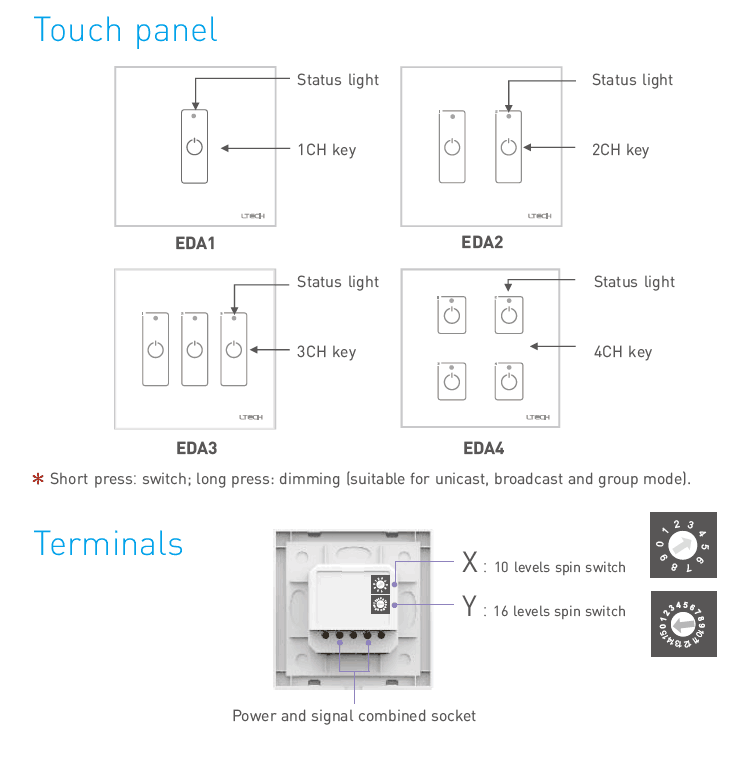
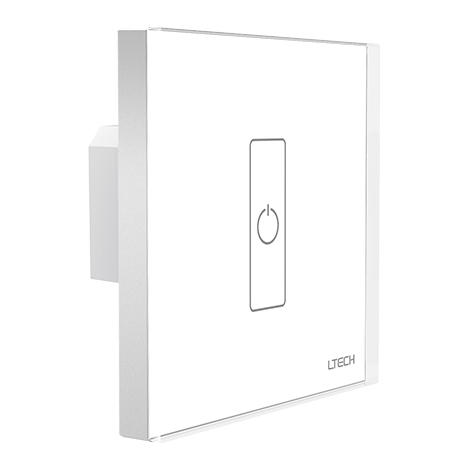
EDA1 DALI touch panel front glass interface and touch slide track
DALI touch panel EDA1 For LED Strip Light - photo 2
Rear DIP switch addressing layout and DALI bus screw terminals

Product Specifications

ParameterDetails
Model NumberEDA1
Product TypeDALI Touch Panel Master Controller
Control Channels1 Channel
Communication ProtocolDALI Standard IEC62386
Input Power SupplyDALI Bus Power
Bus Operating Voltage Range9.5V - 22.5V DC (Nominal 16V DC)
Static Current Draw6mA @ 16V
Standby Current Draw4mA @ 16V
Addressing MethodOnboard DIP Switch
Supported Control ModesUnicast, Group, Scene, Broadcast
Touch Panel InterfaceCapacitive Glass Touch Key + Touch Slider
Housing MaterialToughened Glass + Flame-retardant PC
Working Temperature-30℃ to 55℃
Storage Temperature-40℃ to 80℃
Relative Humidity10% - 95% non-condensing
DimensionsL86 x W86 x H37 mm
Gross Weight200 g
Mounting StandardEU / UK 86-type junction box
DALI touch panel EDA1 For LED Strip Light - photo 3
Standard 86x86mm wall mounting plate installation dimensions

Architectural Application Scenarios

Commercial Office Linear Lighting Integrates into central lighting DALI system networks across open office floor plans. Facility managers can configure the touch panel dimmer to unicast to a specific meeting desk fixture or broadcast to an entire open-plan lighting group.
Hospitality & Hotel Suite Ambiance Replaces bulky mechanical wall switches with sleek touch light switches that command accent coves and bedside lighting. Guests achieve seamless dimming without flicker across low-noise linear DALI light fixtures.
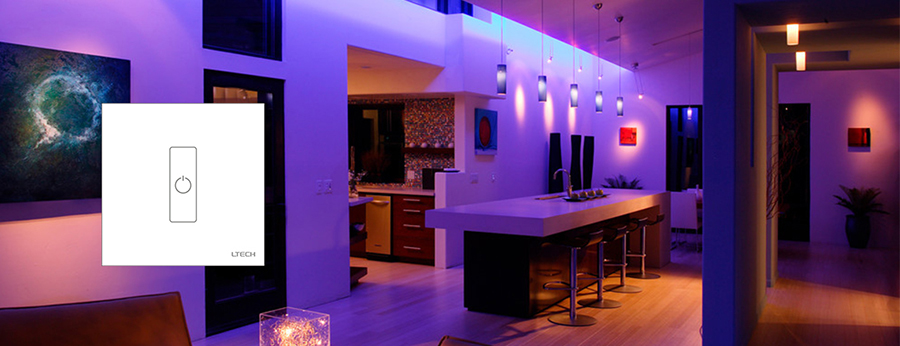
Residential Cove & Architectural Accent Dimming Acts as an intuitive touch light strip interface inside private residences. Recessed into plasterwork within living areas or media rooms, it allows direct access to smooth scene switching without requiring home automation apps.

How to Control & Use This Controller

  1. Ensure the DALI bus power supply unit is disconnected from mains electricity before touching any terminal connections.
  2. Run the 2-wire polarity-free DALI signal cable (DA / DA) into the standard 86-type recessed wall back box.
  3. Connect the two DALI communication wires firmly to the spring or screw terminals marked on the rear plate of the EDA1.
  4. Set the addressing DIP switches on the rear housing to select Unicast, Group (0-15), Scene (0-15), or Broadcast operating mode according to your lighting schedule.
  5. Fasten the rear mounting plate securely to the 86-type wall box using the supplied machine screws.
  6. Snap the glass touch faceplate firmly onto the wall bracket until the retaining clips click into place.
  7. Power on the central DALI bus power supply and test switching responsiveness by tapping the power icon, then slide your finger across the linear touch track to verify 0.1%-100% dimming.
⚠ Precautions
  • Do NOT connect AC line voltage (110V/230V AC) to the DALI terminals; high voltage will permanently destroy the controller.
  • The EDA1 relies entirely on DALI bus power; ensure the bus power supply is capable of providing at least 6mA reserve capacity for this unit.
  • DALI bus wiring must not exceed a maximum total cable length of 300 meters when using 1.5 mm² cross-section copper conductors.
  • Configure DIP switch positions only while power to the bus is isolated, or reboot the bus line after toggling addresses to ensure settings register correctly.

What's in the Box

  • ✓1 x EDA1 DALI Touch Panel Controller
  • ✓1 x Wall Mounting Bracket (86-type standard)
  • ✓1 x DIP Switch Configuration Manual & Wiring Diagram

Frequently Asked Questions

Q: Does the EDA1 require an external DC or AC power supply?

A:No. The EDA1 is powered directly from the DALI bus line, drawing approximately 6mA at nominal 16V DC.

Q: Can the EDA1 control multi-color RGB or tunable white LED strips?

A:The EDA1 is a 1-channel DALI master designed specifically for single-color switching and dimming. For tunable white or RGB systems, refer to multi-channel DALI panel versions such as EDA2, EDA3, or EDA4.

Q: What is the difference between Unicast, Group, and Broadcast modes on this panel?

A:Broadcast controls every device connected on the DALI loop simultaneously; Group mode addresses one specific assigned zone (0-15); Unicast targets an individual ballast address (0-63).

Q: Do I need dedicated commissioning software to assign the address?

A:Basic zone or individual target addressing can be configured directly via the hardware DIP switch on the rear plate, eliminating the mandatory requirement of software tools for straightforward jobs.

Q: Is the DALI bus wiring polarity-sensitive on the EDA1?

A:Standard DALI communication is non-polarized, meaning either DALI wire can connect to either terminal without damaging the unit or reversing operation.

Q: What is the maximum operating distance for the EDA1 on the DALI network?

A:Following standard DALI protocol rules, total wire run length must not exceed 300 meters with standard 1.5 mm² two-core cable, keeping line voltage drop below 2V across the bus.


© 2026 SuperLightingLED. All specifications are subject to change without notice.