

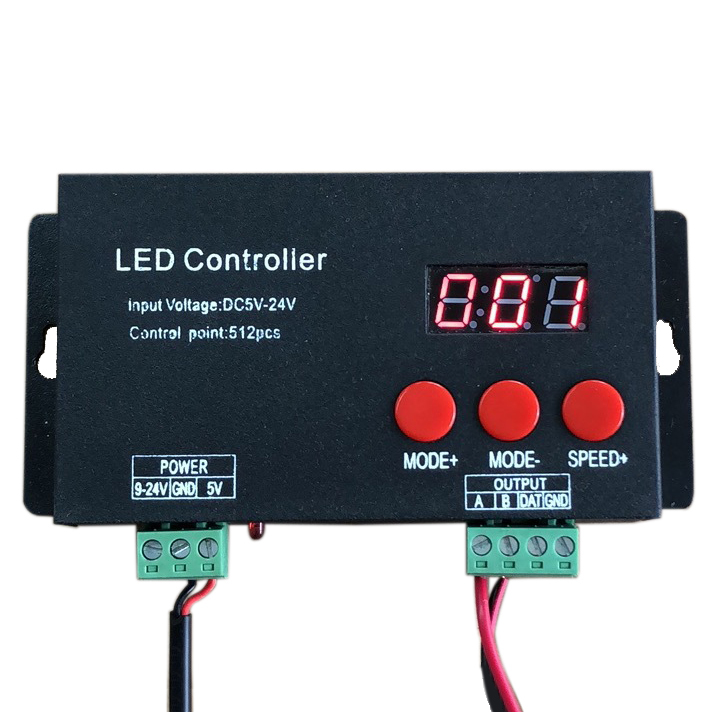
| Availability | In Stock |
|---|---|
| Condition | Brand New |
How to use the DMX512 Write-address coder?
1. Please connect the A&B output interfaces of the write-address coder to the input interface of the LED strips. Then please turn on the power supply of LED strips and write-address coder. The LED strips will flash, on&off.
2. Please short press the key of "UP", the screen will display "001", if this is the address you want to write for the first LED, please turn to step 7 directly.
3. Please short press the key of "FUNCTION", the display will flash.
4. Please short press the key of "UP", the value of flashing display will add 1.
5. Please short press the key of "FUNCTION", then the display will flash and value shifts, then please repeat steps 4 and 5, until you get the correct address value.
6. After you input the DMX address value, please wait for about 3 seconds till the display stops flash.
7. Please long-press the key of "UP" for more than 3 seconds, and the display will show flashing "- - -", then release the key.
8. Please wait for 2-3 seconds, when the LED strips show Green color, it means that you write DMX Address successfully.
9. After you finished, about 2 seconds, the display will show the DMX address add 3 automatically( default is 3 channels).
And then, you can press the key of "UP"( repeat steps 7-9) to write the address for another LED strips.
Please note: When you long-press the key of "FUNCTION", the display will show 3CH, you can short press "UP" key, and then you can change the default channel quantities.
Standards and Certifications


Product Specification
Input voltage: 9V - 24V DC ( depending on the LED used) or 5V
Input signal: DMX512
Output signal: DMX512
Decoding channels: 512 channels / unit
LED brightness levels: 256 (8bit / CH)
Built-in standard: DMX512 protocol