


| Select Controller type: | TC421 (Base), TC420 |
|---|---|
| Availability | In Stock |
| Condition | Brand New |
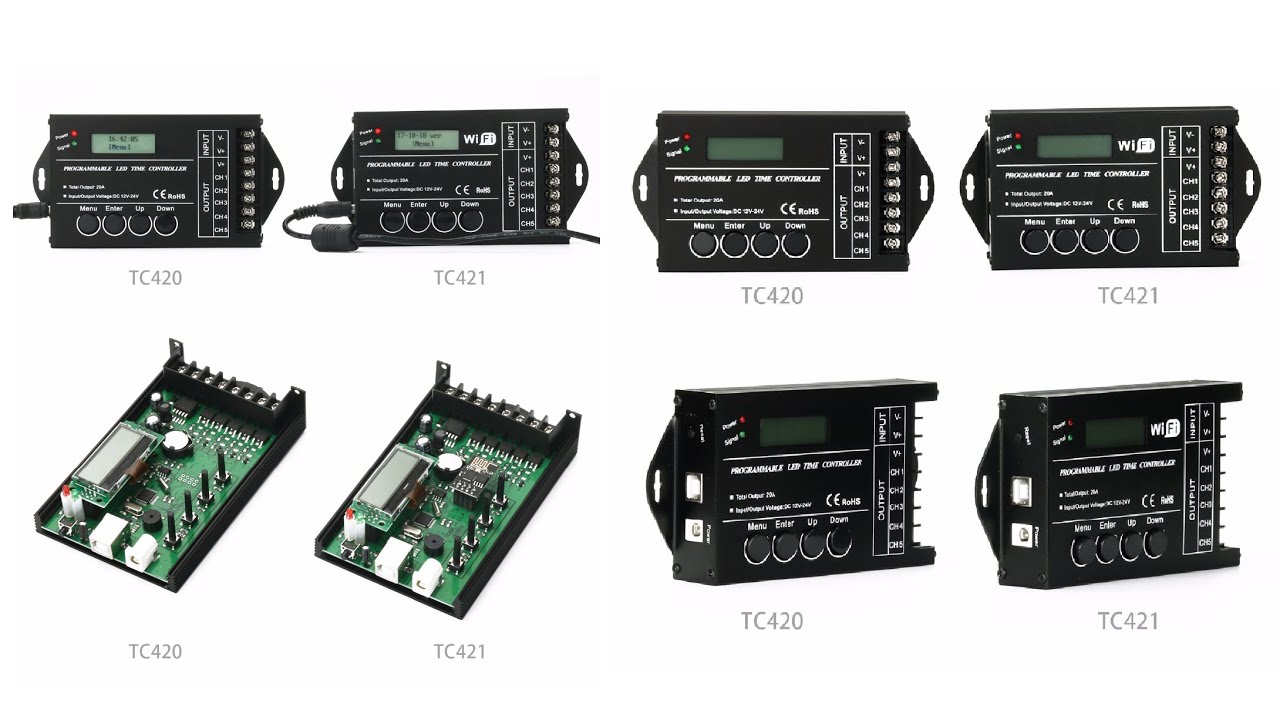
With the programmable time controller of the host computer, the load output can be changed with the change of time. Customers can customize the schedule mode they want through the PC host computer client or mobile APP client. Then download the required schedule to the controller through the USB port or wifi. In addition to the function of editing the schedule, the PC host computer and mobile APP client can also set the time for the controller, that is, the synchronous clock function of the host computer. If users want to see the effect of the edited schedule, they can use the fast broadcast function of the host computer. The host computer is also equipped with a delete function. Once the delete function is executed, the mode name display area becomes blank. A programmable time controller with a host computer can control up to five loads of LED changes. The adjustment of the lighting change effect can be applied to plant lights, lightbox advertisements, stage setting, home decoration, etc.TC420 can only be programmed by computer, while TC421 can be programmed by computer or mobile phone APP
Product Specification Download 
 [ VIDEO: Watch on YouTube ]


Technical Parameters
Working Temperature: -20-60℃
Power Supply Voltage: DC12-24V
Static Power Consumption: <0.5W
Net Weight: 220g
Gross Weight: 430g
Dimensions: 150mm*78.5mm*26mm
Packing Size: 185mm*180mm*54.8mm
Output: 5 Channels
Maximum Output Current: 20A
Interface Description
For TC420
like: you can set 6:00 brightness-0%
6:01brightness-10%
6:02brightness-20%
6:03brightness-30%
6:04brightness-40%
6:05brightness-50%
note: If your set 6:00 @ 0% to 6:30 @ 100%,it will fade 0%-100% between 6:00-6:30(if you choose fade mode), or jump to 100% at 6:30 directly (if you choose Jump mode).
* Brightness changing effect can be "Jump" and "Fade" between each two-time points.


When you connect your TC421 to router and search it on PC by wireless, notice TC421 support 2.4Ghz only, 5Ghz is not compatible, thanks.


Input interface

① is the reset button when the controller crashes, you can touch this button to reset.
② It is a USB signal access port. After the mode of the host computer is edited, it can be downloaded to the controller through the USB cable.
③ DC plug, when the load power is small, you can choose this interface to the input voltage.

① It is the negative pole of load output No. 1;
② It is the negative pole of load output No. 2;
③ It is the negative pole of load output No. 3;
④ Output the negative pole of the 4th channel;
⑤ Output the negative pole of the 5th channel for the load;
⑥ It is the positive pole of load output;
⑦⑧ is the positive and negative poles of the power input. When the load power is too large, ⑦⑧ can be selected. (Note: The DC head of the power input port and these two interfaces only need to choose one.)


Typical application
