| Availability | In Stock |
|---|---|
| Condition | Brand New |
System Introduce
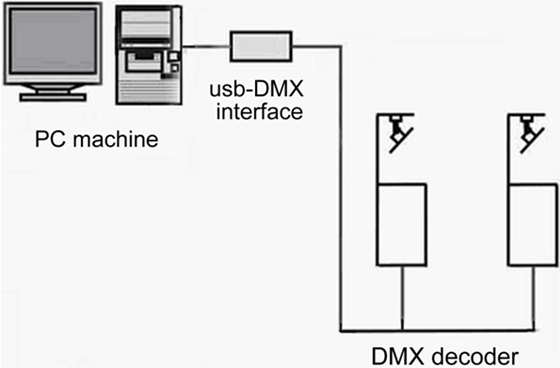
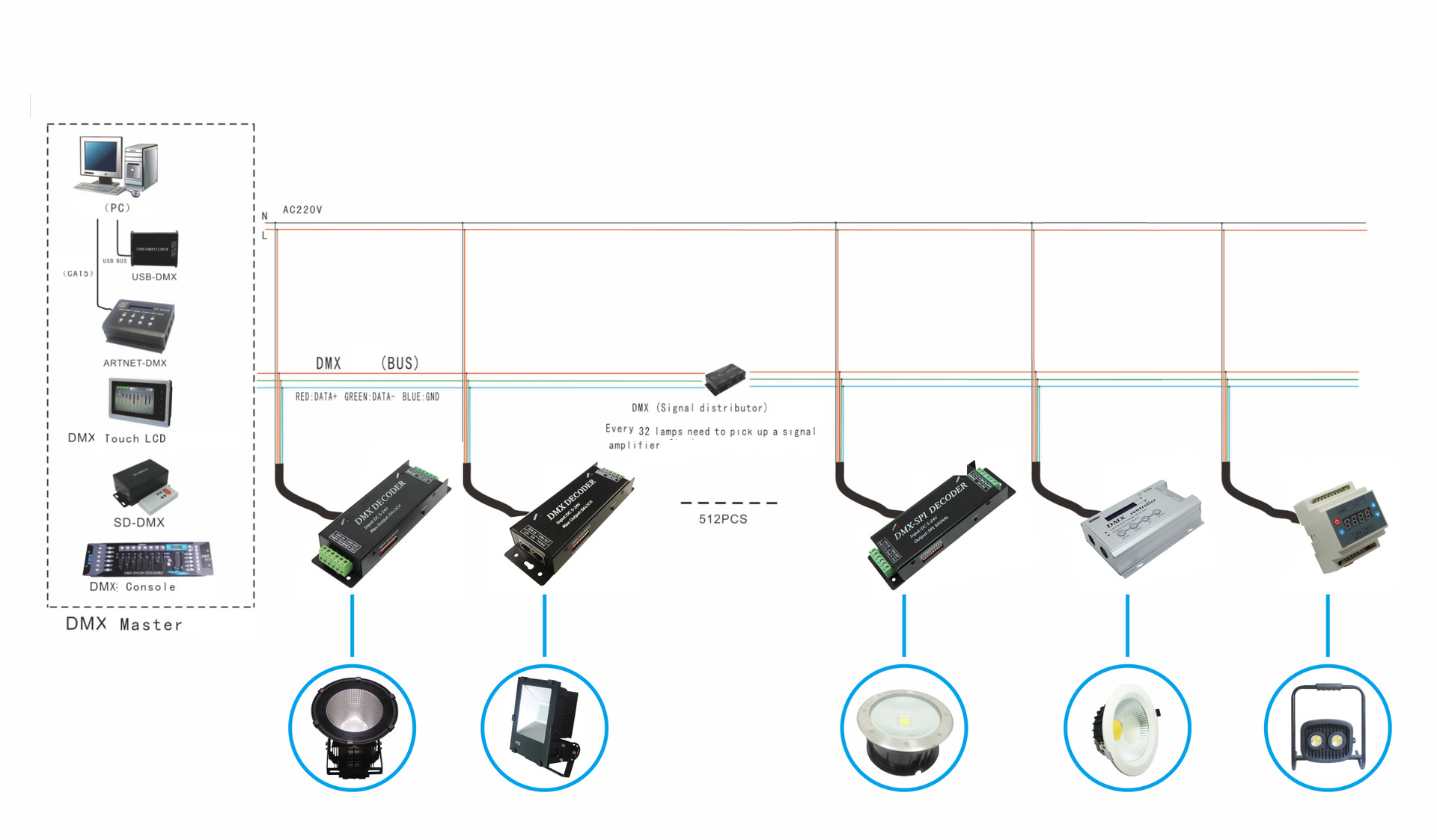
USB-DMX512 master controller connect with the USB interface of computer, through the friendly operation interface of computer, in order to achieve the aim of controlling lamps, It has a lot of advantages such as easy operation and simplicity to use.
The hardware composed of 3 parts: PC, USB-DMX and kinds of DMX equipment.
Identity:
1.Normal DMX512 channels output, adopt DC/DC power insulation and photoelectricity insulation.
2.Support windows XP /2000 /98se operation system, windows XP identify automatically,
Plug-and-play without installing drivers.
3.USB interface connect with computer, computer interface supply power directly,the maximum
working current is 135mA.
4.Build random storage, data transfer smoothly.
5.PC lamp control software adopt powerful PC FreeStyle lamp control software, it can upgrade
Constantly.
Standards and Certifications


Products parts and Technical Parameters
1.one piece of DMX adapter
2.one piece of interface wire.
3.A suit of FreeStyler light control software(CD)
4.Working temperature: 0-60℃
5.Supply voltage: DC5V
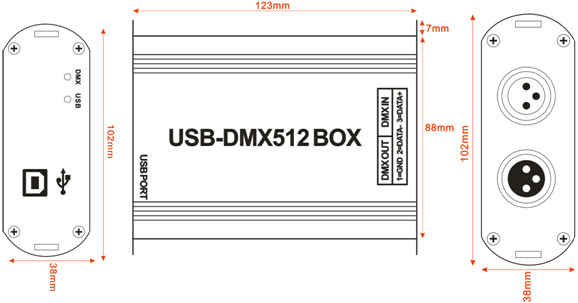
6.External dimension: L128ΧW100ΧH40mm
7.Packing size: L180ΧW150ΧH60mm
8.Net weight: 350g
9.Gross weight: 450g
The lowest configuration of computer
1.CPU above PII300.
2.Hard disk above 1G
3.Memory 32M above.
4.Display 1024*768, 24-bit true color.
5.Windows98 /Me/2000/XP operation system.
6.CD-ROM.
Specifications Download 
External dimension
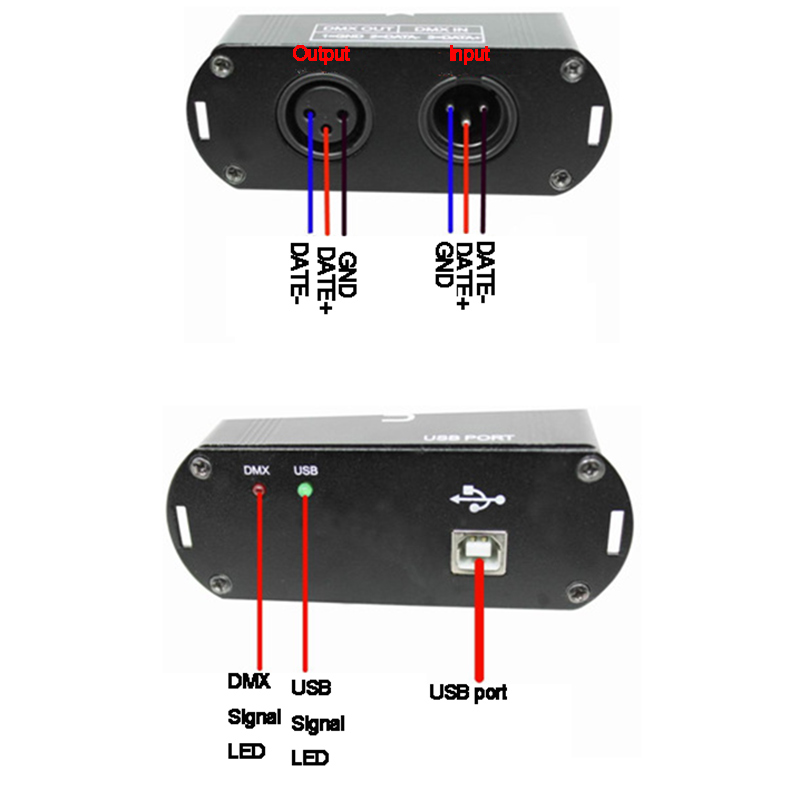
Interface description
Installation of system software:
A:Software installation
1.Put the software CD into CD-ROM drive.
2.Double-click the English original edition FSsetup.exe, then start to install, choose“next step”, when prompt if or not restart computer after installation finished, choose not, the installation finished.(the progress of installation will show several mistakes, click “ignore”,continue to install is ok.), after total installation finished, reset up computer.
B:Software used for the first time
Click FreeStyler in the program, set up software, into program interface, need to set up DMX512 interface, choose “Digital Enlightenment”, press save, exit. If no interface at present, can choose to exit directly, select later, choose installation 1 on the top left corner of software.
If have chosen DMX interface, and have USB wire to connect DMX interface, such as USB-DMX512 interface,reset FreeStyler software, when schedule bar process to 80%, if the blue LED light of interface bright, means the software recognize the interface, DMX signal could output at this moment.
Typical Applications