| Availability | In Stock |
|---|---|
| Condition | Brand New |
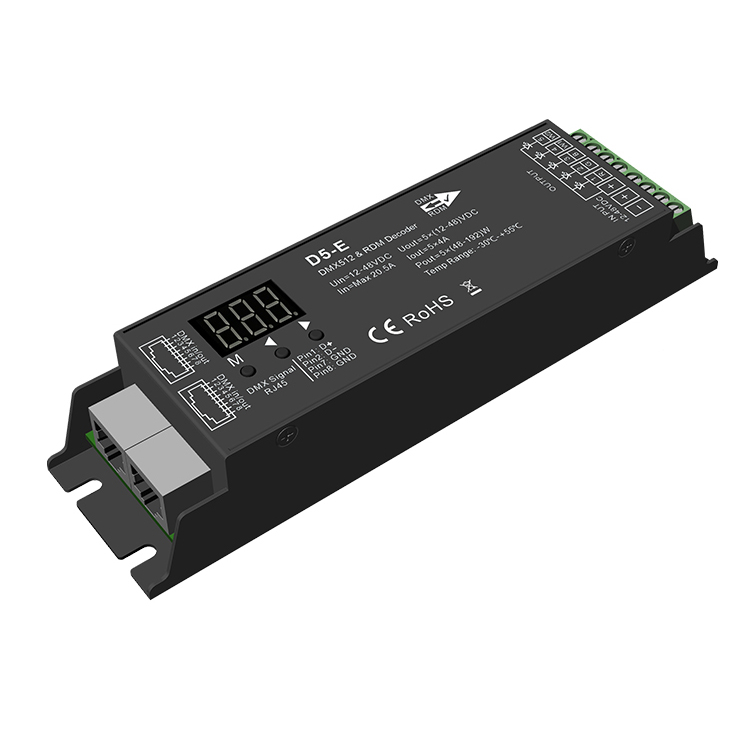
DC12-48V 5 Channel Constant Voltage DMX512&RDM Decoder D5-E
Features
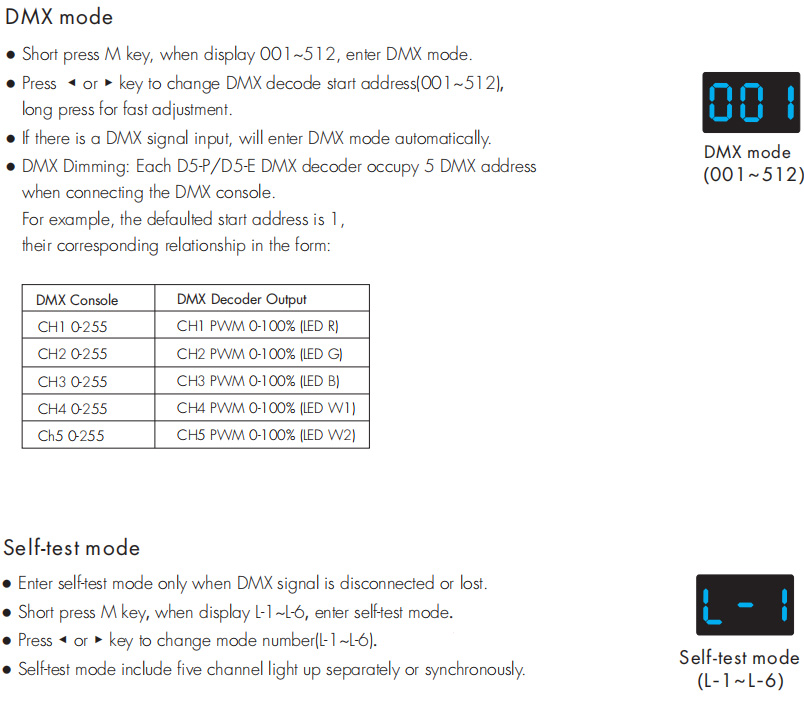
Comply with the DMX512 standard protocols.
● Digital numeric display set DMX to decode start address by buttons.
● RDM function can realize intercommunication between DMX master and decoder.
For example, the DMX decoder address can be set by the DMX master console.
● 16bit (65536 levels) /8bit (256 levels) grey level selectable.
● PWM frequency 250/500/1000/2000/4000/8000/16000Hz is selectable.
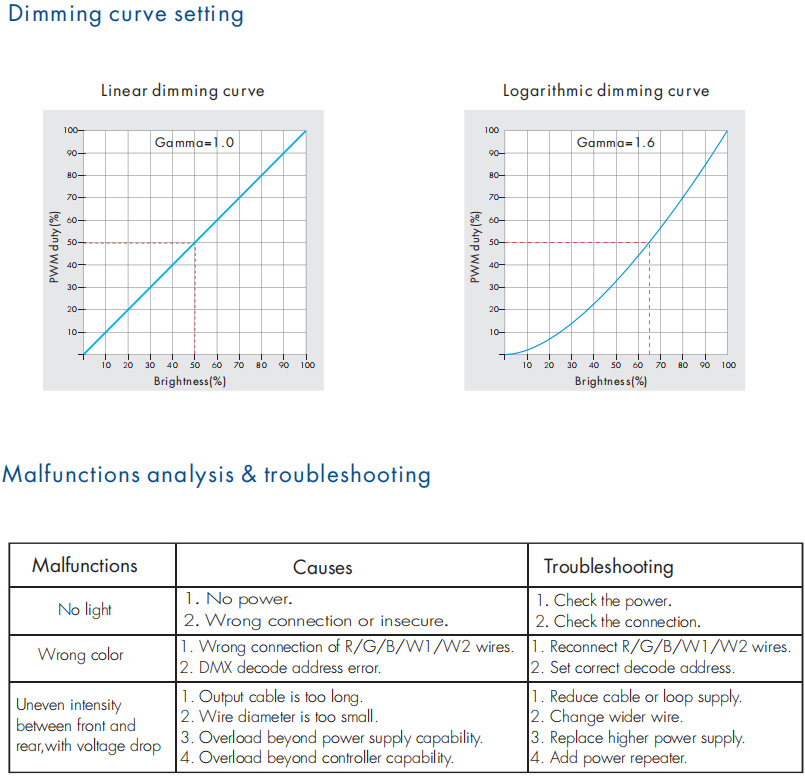
● Logarithmic or linear dimming curve selectable.
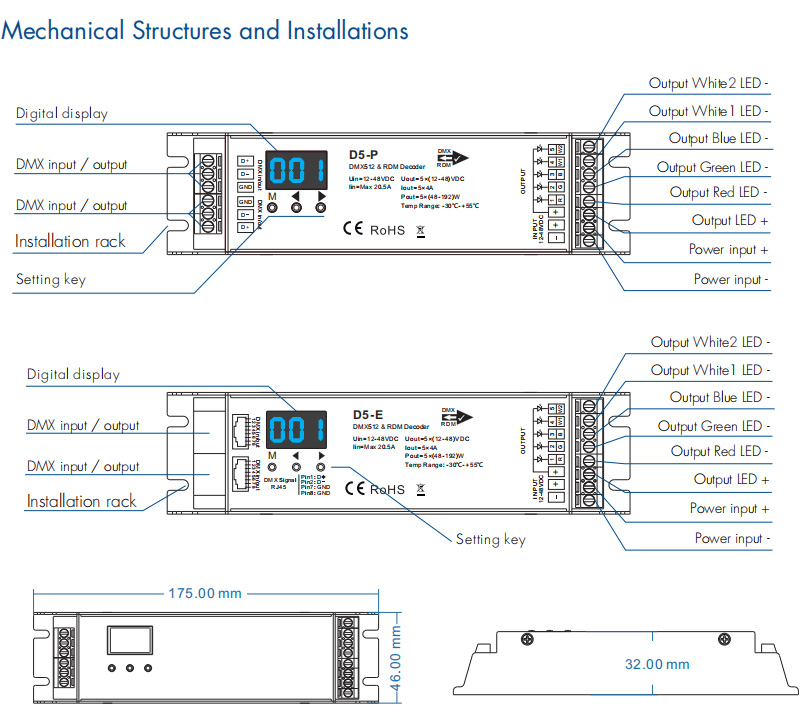
● Over-heat / Over-load / Short circuit protection, recover automatically. ● D5-P has Green terminal DMX signal ports, D5-E has RJ-45 DMX signal ports.
Technical Parameters
Input and Output
Input voltage: 12-48VDC
Input current: 20.5A
Output voltage: 5 x (12-48)VDC
Output current: 5CH,4A/CH
Output power: 5 x (48-192)W
Output type: Constant voltage
Safety and EMC
EMC standard (EMC): ETSI EN 301 489-1 V2.2.3
ETSI EN 301 489-17 V3.2.4
Safety standard(LVD): EN 62368-1:2020+A11:2020
Certification: CE,EMC,LVD
Warranty and Protection
Warranty: 5 years
Protection: Reverse polarity
Over-heat
Over-load
Short circuit
Standards and Certifications


Specifications Download 
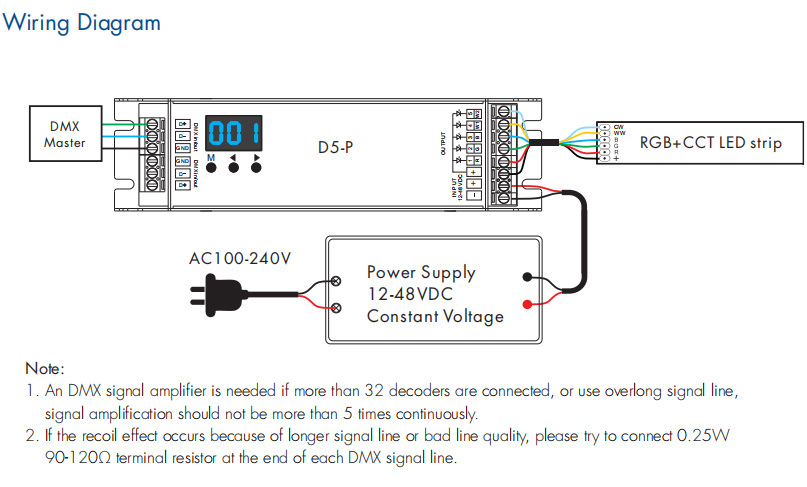
Operation
System parameter setting
● Long press M and ◀ key in the same time for 2s, prepare for setup system parameter: grey level, output PWM frequence,
output brightness curve, default output level, automatic blank screen. short press M key to switch five item. ● Grey level: short press ◀ or ▶ key to switch 8bit("b08") or 16 bit("b16"). choose 16 bit if the DMX master support 16 bit. ● Output PWM frequency: short press ◀ or ▶ key to switch 250Hz("F02"), 500Hz("F05"), 1000Hz("F10"), 2000Hz("F20"),
4000Hz("F40"), 8000Hz("F80") or 16000Hz("F16").
Higher PWM frequency will cause lower output current, higher power noise, but more suitable for the camera(No flickers for video).
● Output brightness curve: short press ◀ or ▶ key to switch linear curve("C-L") or logarithmic curve("C-E"). ● Default output level: press ◀ or ▶ key to change default 0-100% level ("d00" to "DFF" ) when no DMX input signal. ● Automatic blank screen: short press ◀ or ▶ key to switch enable ("bon") or disable("boF") automatic blank screen. ● Long press M key for 2s or timeout 10s, quit system parameter setting.