| Select Connector: | 5 Core (Base), 3 Core (Base) |
|---|---|
| Select Kit: | Controller (Base), Controller + XLR Connector |
| Availability | In Stock |
| Condition | Brand New |
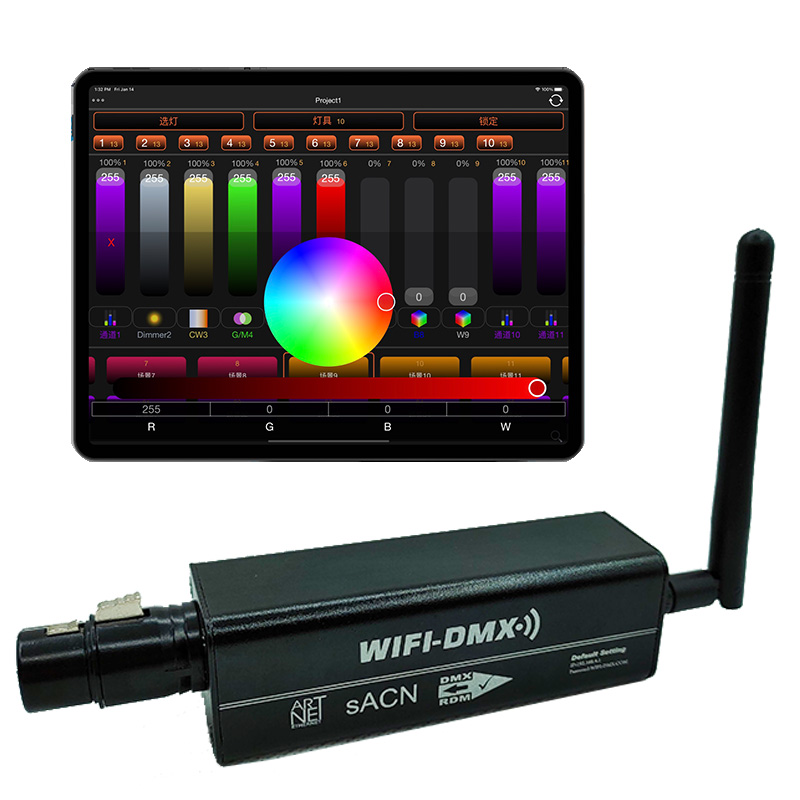
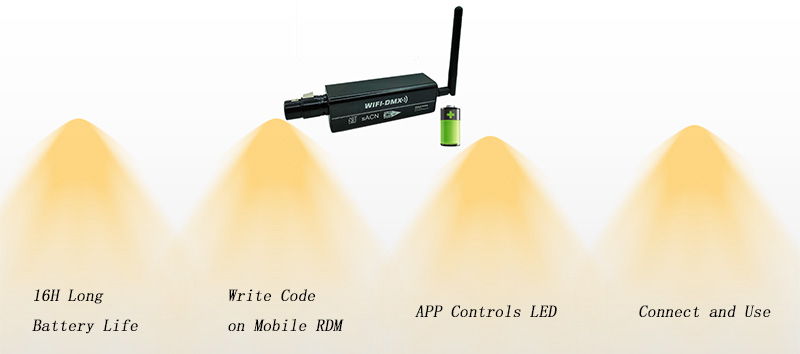
This battery charging WiFi DMX controller supports Artnet protocol and DMX512 protocol. 16 hours of battery life. Write code on mobile phone RDM. Mobile APP control LED lights. Connect and use.
If you choose the "Controller + XLR Connector" Kit, we will send an extra 3pin or 5pin XLR connector which one end is 3 or 5 wires to hardwire.
DMX controller settings:
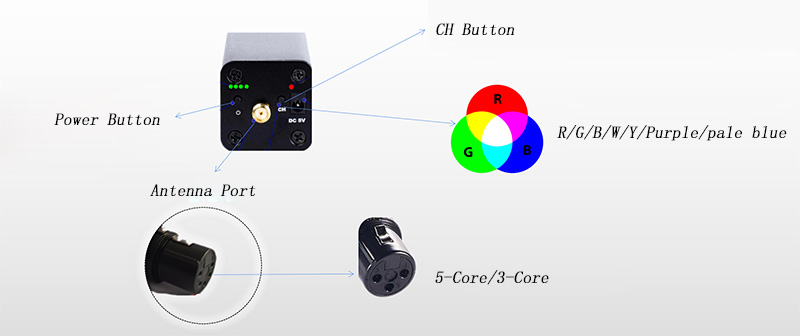
1. Click the power button to power on the controller.
2. Double-click the power button to power off the controller.
3. Click the CH button to switch the wireless channel (red, green, blue, white, yellow, purple, light blue).
4. Press and hold the CH button, press the power button for 3 seconds and release it to restore the factory settings.
Standards and Certifications


How to use?
1. The DMX controller has its own WiFi hotspot, connect the mobile phone to WIFI-DMX-XXXX, enter the password WIFI-DMX.COM, and open the APP to control the LED lights. (You can modify the hotspot name and password when the phone enters the management interface)
2. Connect the DMX controller to the first lamp, and other LED lamps are connected with the DMX signal line. The controller outputs standard DMX512 signal, 512 channels.
3. Multiple DMX controllers and mobile phones can be connected to the same router together to use multiple controllers together.
4. The transmission distance of DMX controller is 50~100 meters without wall barrier. Putting the antenna at a high place can increase the transmission distance. If you need to increase the distance, you can use a signal amplifier.
How does the DMX controller connect to the router?
Connect the mobile phone to the controller, enter 192.168.4.1 in the browser to enter the configuration interface, and select the connection settings.
1) Name---Enter the router name.
2) Password---Enter the router password
3) Uncheck the standalone mode
4) Press the save function on the upper right, and power on again
How does the DMX controller recover from router mode to hotspot mode?
Power off the router, power on the controller, and then connect the mobile phone to WIFI-DMX to enter the configuration interface, check the independent mode, save it, and restart.