

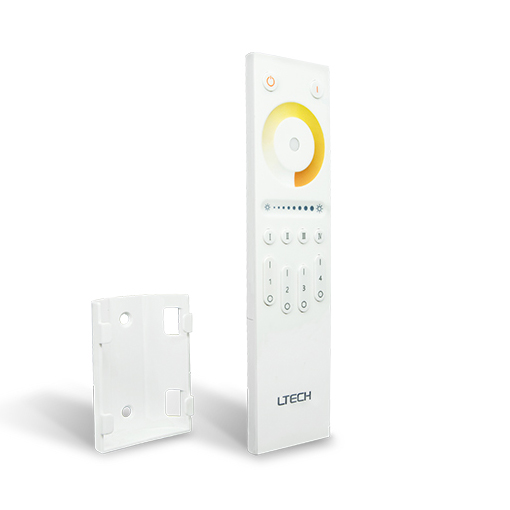
| Availability | In Stock |
|---|---|
| Condition | Brand New |
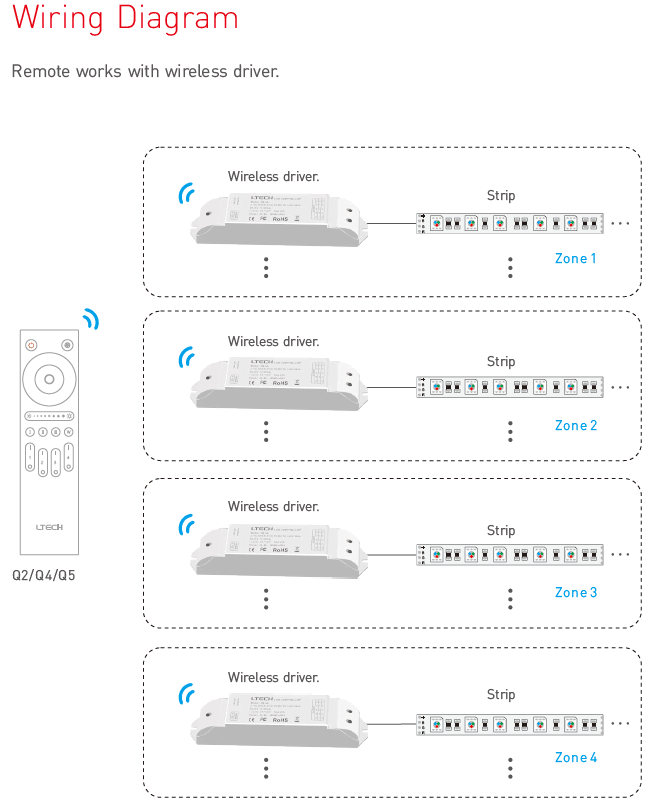
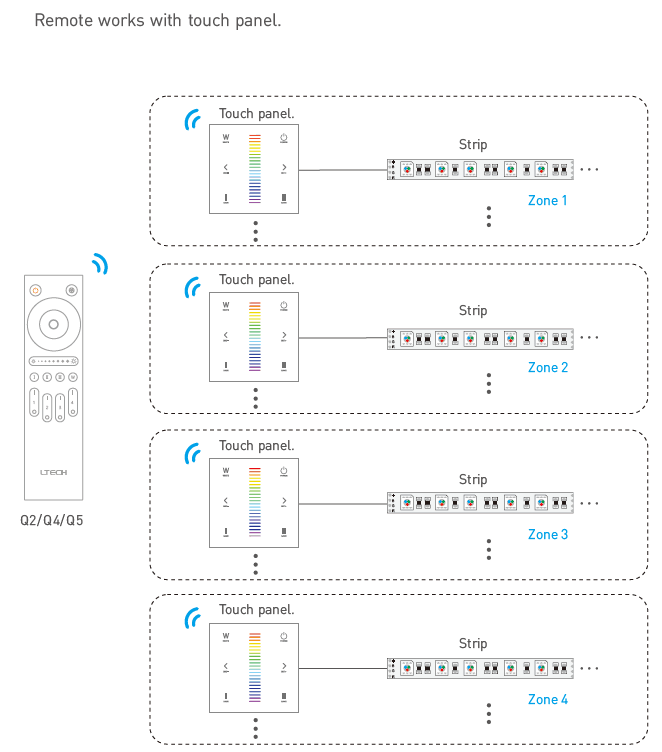
Independently control up to four separate areas or sync them together for uniform lighting effects.
Adjust color temperature with a swipe on the color wheel and brightness with the dedicated slider for smooth, precise changes.
Utilizes a stable 2.4GHz RF wireless signal for reliable control up to 30 meters away, penetrating walls and obstacles.
Integrated indicator lights display the selected color and brightness, providing clear visual confirmation of your settings.
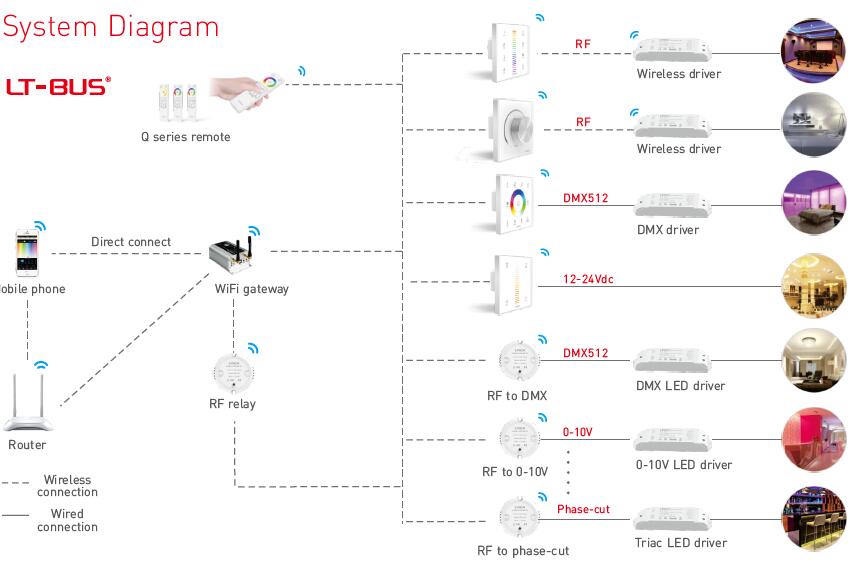
Pairs seamlessly with a range of Ltech wireless receivers, including F4-5A, F4-DMX-5A, and F5-DMX-4A models.
| Parameter | Details |
|---|---|
| Model | LT-Q2 |
| Remote Type | 4-Zone Color Temperature (CT) Control |
| Input Voltage | 3V DC (2x AAA Batteries) |
| Wireless Technology | RF 2.4GHz |
| Transmission Distance | Up to 30m (in open area) |
| Control Interface | Touch Color Wheel, Touch Dimming Slider |
| Working Temperature | -20℃~55℃ |
| Weight (Gross) | 85g |
| Compatible Receivers | F4-5A, F4-DMX-5A, F5-DMX-4A, and other Ltech LT-BUS wireless receivers |
PDFQ2
Q: What kind of LED lighting is the Q2 remote designed for?
A:The Q2 is specifically for controlling dual white, also known as Color Temperature (CT) or tunable white, LED strip lights.
Q: Can I control lights in different rooms with one remote?
A:Yes, you can assign lights in up to four different rooms or areas to the four zones and control them independently or together.
Q: Which receivers work with this LT-Q2 remote?
A:This remote is compatible with Ltech wireless receivers in the LT-BUS system, such as the F4-5A, F4-DMX-5A, and F5-DMX-4A models.
Q: What is the maximum control distance?
A:The RF 2.4GHz signal provides a control range of up to 30 meters (approx. 100 feet) in an open environment, though this can be affected by walls and other obstacles.
Q: Do I need a WiFi network or a smartphone app to use this remote?
A:No, the Q2 is a standalone RF wireless remote that communicates directly with its paired receivers. It does not require any WiFi connection or app.
Q: How do I sync all four zones to respond to the same command?
A:You can assign multiple receivers to the same zone number to have them respond simultaneously. The master ON/OFF buttons will always control all paired zones at once.