

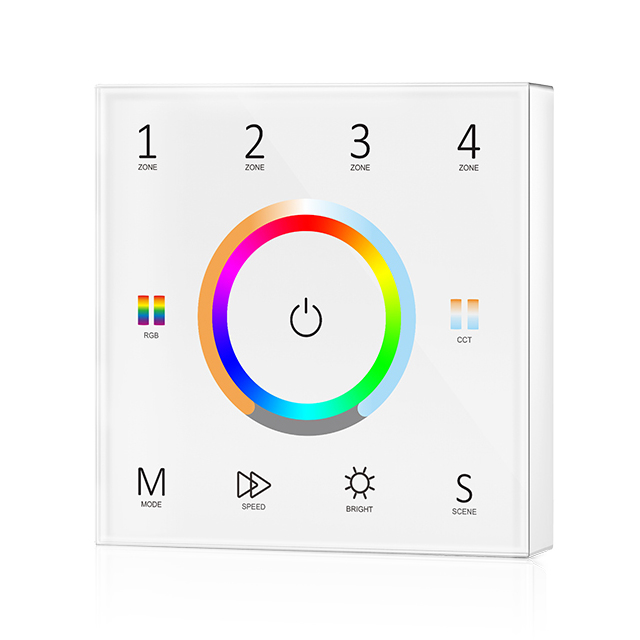
| Select Colour: | Black (Base) |
|---|---|
| Availability | In Stock |
| Condition | Brand New |
Touch panel 4 zone RGBCCT universal RF remote.
 Each zone can be set as a single color, dual color(WW/CW), RGB, RGBW or RGB+CCT light type.
Each zone can remote control multiple Skydance’s 2.4G LED controllers.
Ultrasensitive high strength glass touch panel with a touch color wheel in the middle.
Smooth and accurate color adjustment by touching the color slide.
Touch keys with chord tones and LED indicator.
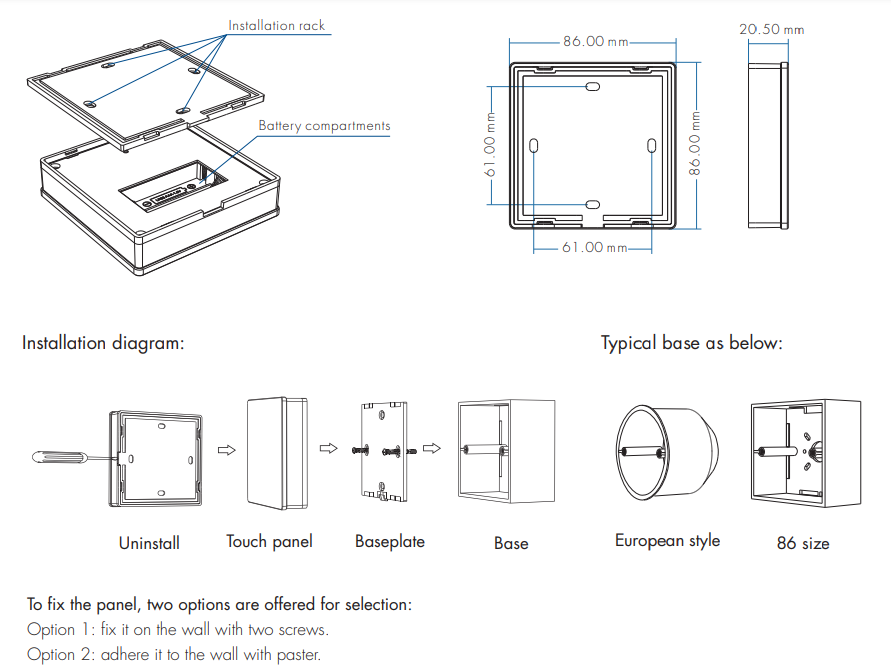
Free installation, no wiring, removable.
AAA x 2 battery powered.
100pcs are needed for purchasing the white color.
Technical Parameters
Output signal: RF(2.4GHz)
Working voltage: 3VDC(AAA x 2)
Working current: <20mA
Standby current: <20μA
Standby time: 1 year
Remote distance: 30m
Safety and EMC
EMC standard (EMC): EN301 489,EN 62479
Safety standard(LVD): EN60950
Radio Equipment(RED): EN300 328
Certification: CE,EMC,LVD,RED
Standards and Certifications


Specifications Download 
Note:
● For single color, touch RGB/CCT wheel only change brightness, RGB, MODE, SPEED key is invalid.
● For dual-color, touch RGB/CCT wheel only change color temperature, RGB, MODE, SPEED key is invalid.
● For RGB, when touching the CCT wheel, adjust the color temperature by mix the R/G/B channel.
● For RGBW, when touching the CCT wheel, adjust W channel brightness.
● Aftertouch the power key to turn off the light, the long press power key 10 seconds will turn on or turn off the tone.
Safety information
1. Read all instructions carefully before you begin this installation.
2. When installing the battery, pay attention to the battery's positive and negative polarity. A long time without the remote control, remove the battery. When remote distance becomes smaller and insensitive, replace the battery.
3. If no response from the receiver, please re-match the remote.
4. Gently handle remote, beware of falling.
5. For indoor and dry location use only.