

| Availability | In Stock |
|---|---|
| Condition | Brand New |
Please check TM016 touch panel with remote for replacement.
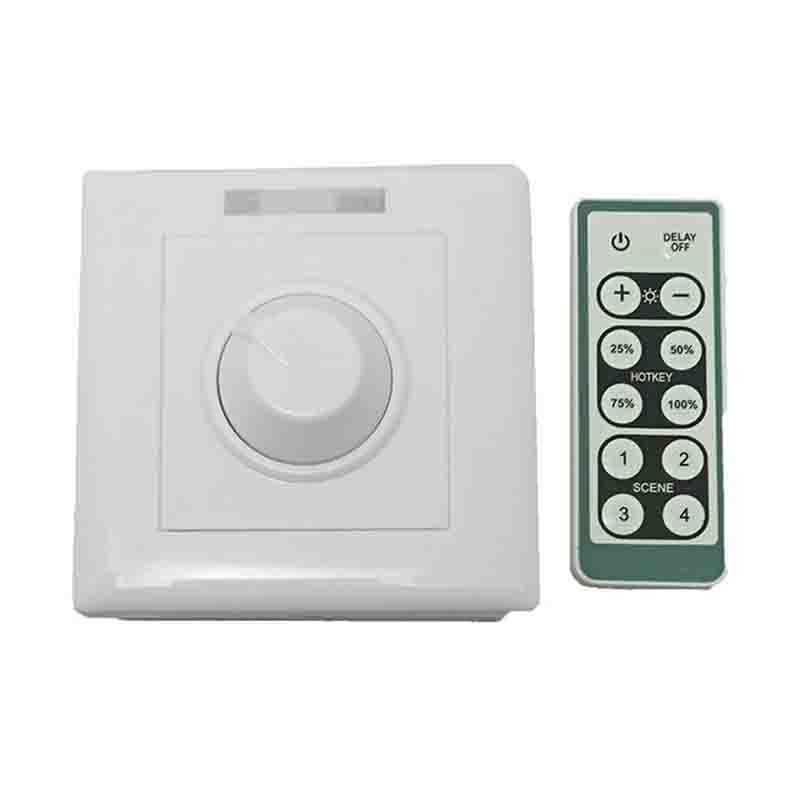
This controller is a self-developed 0-10V panel dimmer that integrates infrared wireless remote control and knob dimming. It maintains the advantages of low-voltage dimmer precise dimming. It uses an infrared wireless remote control to increase control. Flexibility, which can implement functions such as delayed light off and scene control, provide smart lighting control effects that are more comfortable, safe, and convenient than traditional light controllers, optimize people's control experience of light, and bring new, Comfortable lighting environment.


Technical Parameters
● Working Temperature:
●Power Supply Voltage: AC100-240V
● Output: 1 Channel
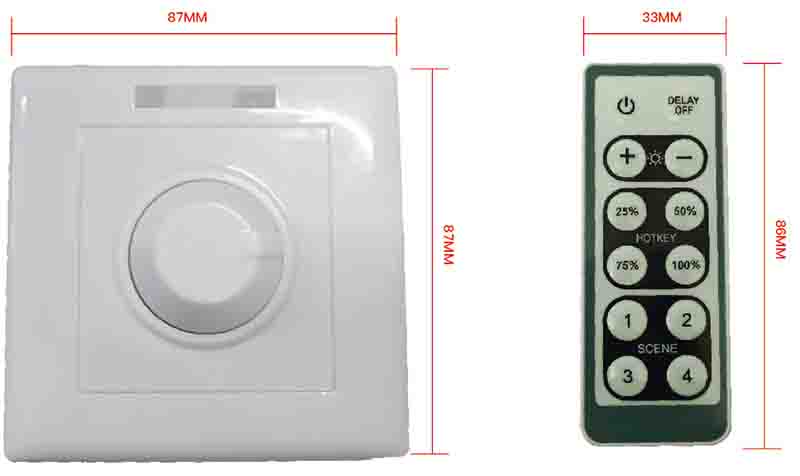
● Controller Size: L87×W87×H42mm
●Remote Control Size: L86×W33×H7mm
● Packing Size: L100ΧW100ΧH65mm
● Net Weight: 112.9g
● Gross Weight: 236.7g
● Static Power Consumption: <1W
● Output Current: >50m
Dimensions
Interface description
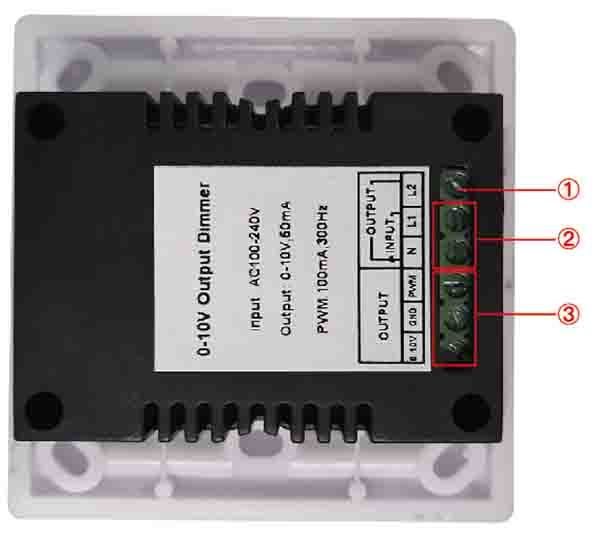
① Positive pole of relay ② L1: positive pole of power input, N: common negative pole ③ 0-10V output
Instructions for use
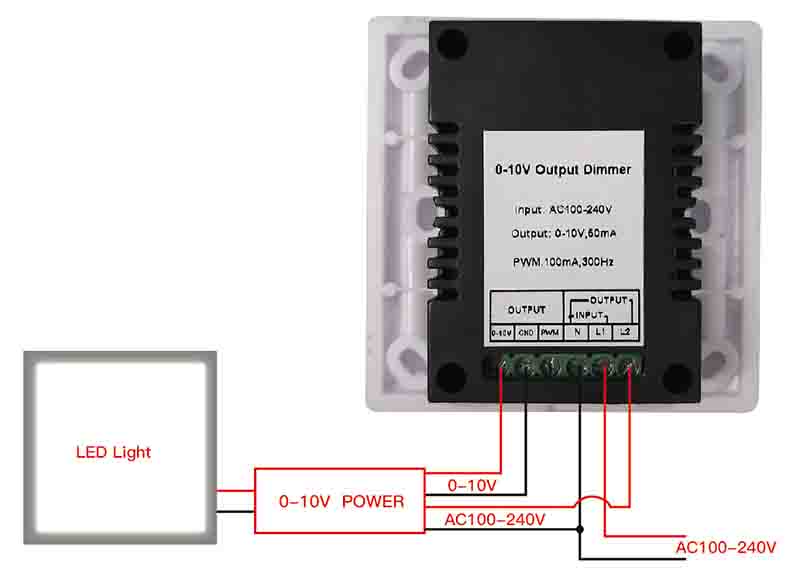
1. Connect the load line first, and then connect the power line; make sure there is no short circuit between the connection lines before powering on;
2. During operation, point the remote control at the infrared receiving head to ensure that there is no obstacle between the remote control and the receiving head; when the dimmer receives a valid signal from the infrared remote control, the red light in the upper luminous bar flashes; adjust The optical device adopts two dimming modes:
(1) Infrared remote control adjustment mode; the functions of each key are shown in the following table (arranged according to the position of the key):
|
Key Name |
Explanation |
|
ON/OFF |
Output on/off key. |
|
DELAY OFF |
Delay shutdown button. Press this key, the output will automatically shut down after 30 seconds. |
|
BRIGHTNESS- BRIGHTNESS + |
Grayscale increase/decrease key; every time you press, grayscale increases by two levels, a total of 255 levels of grayscale can be adjusted. |
|
HOTKEY |
Brightness shortcut keys: Press these 4 keys to select the corresponding percentage of brightness on the key. |
|
SCENE |
DIY scene mode keys: a total of 4 keys, press and hold a key for 3 seconds, the dimmer indicator flashes once, indicating that the dimmer has automatically saved the current brightness on the key, and the other keys are also set. Usually press once to directly enter the brightness previously stored on the key. |
Packaging
1x LED Dimmer
1x 12 Key IR Remote Controller
1x User Manual