


| Select UL-Listed: | YES (Base), NO (Base) |
|---|---|
| Availability | In Stock |
| Condition | Brand New |
WiFi & RF 5-in-1 LED Strip Light Controller WT5 UL Certified
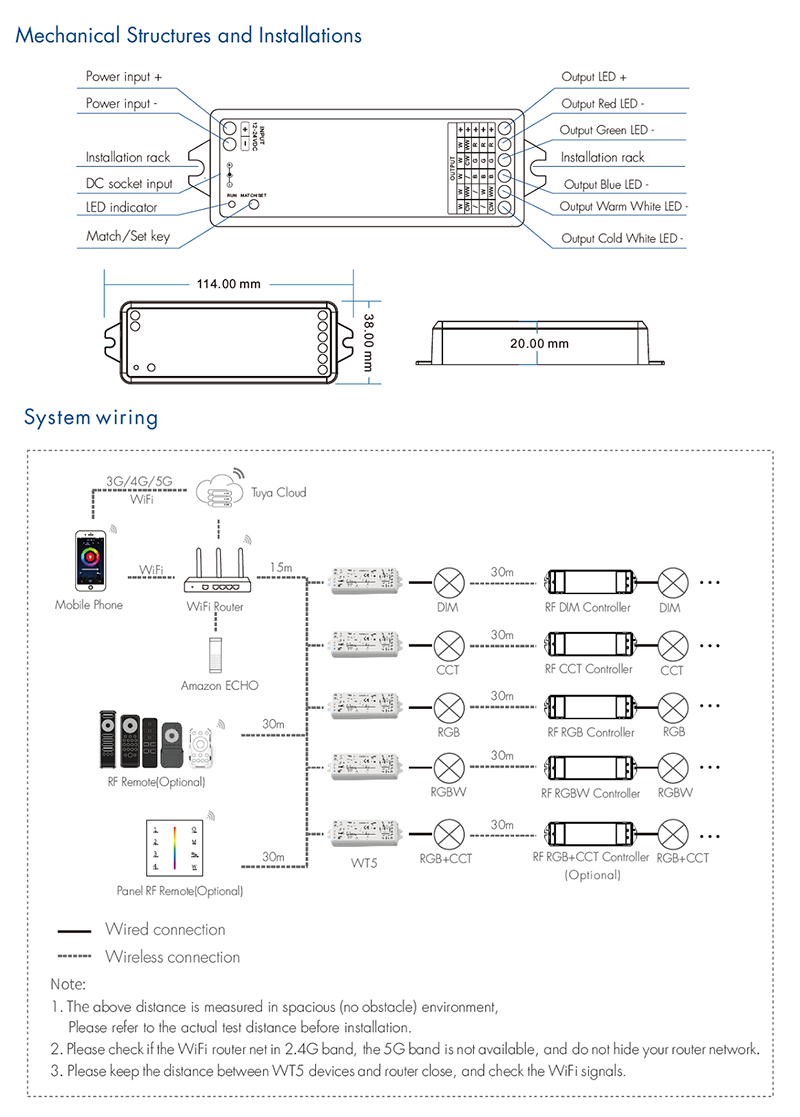
● 5 in 1 function, used for control RGB, RGBW, RGB+CCT, color temperature or single color LED strip.
● DC power socket input and 5 channel constant voltage output.
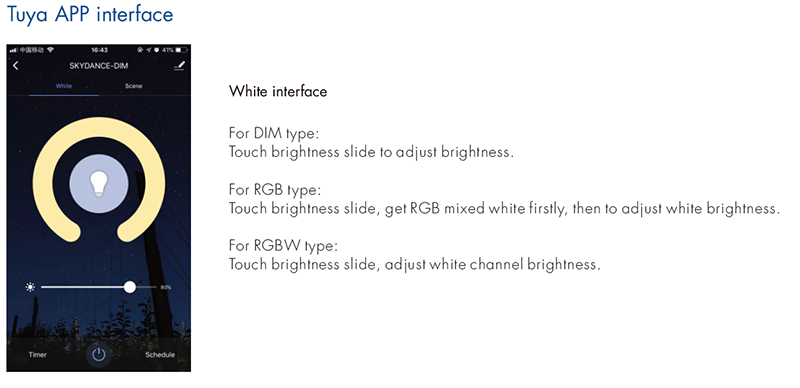
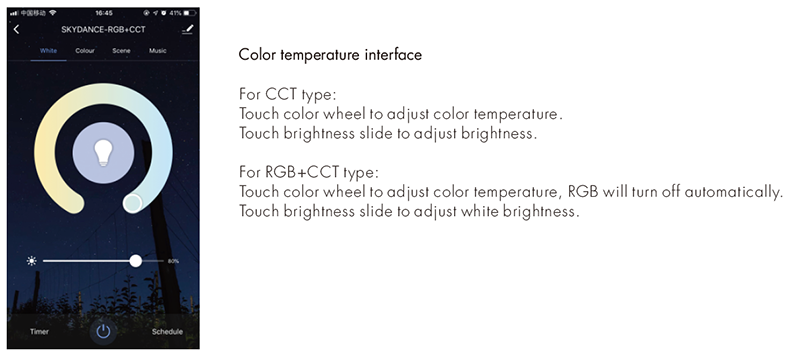
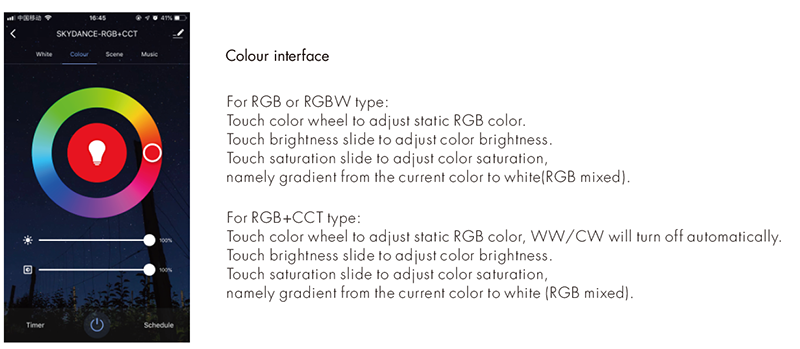
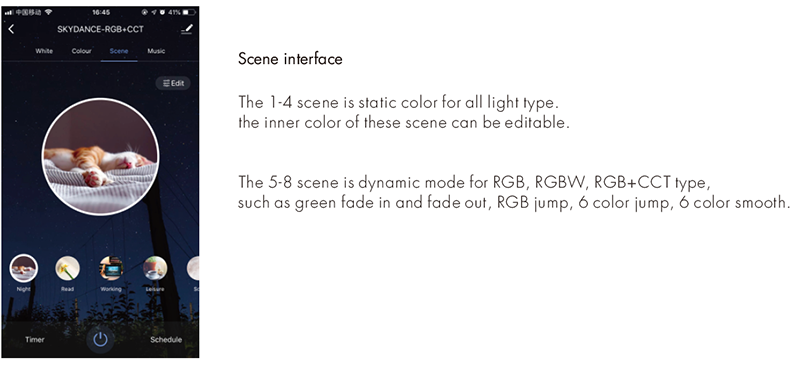
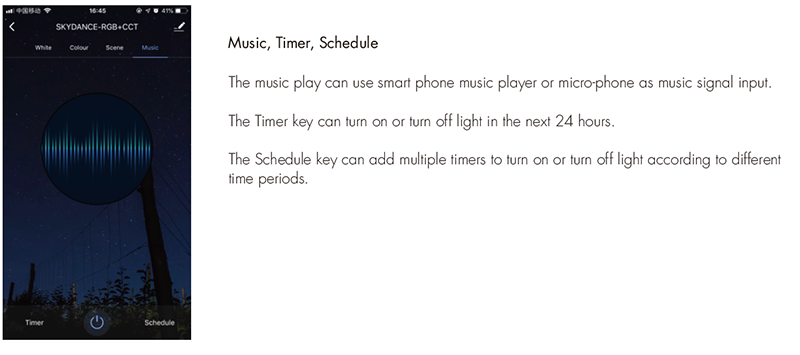
● Tuya APP cloud control, support on/off, RGB color, color temperature and brightness adjust, delay turn on/off light,
timer run, scene and music play function.
● Voice control, support amazon ECHO and TmallGenie smart speaker.
● Match with RF 2.4G remote control optional.
● User need set light type by press key before Tuya APP network connection and match RF remote of the same light type.
● Each WT5 controller can also work as WiFi to RF converter, then use Tuya APP to control one or more RF LED controller or RF LED dimming driver synchronously.
WT5 Manual Download 
UL WT5 Manual Download
Technical Parameters
Input Voltage: DC12-24V
Output Voltage: 5*DC12-24V
Output Current: 5CH, 3A/CH
Output Power: 5 x (36-72)W
Output Type: Constant voltage
Input Signal: Tuya APP + RF 2.4GHz
Control Distance:30m(Barrier-free space)
Dimming Level: 4096(2^12) levels
Dimming Range: 0 -100%
Dimming Curve: Logarithmic
PWM Frequency: 500Hz (default)
Warranty: 5 years
Protection: Reverse Polarity/over heat
Operation Temperature:-30℃~+55℃
Case Temperature(MAX.):+85℃
Waterproof Rating: IP20
WT5 match remote control (Optional)
End user can choose the suitable match/delete ways. Two options are offered for selection:
Use the controller’s Match key
Match:
Short press match key, immediately press on/off key (single zone remote) or zone key (multiple zone remote) on the remote. The LED indicator fast flash a few times means match is successful.
Delete:
Press and hold match key for 20s to delete all match, The LED indicator fast flash a few times means all matched remotes were deleted.
Use Power Restart
Match:
Switch off the power, then switch on power again, immediately short press on/off key (single zone remote) or zone key (multiple zone remote) 3 times on the remote. The light blinks 3 times means match is successful.
Delete:
Switch off the power, then switch on power again, immediately short press on/off key (single zone remote) or zone key (multiple zone remote) 5 times on the remote. The light blinks 5 times means all matched remotes were deleted.
WT5 work as WiFi to RF converter to match RF LED controller or dimming driver
End user can choose the suitable match/delete ways. Two options are offered for selection:
Use the controller’s Match key
Match:
Short press match key, immediately press on/off key on the Tuya APP. The LED indicator fast flash a few times means match is successful.
Delete:
Press and hold match key for 20s to delete all match, The LED indicator fast flash a few times means all matched remotes were deleted.
Use Power Restart
Match:
Switch off the power, then switch on power again, immediately short press on/off key 3 times on the Tuya APP. The light blinks 3 times means match is successful.
Delete:
Switch off the power, then switch on power again, immediately short press on/off key 5 times on the Tuya APP. The light blinks 5 times means all matched remotes were deleted.
Tuya APP network connection
Press and hold Match/Set key for 2s, or push twice Match/Set key fastly, or when press and hold Match/Set key for 8-16s to set 5 kinds light type: Clear previous network connection, enter Smart config mode, the purple LED indicator fast flash.
Press and hold Match/Set key for 5s:
Clear previous network connection, enter AP config mode, the purple LED indicator fast slow. If smart config failed, please try AP config.
If Tuya APP network connection succeed, the RUN LED indicator will stop flash purple, and turn corresponding light type color (White: DIM, Yellow: CCT, Red: RGB, Green: RGBW, Blue: RGB+CCT). and in Tuya APP, you can find SKYDANCE-RGB+CCT device (or other DIM, CCT, RGB or RGBW).