

| Availability | In Stock |
|---|---|
| Condition | Brand New |
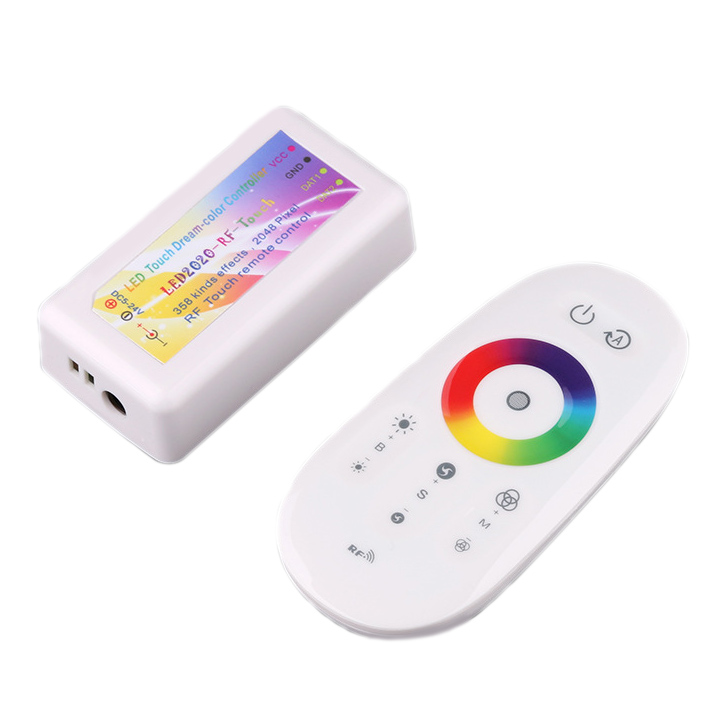
This LED Dream Color RF LED Controller is following RF technology controller foundation, it is birth of market and customer's demand, RF Remote control, long-distance, mini size, wire connection is simple and very easy to use, It makes the LED control more convenience, more Substantial. Each controller can control up to 2048 pixels. Covering the effects of the market for all full-color controller mode. Brightness adjustable. Preventing reverse connection of power supply. use for DC5V or DC12/24V WS2811/WS2812B module or strip lights.The boxed controller has two data lines. You can connect to the double data line light strip, or you can connect to the single data line ordinary addressable light strip.
Standards and Certifications


Product Specification
Working temperature: -20-60℃
Input voltage: DC5V/WS2812B , DC12V/WS2811
Working voltage: DC5-24V
Effect mode: 358 effects
Control points: maximum adjustable to 2048 pixels
Remote control distance: Mini version: 30 meters open, 100 meters open for plastic box version
Battery model: two AAA batteries

How to use
Color circle: Touch the color circle, the light strip will display the corresponding color.
Adjust the points function: first press the "ON key" to turn off, in the shutdown state, press the "A" key for 5 seconds to enter the point adjustment menu. At this time, press "M +" and "M-" to adjust the number of points. After adjusting, press the "ON key" to save.
Adjust the RGB sequence function: If the light strip color and the color circle are not aligned, you need to adjust the RGB sequence. The adjustment method is the same as that of adjusting the points. Firstly, press the "ON key" to turn it off. In the shutdown state, press and hold the "A" key for 5 seconds to enter the point adjustment menu. At this time, press the "B +" key to adjust the RGB sequence of the ruler until the color sequence of the 15 lights in front of the light strip is "red, green, and blue". After adjusting, press the "ON key" to save.
The one-to-one matching function of the remote control: In any case, press and hold the "blue button at the top" of the color ring for 5 seconds (not shake left and right) to realize the one-to-one matching function of the remote control. After the matching is successful, the blue light of the light strip flashes three times, and only this remote control can control the controller at this time.
Disable the remote control matching function: In any case, press and hold the "yellow button at the bottom" of the color ring for 5 seconds (cannot shake left and right) to release the remote control matching function and restore all remote control common. After the release is successful, the yellow light of the light strip flashes three times. At this time, all remote controllers can control the controller.

Safety
Supply voltage of this product is 5~24 Volts DC, do not exceed.
Shorting output wires my cause damage to dimmer.
Always observe proper polarity when connecting power and load.
For indoor use only - this product is not waterproof or weatherproof.
Note
Connect according to the Wiring Schematic drawing.
Do not exceed 80% of Power Supply capacity when calculating Power Supply size to use in your system.