| Availability | In Stock |
|---|---|
| Condition | Brand New |
DALI (Digital Addressable Lighting Interface) is an international standard, popular lighting control protocol, with digital addressing dimming, stable, various dimming ways, easy to install, compatible with many big factories such characteristic.
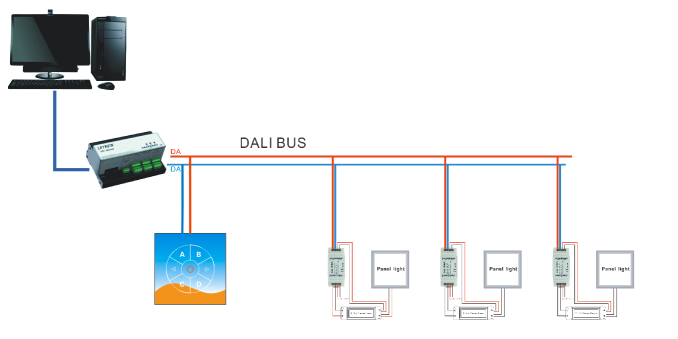
DL104 host uses advanced computer chips, cooperated with PC software and DL100 control equipment of the DALI bus. It play a bridge role between the PC and DALI control equipment, make originally the independent individual to connect in a centralized control system, and make lighting control more intelligent.
This product updates and upgrades on the basis of the previous products, have more powerful function, can through the PC software configuration button for the function of the scene, grouping or equipment.


Technical parameters
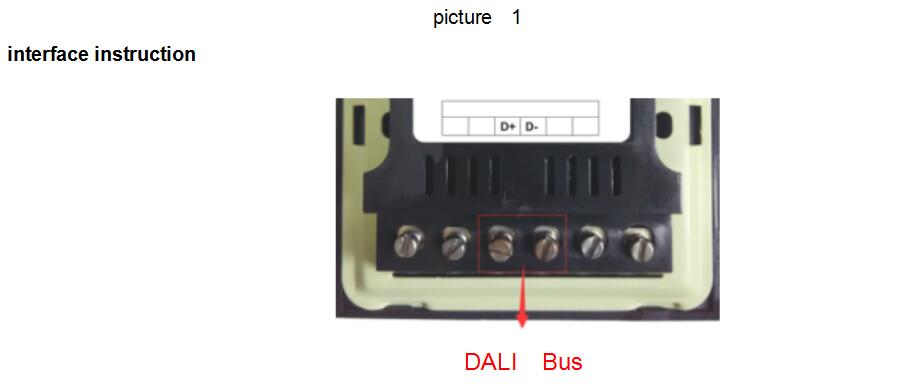
Power Supply: DALI bus
Input Signal: touch panel
Output Signal: standard DALI signal
Working Temperature: -20-60 ℃
Input Current: ≤6mA
Gross Weight: 250g
Net Weight: 139.5g
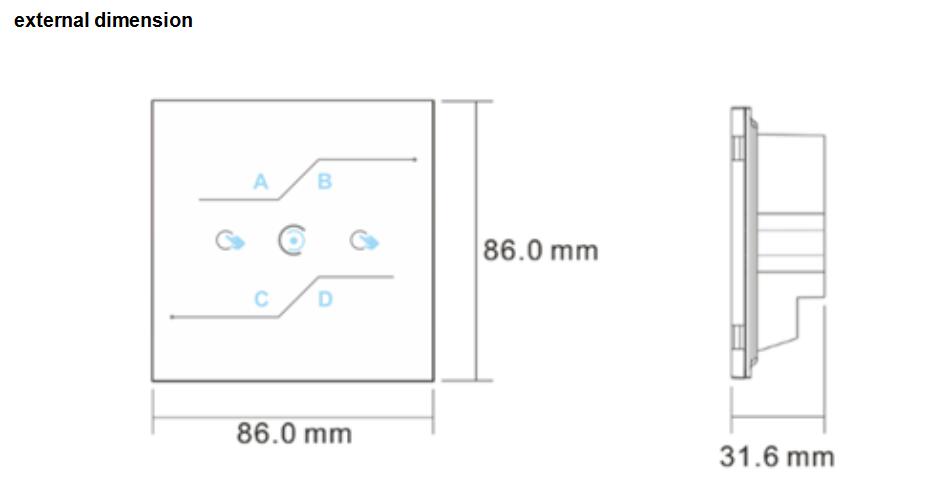
Packing Size: L100×W80×H75 mm
Specifications Download 
Instructions for use
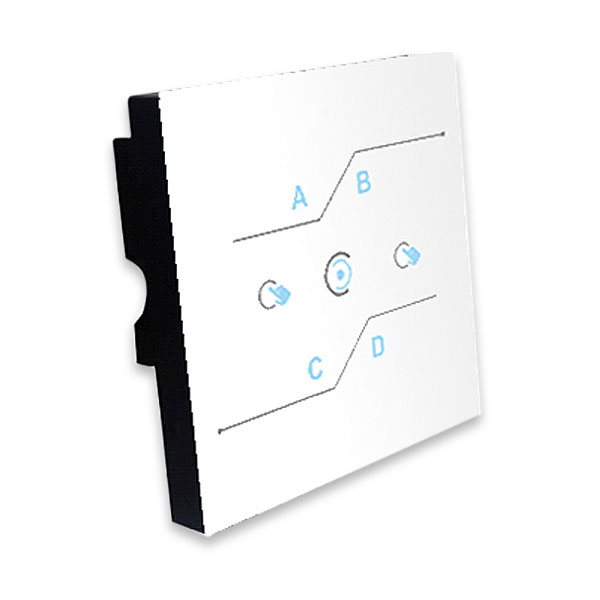
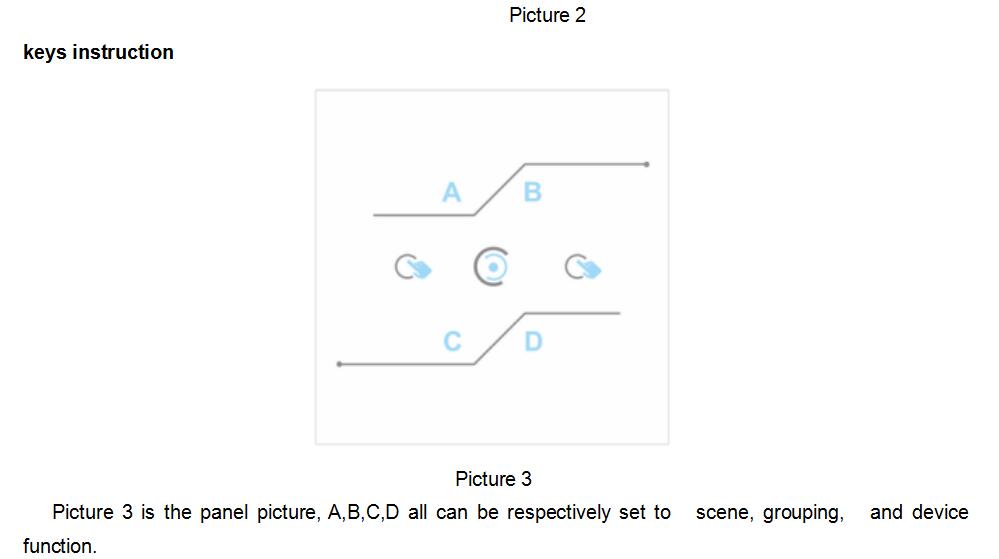
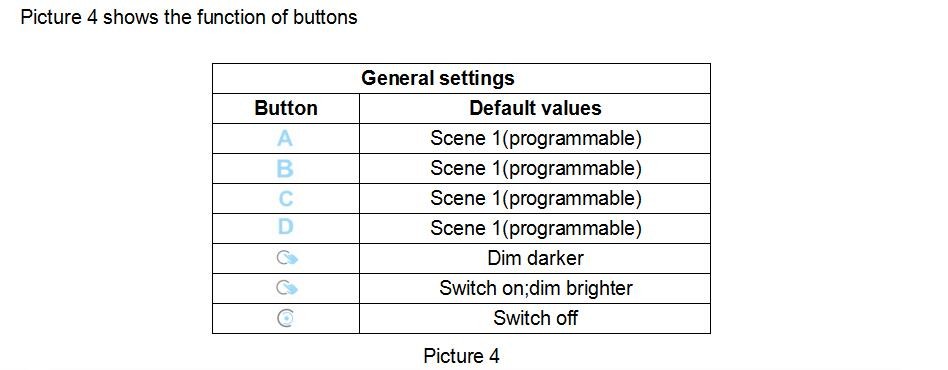
The DALI touch panel supports user-defined buttons, which can be configured to specify scenes, groups, or devices. For the configuration method, please see the "Configuration Method" below. For the first use, the four key functions of A, B, C, and D are scene 0, 1, 2, 3 by default.
1. Scene control: When the user configures the button as a scene function, touch the corresponding button, and the device on the same bus as the touch panel will execute scene 0. At this time, the left and right buttons are not available (the left and right buttons can only be used for grouping and devices Dimming), press the close button to turn off the brightness.
2. Group control: When the user configures the buttons into group functions, touch the button to select the set group. At this time, the selected group will turn off the brightness output, and then touch the left and right keys to adjust the selected group Light operation, touch the close button to turn off the device output.
3. Device control: When the user configures the buttons as device functions, touch the button to light up the set device, then touch the left and right buttons to dim the selected device, and touch the close button to turn off the device output.
Typical applying