| Select Kit: | Controller (Base), Controller+1 PNP three-wire trigger, Controller+2 PNP three-wire triggers, Controller+3 PNP three-wire triggers, Controller+4 PNP three-wire triggers |
|---|---|
| Availability | In Stock |
| Condition | Brand New |
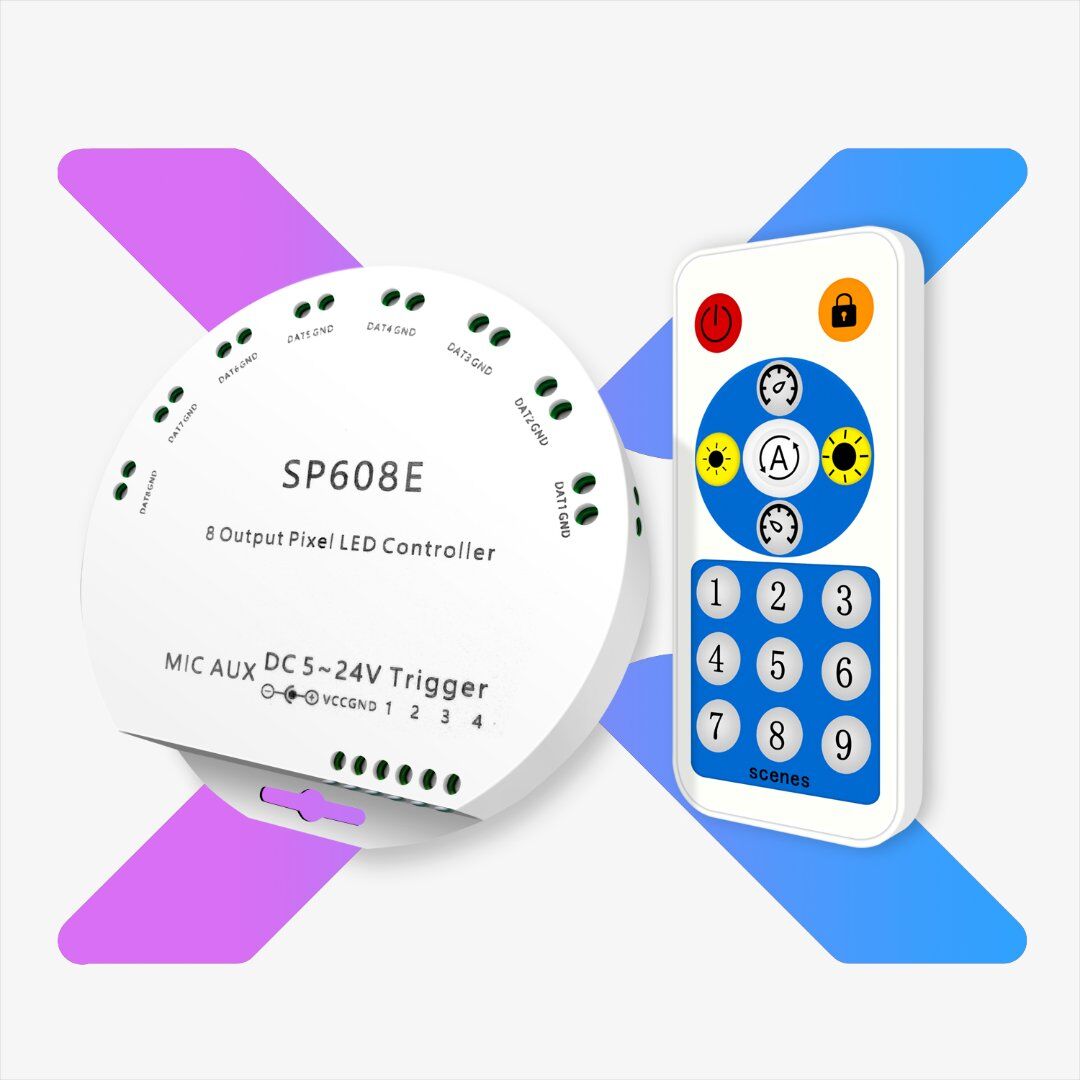
SP608E 8 Output SPI Channel LED Music Controller Work With Bluetooth APP & RF Remote, 4 Adjustable Triggers For Addressable LED Strip Lights.
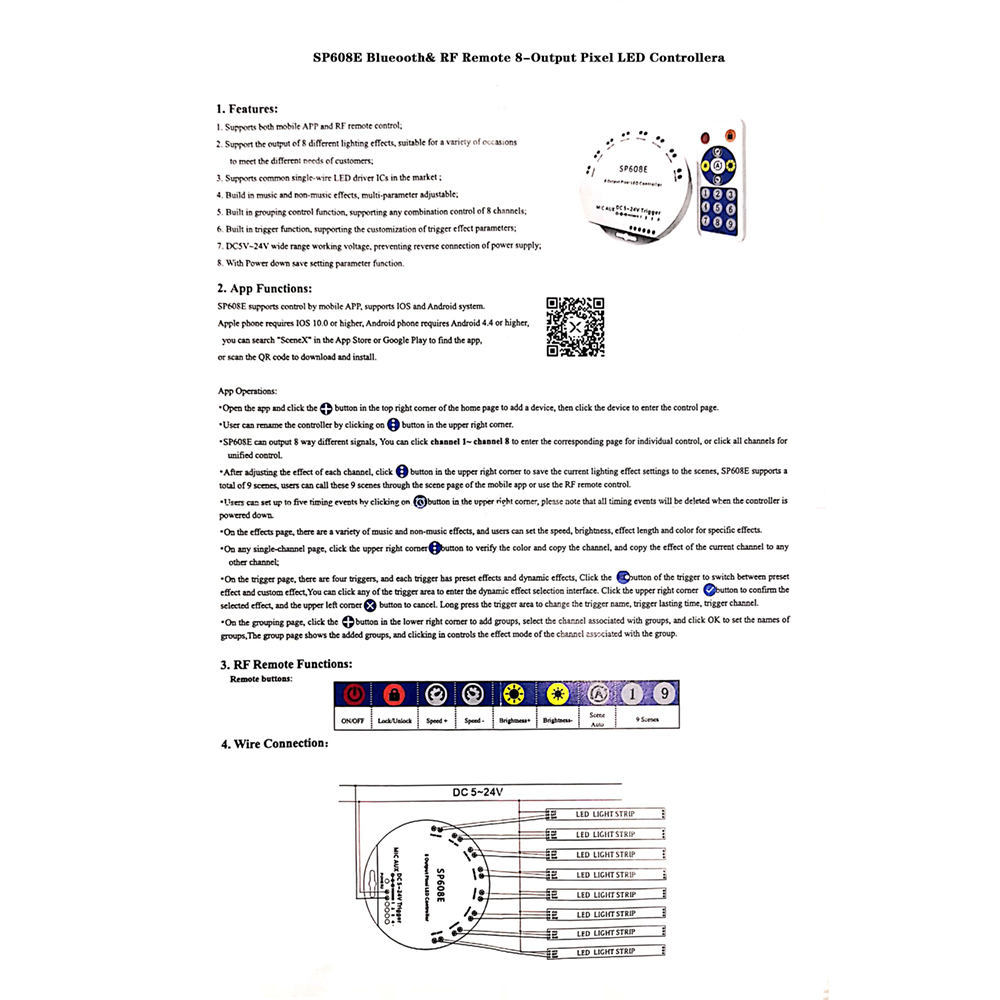
1. Supports both mobile APP and RF remote control.
2. Supports the output of 8 different lighting effects, suitable for a variety of occasions to meet the different needs of customers.
3. Supports common single-wire LED driver ICs in the market, such as WS2811, WS2812B, WS2813, WS2815, WS2818, GS8206, UCS1903, SK6812RGB/WWA, and so on.
4. Built-in music and non-music effects, multi-parameter adjustable.
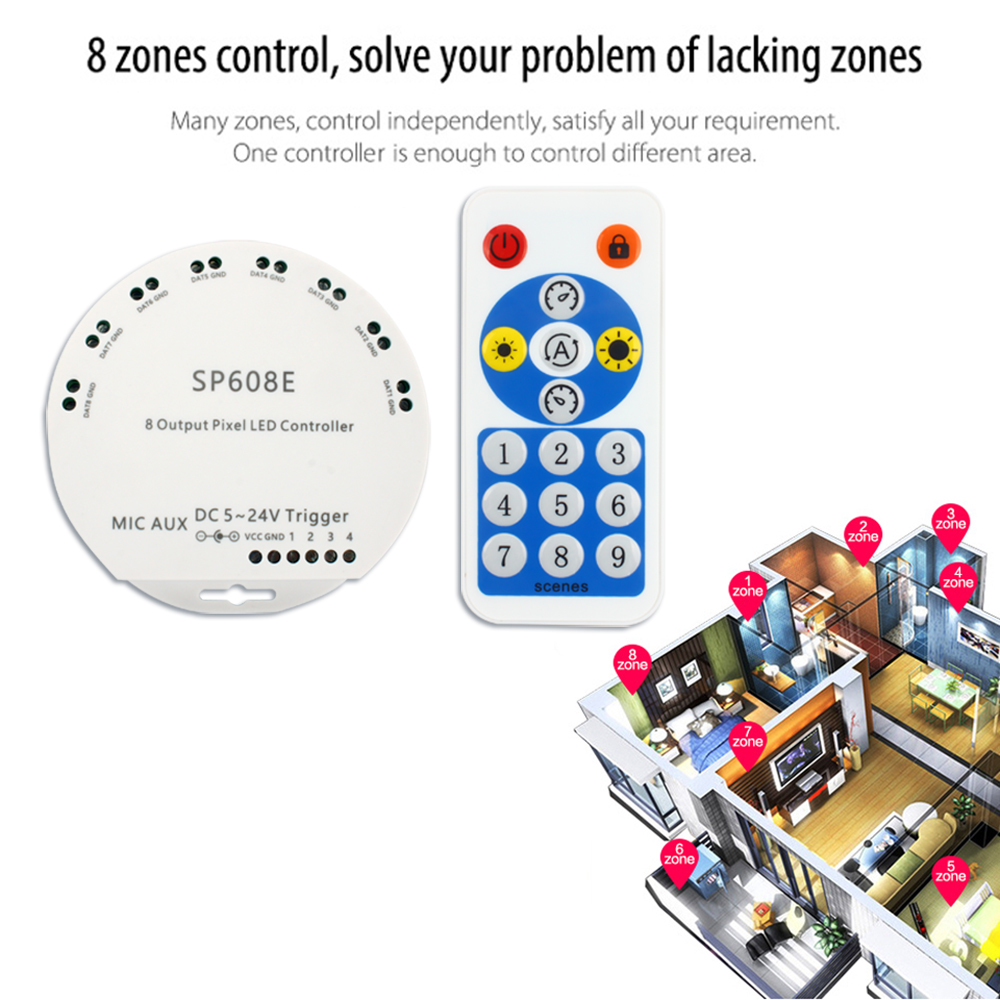
5. Built-in grouping control function, supporting any combination control of 8 channels.
6. Built-in trigger function, supporting the customization of trigger effect parameters.
7. DC5-24V wide range working voltage, preventing reverse connection of power supply
8. With power-down save setting parameter function.
What you need to know about the led strip knowledges
How to calculate the led strip power you need?
Top 6 Considerations Before Buying LED Strip Lights
How to choose the best addressable led strips?
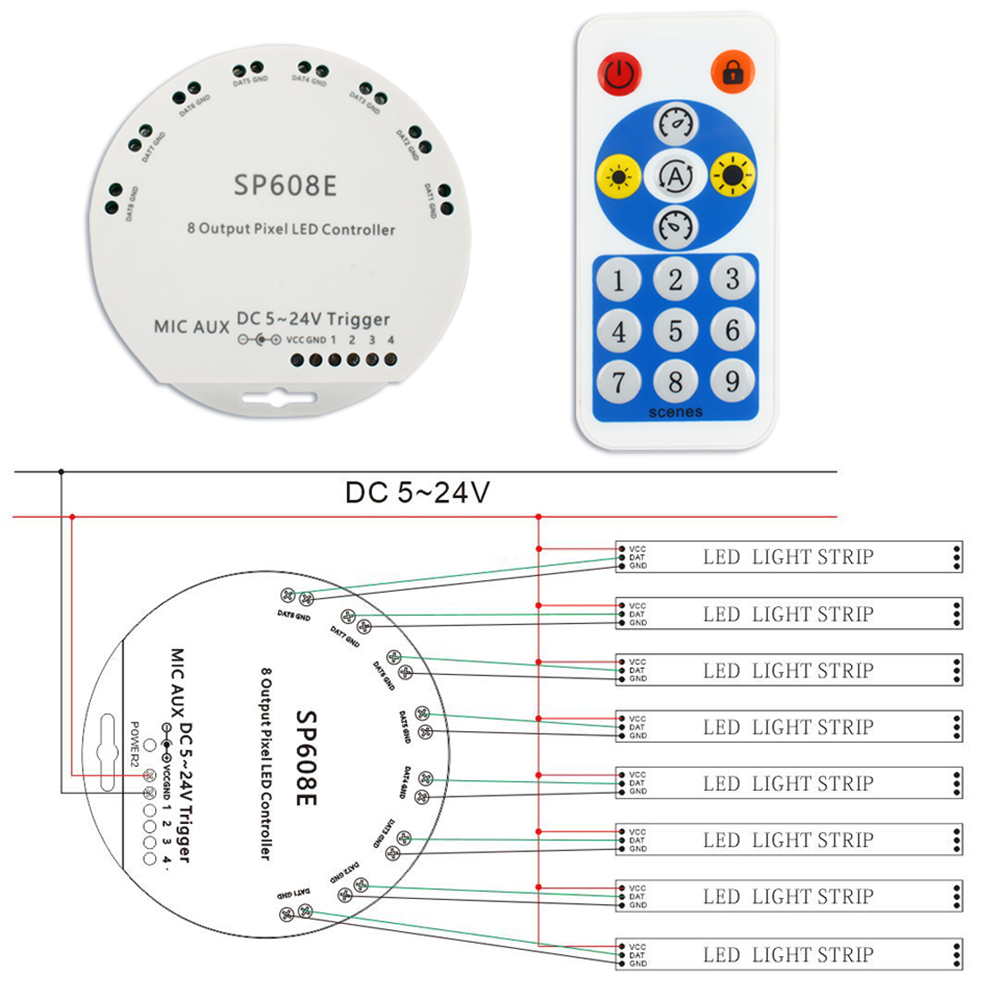
How to wire addressable led strips?
Product Specification
Product name: SP608E 8 Signal Output RGB LED Strip Controller
Input Voltage: DC5V-24V
Can Be Control: DC5V/12V/24V Addressable RGB LED Strips
Support Pixels: 600 pixels/channel, 600P pixels * 8 channels = 4800 pixels max
Support IC: WS2811(WS2812/WS2813/WS2815/WS2818)/WS2801/UCS1903/SM16716/LPD6803/LPD8806/LPD9813 etc
Remote distance: 15meters( 49.2feet)
Control mode: APP (iOS or Android) Bluetooth APP/Remote Control
APP name: BanlanX
Music Control: Built-in MIC
Effect: more than 36 dynamic effect
Memory: Automatic memory function
Speed Control: adjustable
Package included:
1* SP608E LED strip light controller (power and strip light not include)
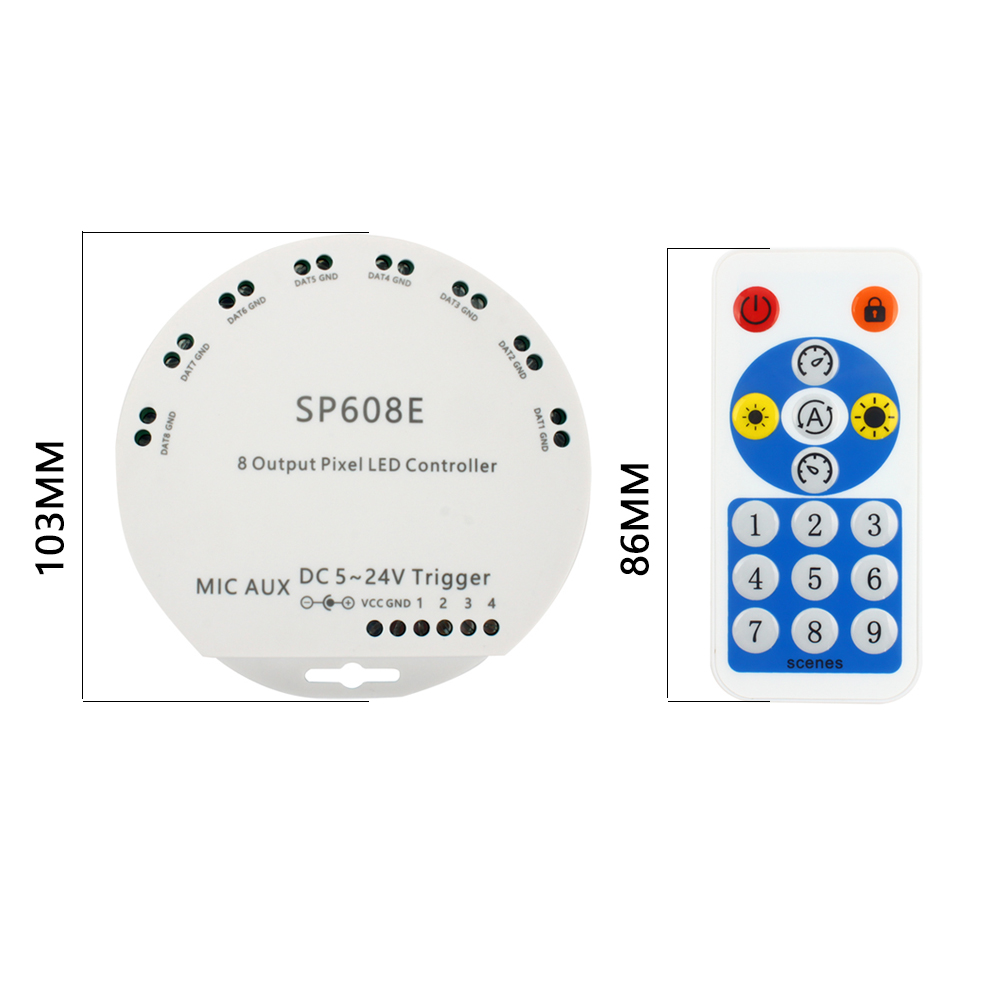
1* 16Key RF remote
App control
Both IOS version and Android OS version
Requires IOS version 10.0 or later;
Requires Android OS version 4.4 or later;
Search ”BanlanX” in the App Store or Google Play or scan this QR code to download and install the App.
APP Operation
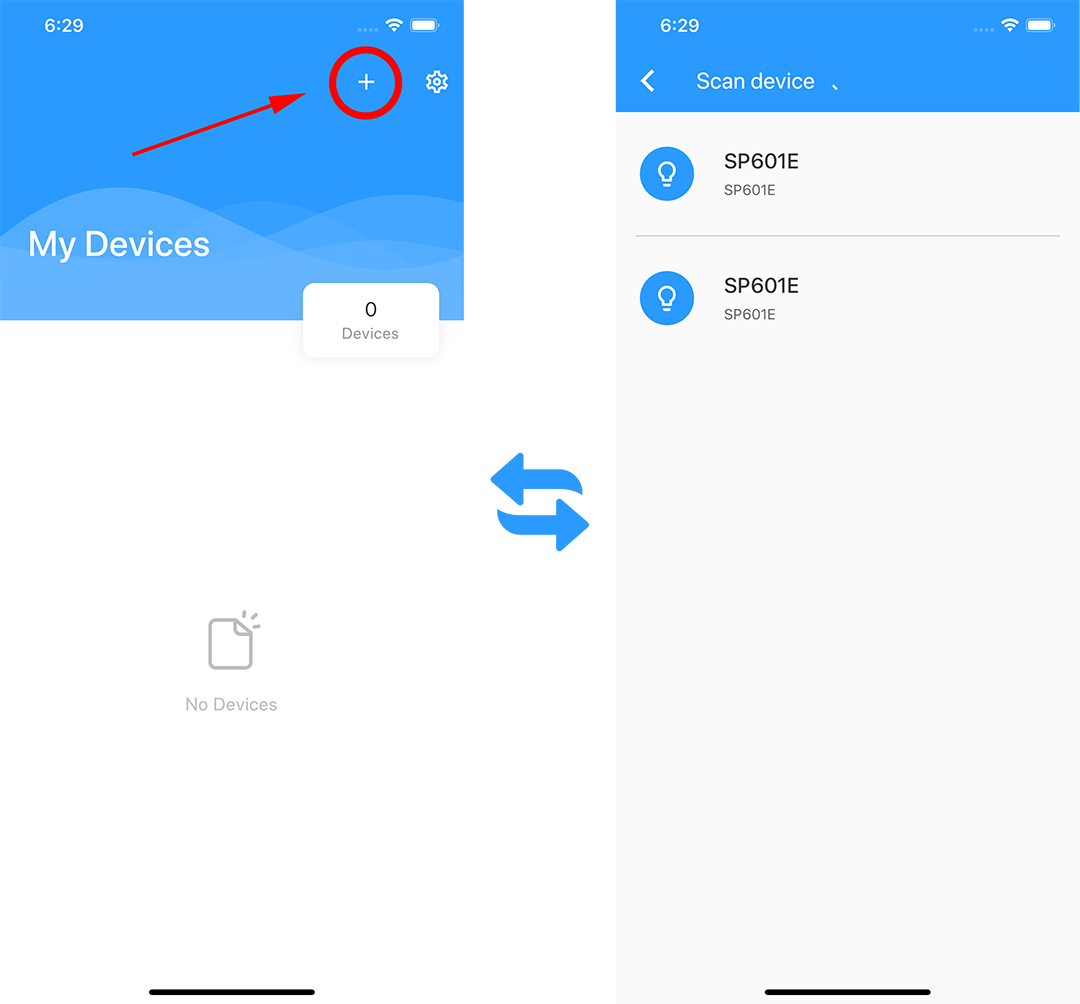
· Open the APP and click the "+" button in the top right corner of the home page to add a device, then click the device to enter the control page.
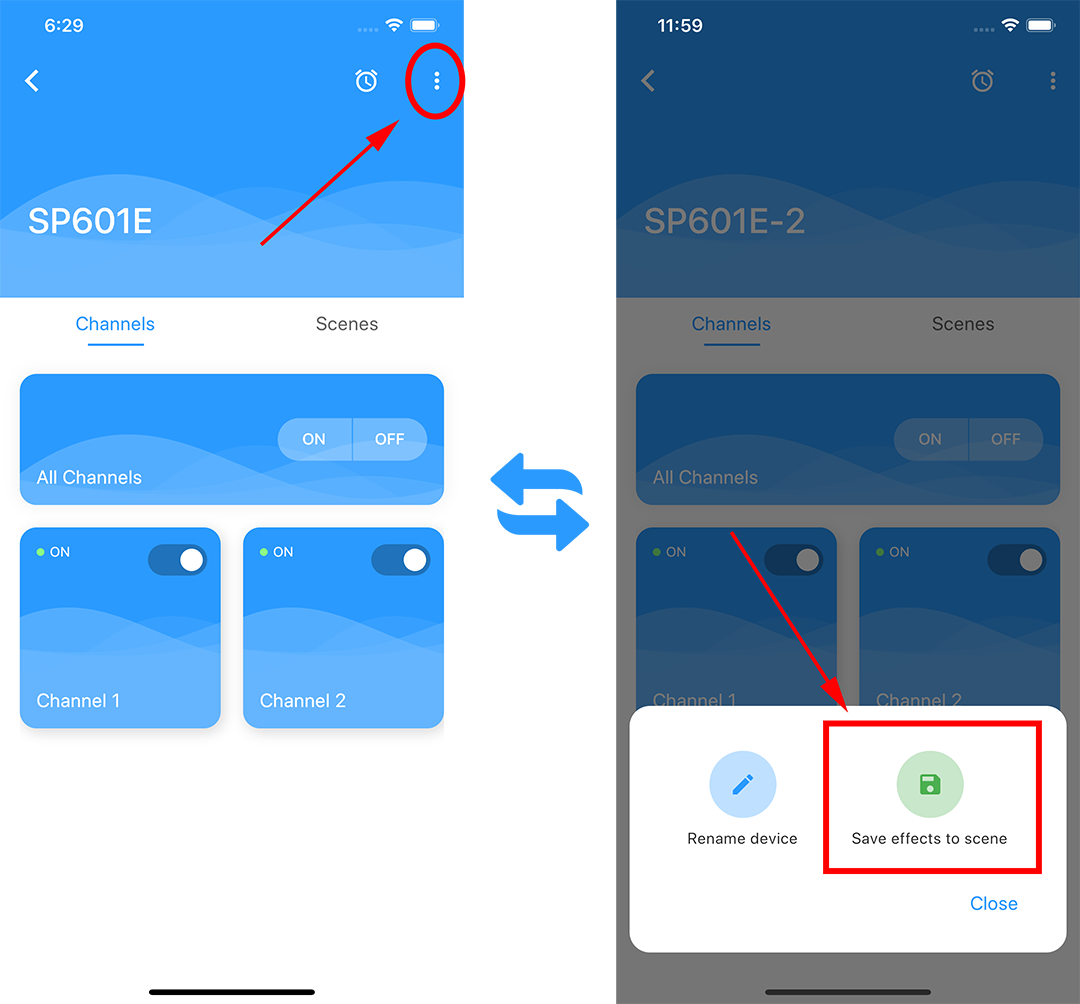
· Users can rename the controller by clicking on the ":" button in the upper right corner.
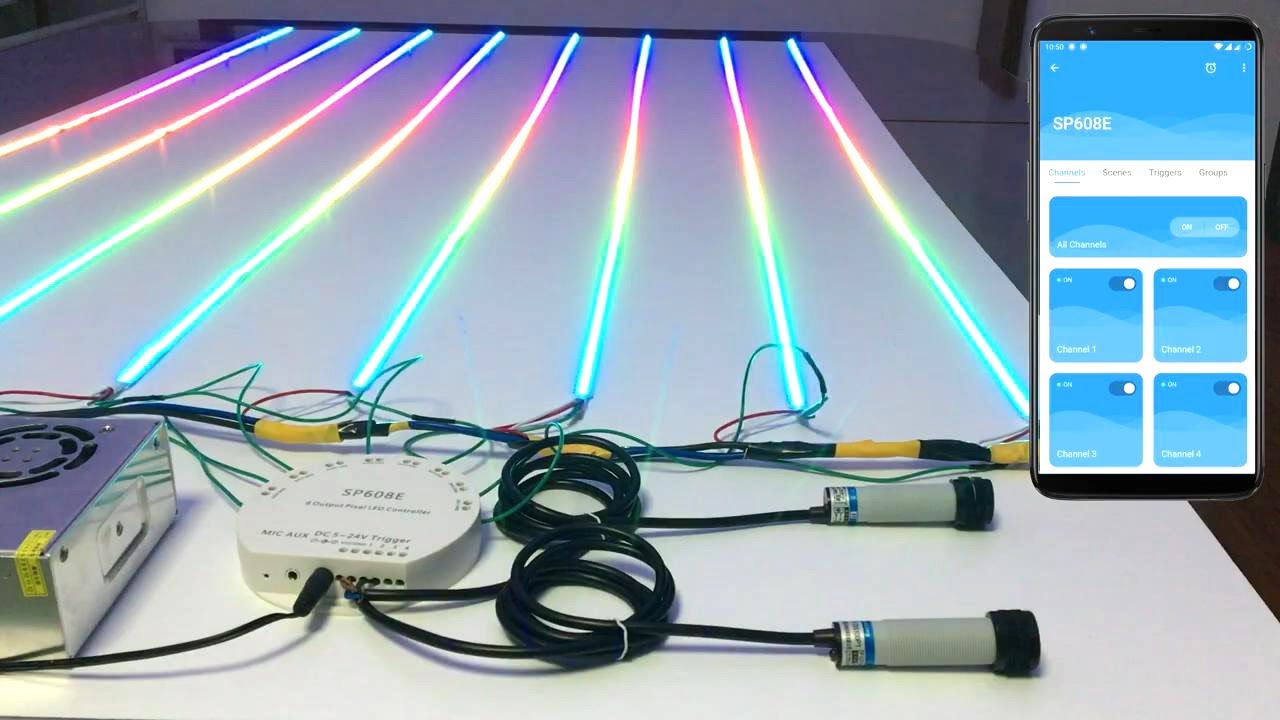
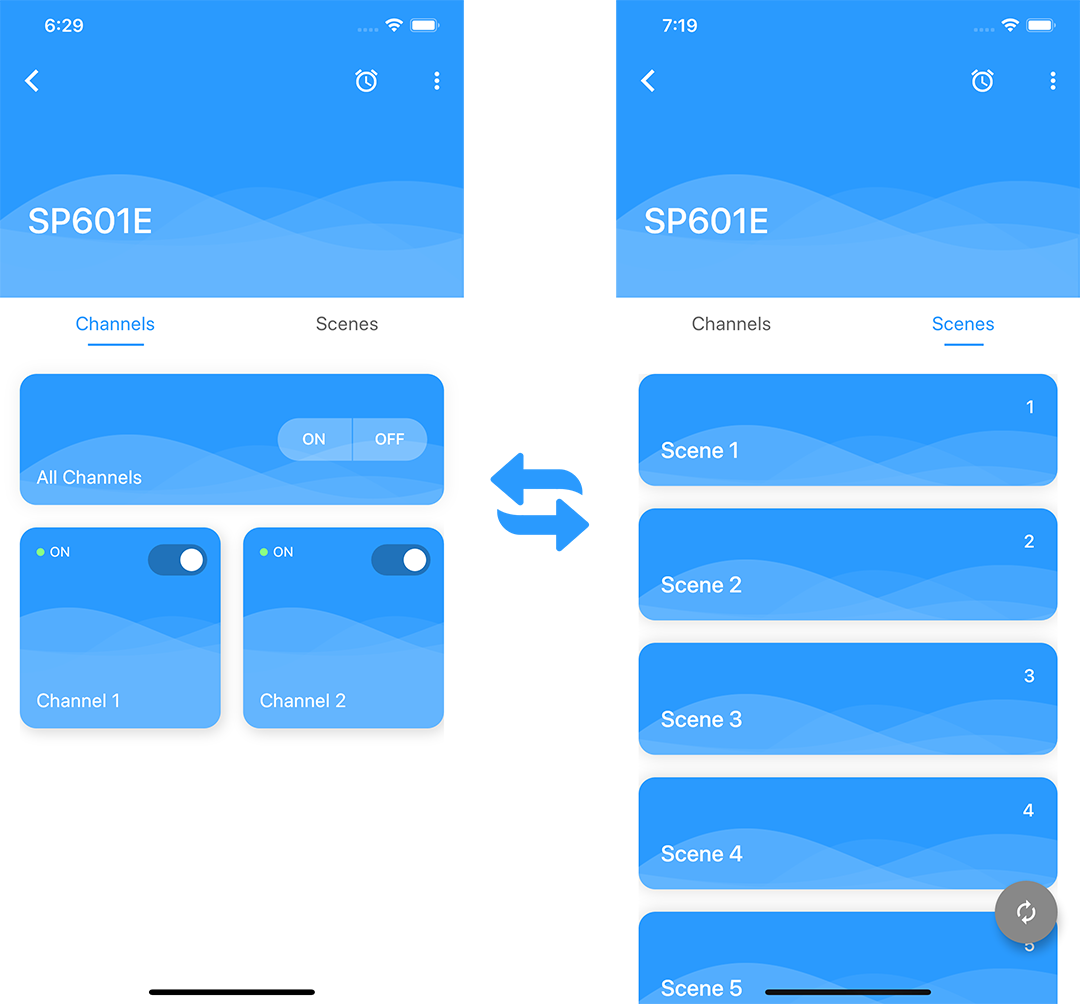
· SP608E can output 8 way different signals, you can click channel 1 ~ channel 8 to enter the corresponding page for individual control, or click all channels for unified control.
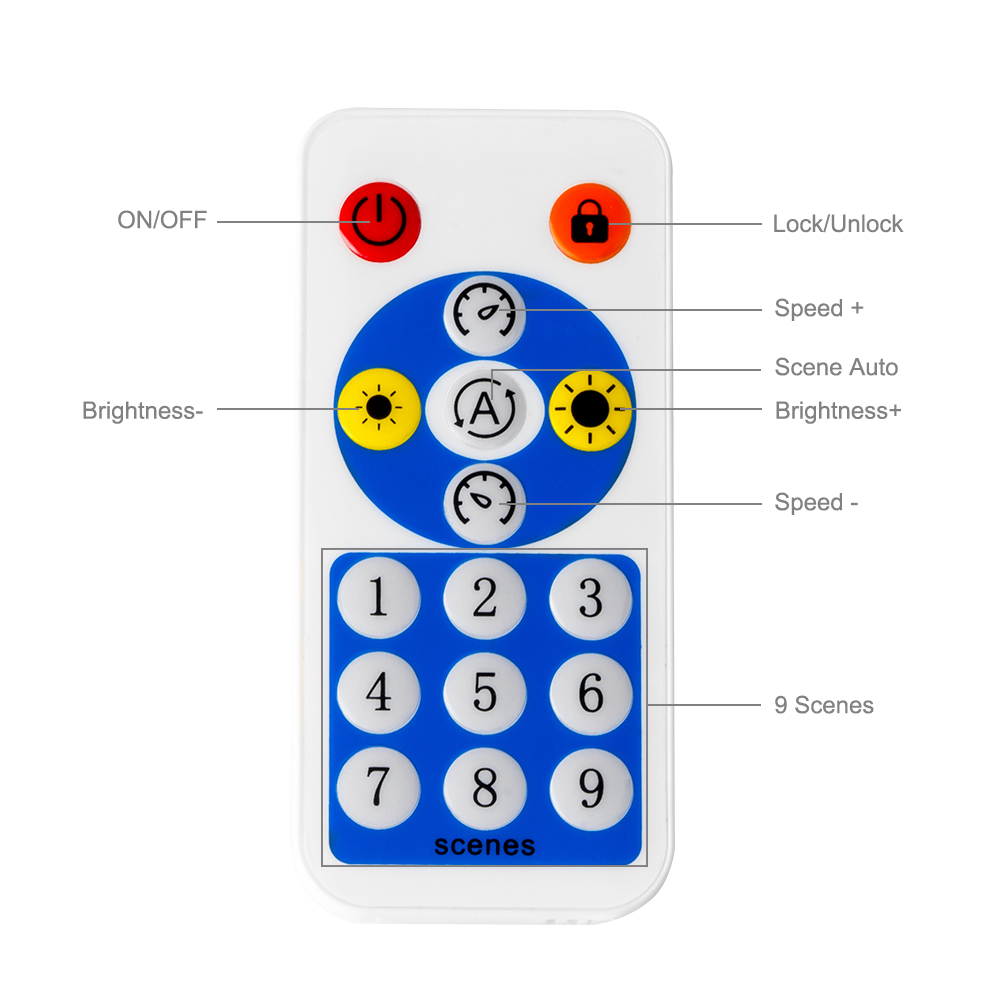
· After adjusting the effects of each channel, click the ":" button in the upper right corner to save the current lighting effect settings to the scenes, SP608E supports a total of 9 scenes, users can call these 9 scenes through the scene page of the mobile APP or use the RF remote control.
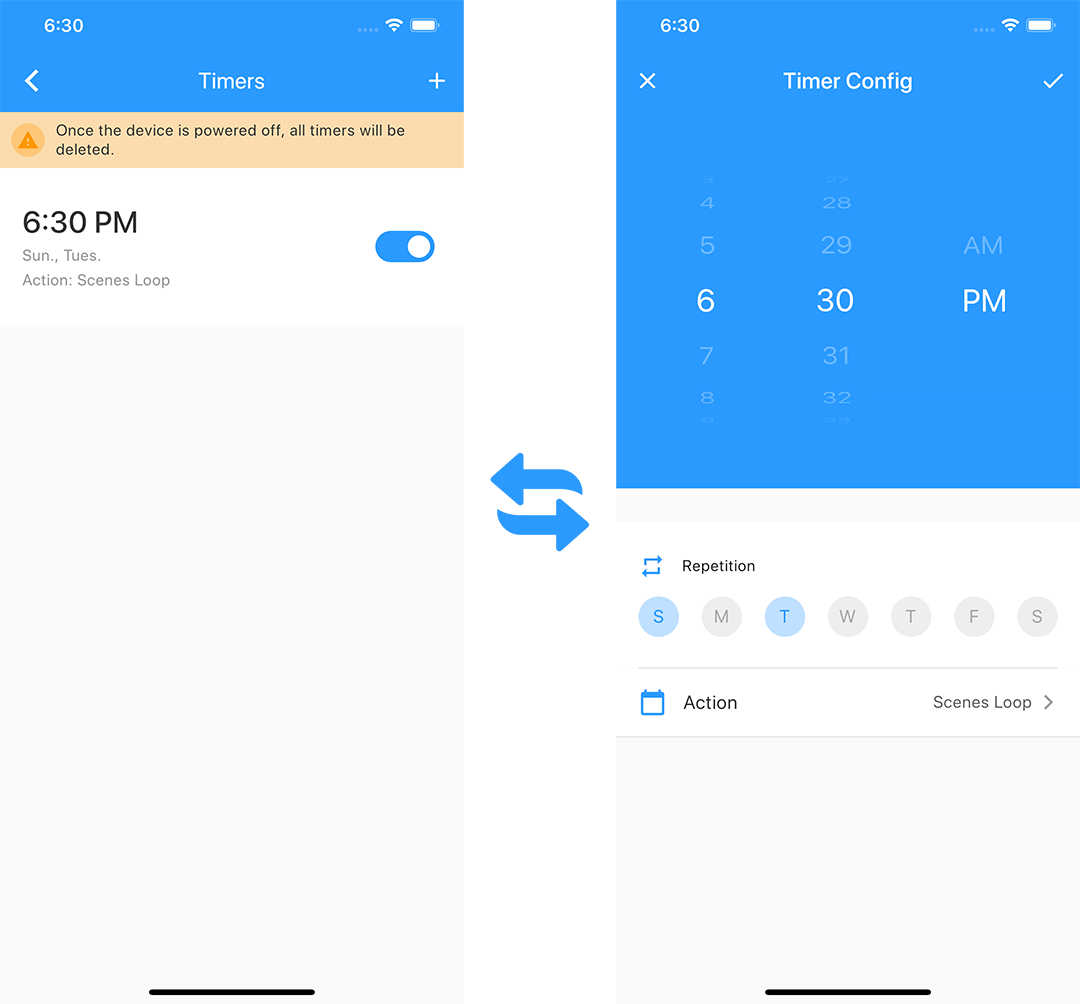
· Users can set up five timing events by click on "clock" button in the upper right corner, please note that all timing events will be deleted when the controller is powered down.
· On the effects page, there are a variety of music and non-music effects, and users can set the speed, brightness, effect length and color for specific effects.
· On any single-channel page, click the upper right corner ":" button to verify the color and cop the channel, and copy the effect of the current channel to any other channel.
· On the trigger page, there are four triggers, and each trigger has preset effects and dynamic effects, click the "ON/OFF" button, of the trigger to switch between preset effect and custom effect, you can click any of the triggers area to enter the dynamic effect selection interface. Click the upper right corner, "√" button to confirm the selected effect, and upper left corner "X" button to cancel. Long press the trigger area to change the trigger name, trigger lasting time, trigger channel.
· On the grouping page, click "+” button in the lower right corner to add groups, select the channel associated with groups, and click OK to set the names of groups, the group page shows the added groups, and click in controls the effect mode of the channel associated with the group.
1. Connect to a new SP608E controller.
2. SP601E can output two different signals, and supports 9 scenes.
3. You save the current lighting effect settings to these scenes.
4. 36 built-in dynamic effects (1-24: general dynamic effects, 25-36: music effects) and solid color effect.
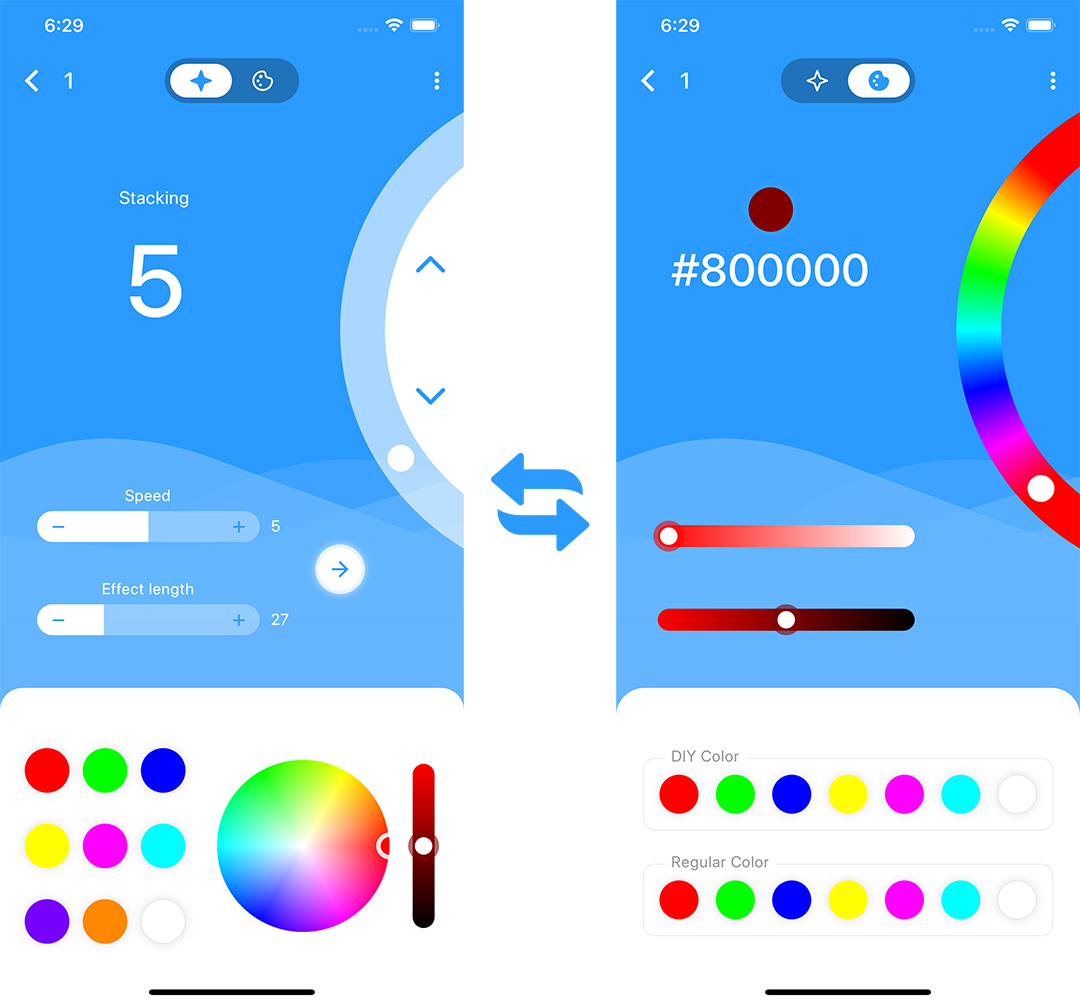
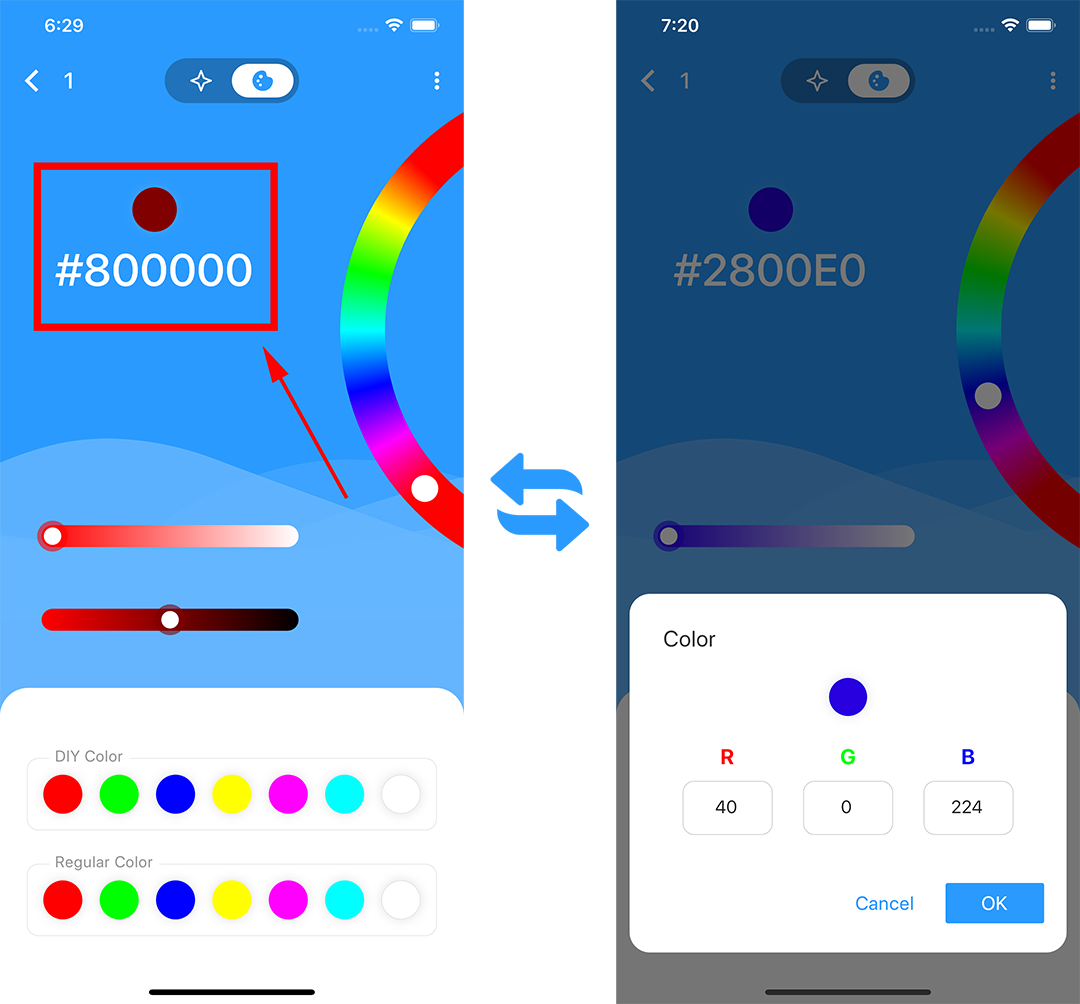
5. You can enter the RGB value of the color directly in solid color effect,
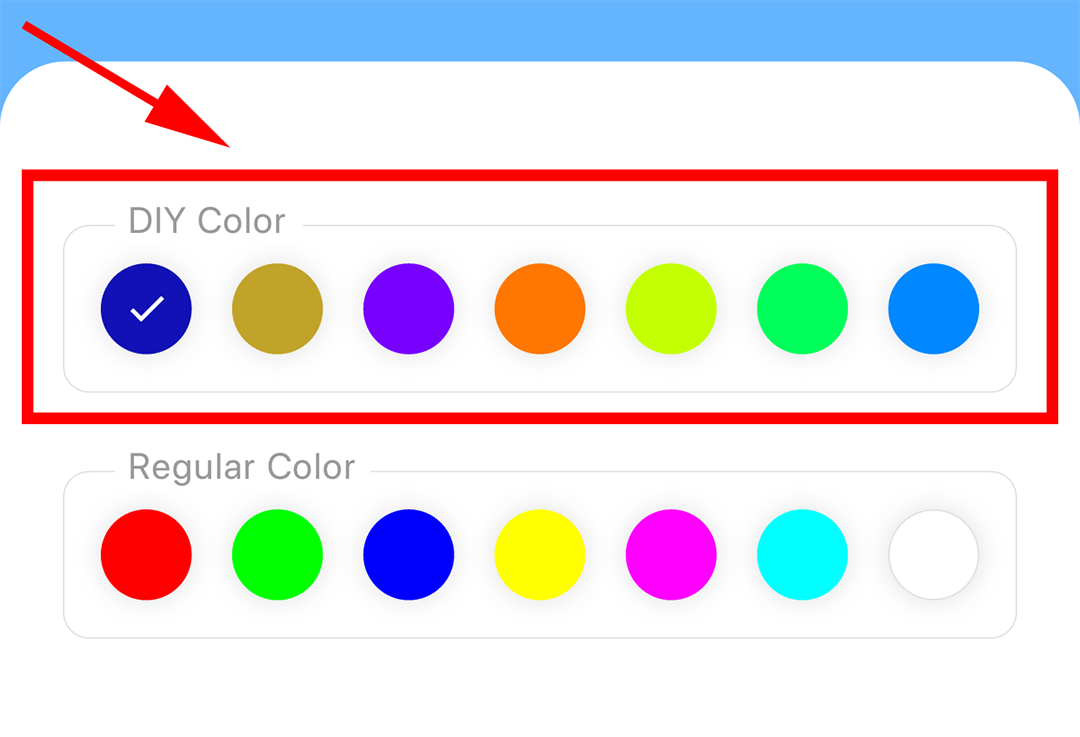
6. You can save your favorite colors.
7. SP601E can be set up to 5 timers.
With RF remote control
Supported chip
WS2811. WS2812B, WS2813. SK6812-RGB, SK6812-WWA, UCS1903. TM1914. SM16703
Note:
1, Power supply/phone/controller/led strip not include.
2, This phone only support 2.4G WiFi network.Can't support 5.0G WiFi network.
3, This app support Android 4.4 or above, IOS 10.0 or above.
Safety
Supply voltage of this product is 5~24 Volts DC, do not exceed.
Shorting output wires my cause damage to dimmer.
Always observe proper polarity when connecting power and load.
For indoor use only - this product is not waterproof or weatherproof.
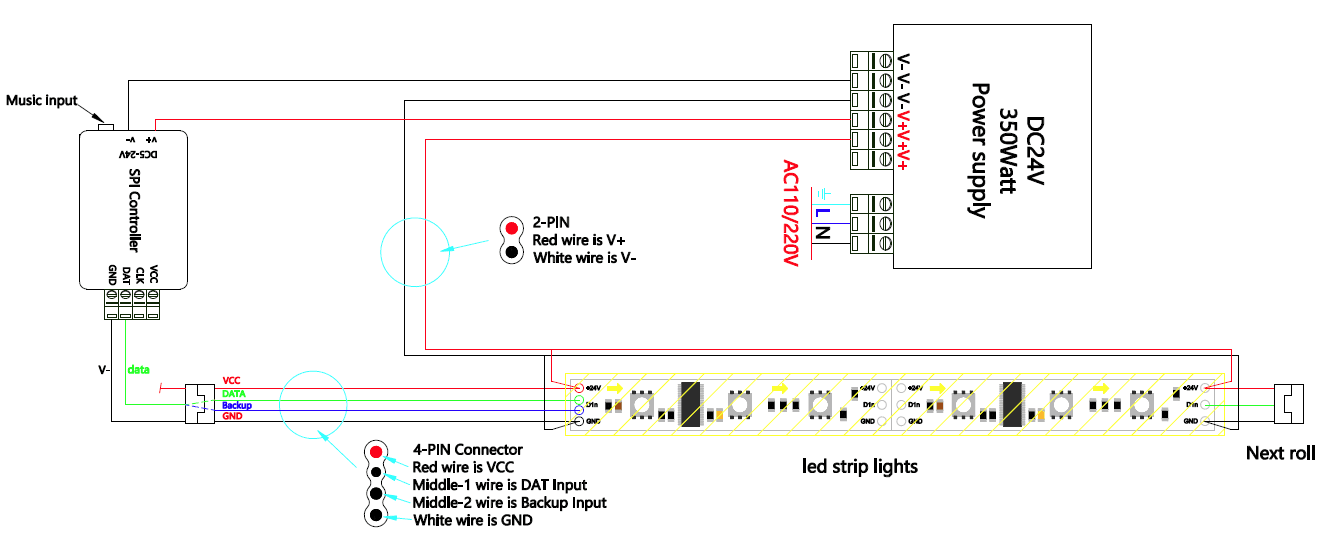
How to connect the WS2813 WS2815 WS2818 led strip lights
Applications
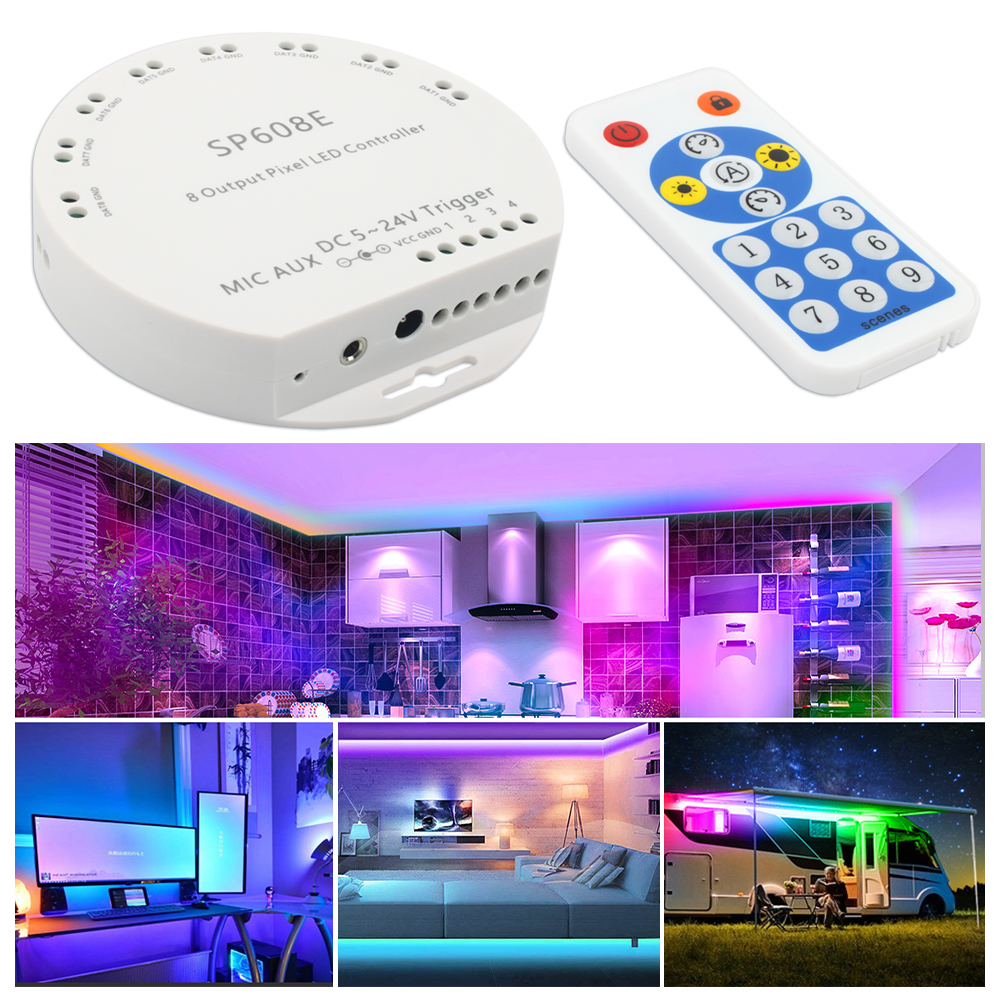
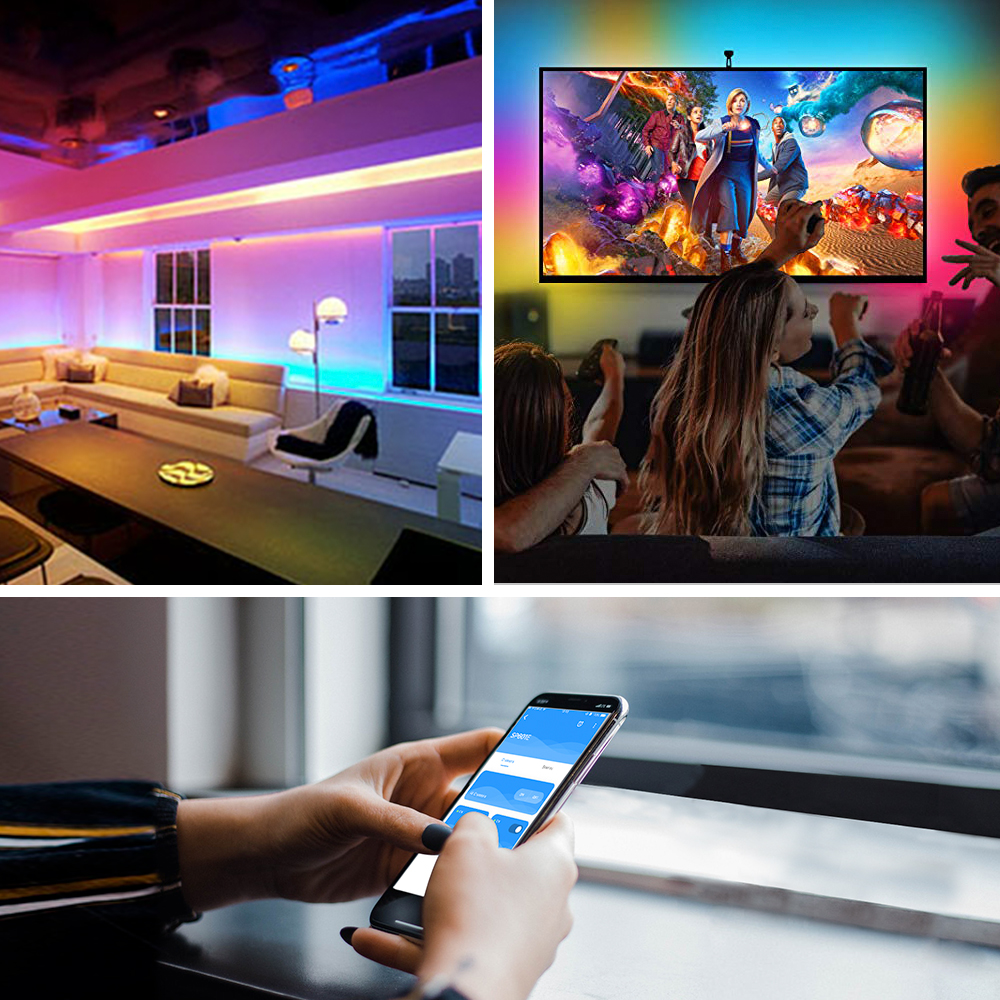
1.Interior Decoration: Club, bar, corridor, room, hotel, led aquarium lighting, museum, christmas, holiday, Retail LED lighting etc.
2.Exterior Decoration: Plaza, commercial buildings, parks, scenic spot, evening location, Sign illumination LEDs etc
Using Instruction: