

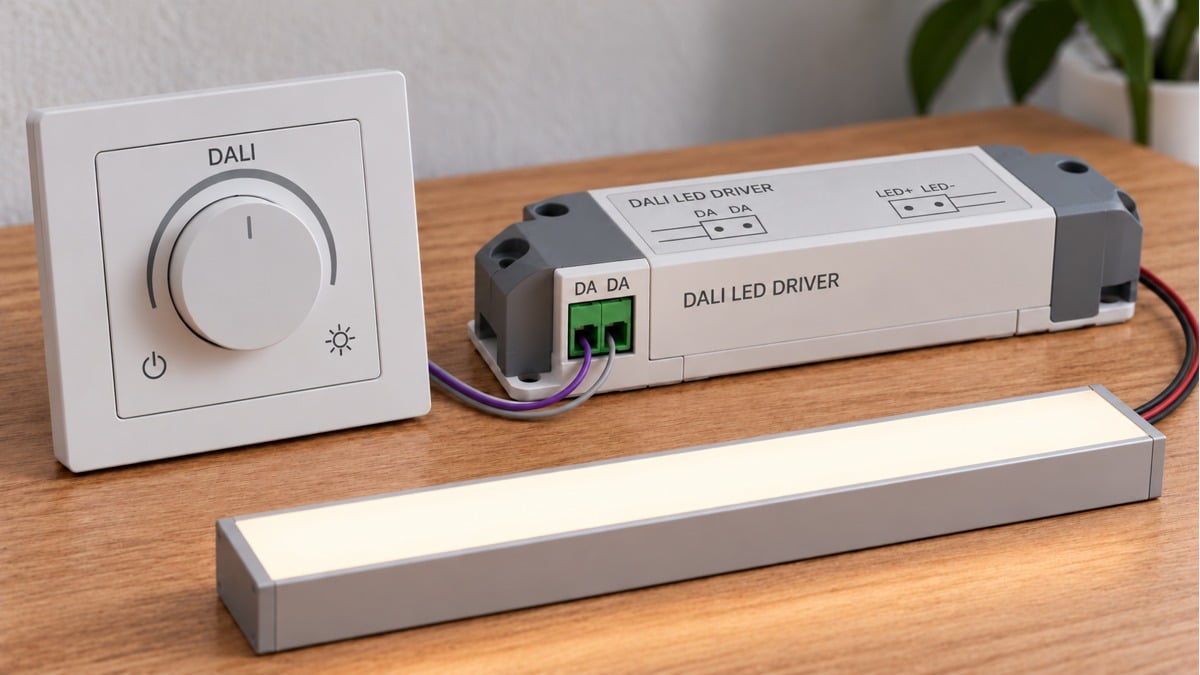
Read this blog to find out what DALI is, its advantages over traditional lighting systems, and how it works seamlessly with a range of compatible luminaires.
LED Controllers & Dimming
Selecting the correct LED controller and dimming strategy is a critical engineering decision that dictates system performance, reliability, and user experience. This guide moves beyond simple on/off switching to dissect the core technologies, from mains-level phase-cut dimming for architectural integration to low-voltage Pulse Width Modulation (PWM) for precise color and intensity control of LED strips. We will analyze the trade-offs between wired protocols like 0-10V and DALI, and wireless ecosystems like Wi-Fi and Zigbee, providing the technical foundation needed to specify control systems for any application, from a single room to a multi-floor commercial building.
Our catalog provides a comprehensive range of solutions to meet these diverse engineering requirements. For smart home integration, explore our Alexa|Google|TuYa|WiFi Controllers. For robust commercial projects, we offer dedicated DALI Series and 0-10V Control System Series components. To integrate with standard wall dimmers, our LED TRIAC 0-10V 2in1 Dimmable Driver collection ensures compatibility and smooth performance.
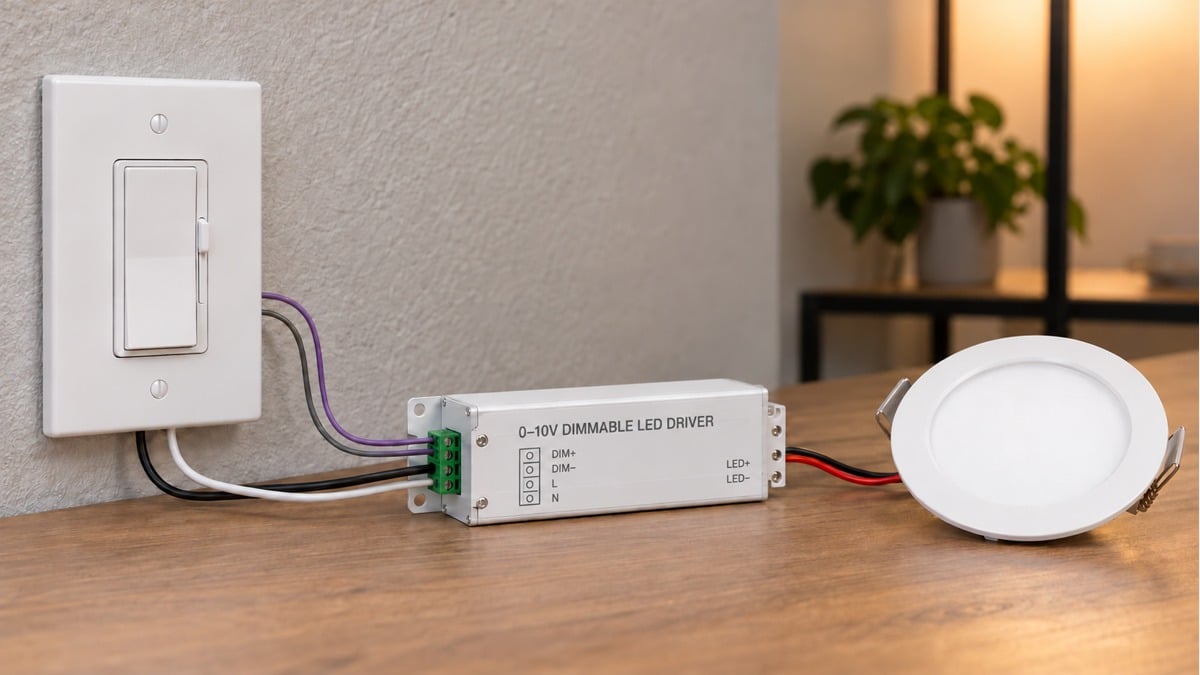
Things You Need to Know About 0-10V Dimmer & Dimming
A beginner’s guide to 0-10V dimmer and 0-10V or 1-10V dimming. 0-10V dimming vs. PWM dimming. Read this blog to understand things about 0 to 10 volt dimming.
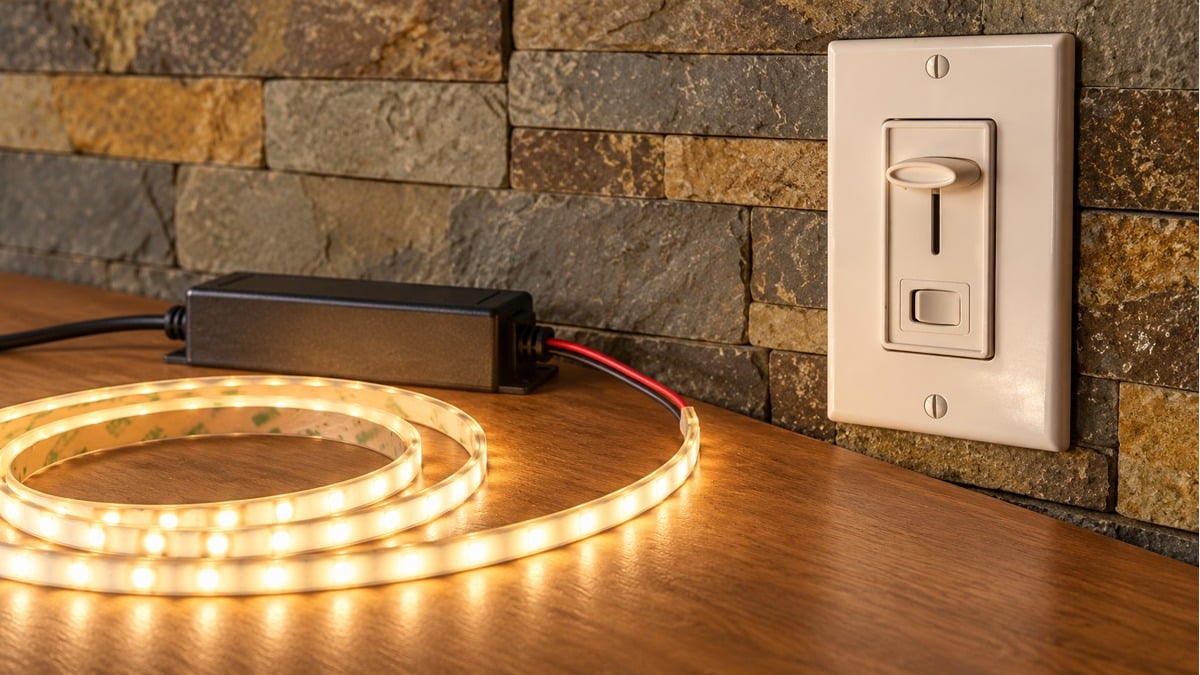
A Quick And Deep Understanding Of TRIAC Dimmer & Dimming
Read this blog article to quickly and deeply learn about TRIAC dimmer and TRIAC dimming, TRIAC dimming vs. 0-10V dimming, TRIAC dimming vs. PWM dimming.
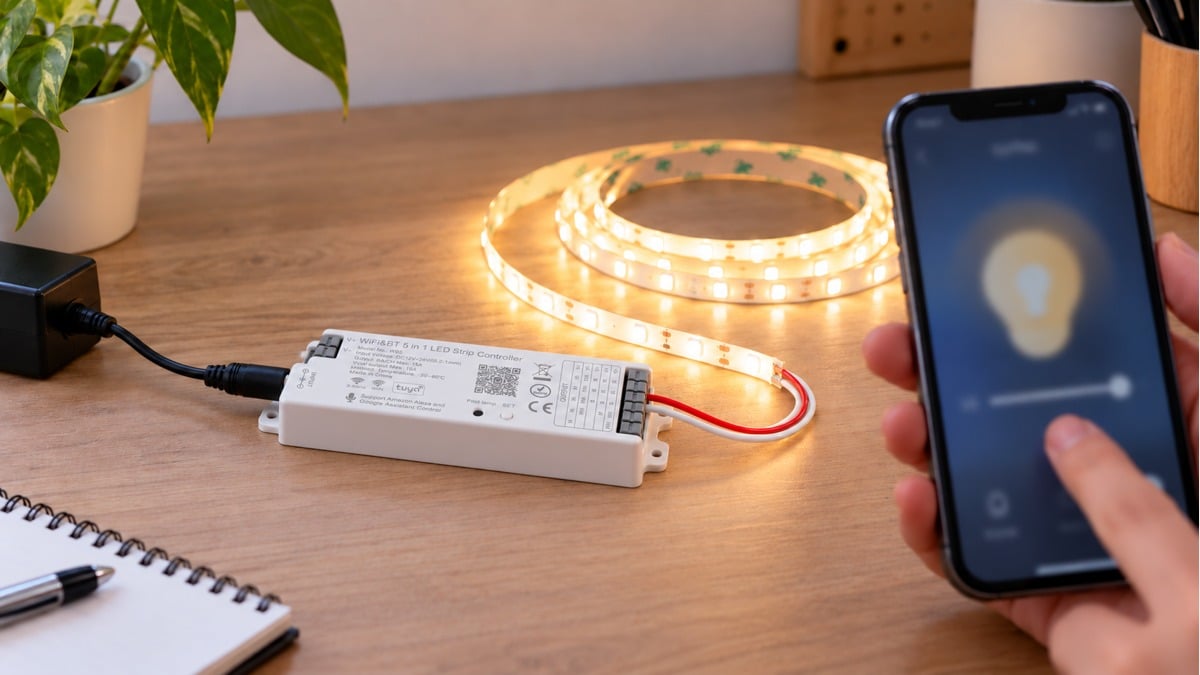
How to Connect LED Strip Lights To Tuya SmartLife?
Solve your problem between the LED strip lights connection and your phone APP Tuya SmartLife. Provide three methods. Use WiFi WB5 5-in-1 LED controller as an example.
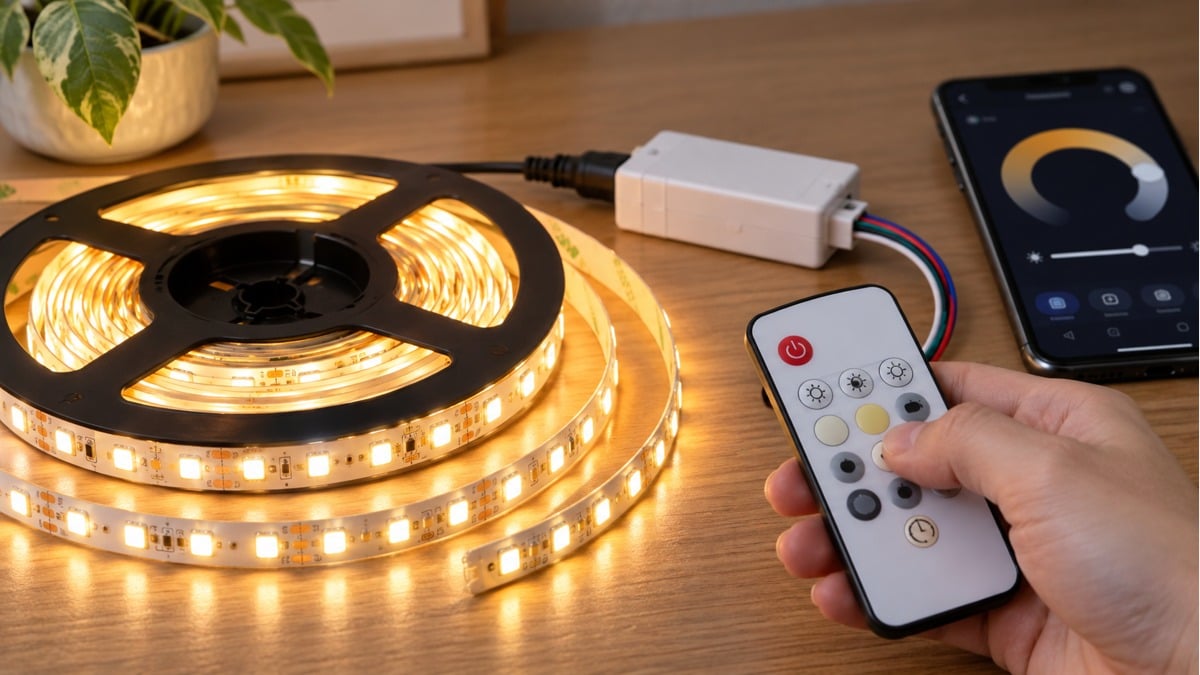
Best LED Strip Lights With Remote
The Best LED Strip Lights With Remote. About remote control led lights, here’s what you shouldn’t miss…
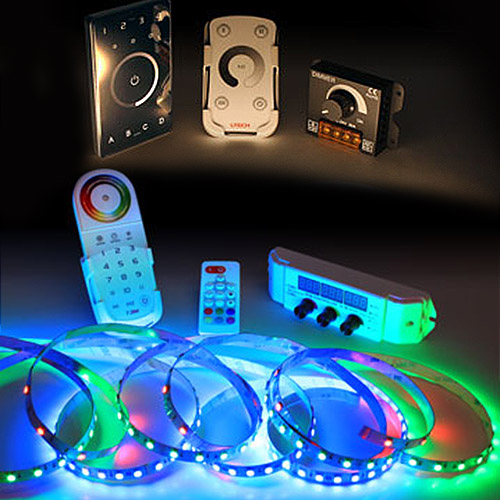
How To Choose LED Strip Light Controllers?
LED strip light controller is an essential part to change LED light colors, LED brightness, and turning on or turning off the LED strip lights. One end of the LED controller is connected to the led power supply, and the other end is connected […]
Quick Technical Summary · At-a-Glance Specifications
Mastering LED control involves choosing between mains-side phase-cut and low-voltage PWM dimming. For advanced systems, select from architectural protocols like 0-10V and DALI or smart wireless ecosystems like Wi-Fi and Zigbee, ensuring proper load matching and signal integrity for flicker-free performance.
Flicker-Free PWM>2,000 Hz
0-10V Control Voltage1-10V DC (1V≈10%, 10V=100%)
DALI Bus CapacityUp to 64 Addresses
Typical Wi-Fi ProtocolIEEE 802.11 b/g/n (2.4GHz)
Low-Voltage PWM vs. Mains-Side Phase Dimming
The fundamental choice in dimming LED strips is where the control occurs: on the high-voltage AC side before the power supply (mains dimming) or on the low-voltage DC side after the power supply (PWM dimming). This decision impacts wiring, component selection, and performance.
Mains Phase-Cut Dimming (TRIAC/ELV/MLV)
Phase-cut dimming works by chopping the AC sine wave, reducing the total power delivered to the LED driver. This method is common in retrofit applications as it uses existing 2-wire (Live, Neutral) infrastructure with a compatible wall dimmer. For a deeper technical dive, see our guide on TRIAC Dimmer & Dimming.
- Leading-Edge (TRIAC): Designed for incandescent or magnetic low-voltage (MLV) loads. It can cause buzzing or flickering with incompatible LED drivers.
- Trailing-Edge (ELV): Designed for electronic low-voltage (ELV) loads and is generally superior for LEDs, offering smoother dimming and lower minimum brightness levels. Dimmers like the Lutron DVSCSTV Diva 0-10V LED Dimmer can operate in multiple modes, but for phase-cut, matching the dimmer type (e.g., ELV) to the driver is critical.
The key engineering challenge is compatibility. The LED driver must be explicitly labeled as "TRIAC Dimmable" or "Phase Dimmable." Minimum load requirements of the dimmer must also be met by the driver and LED strip combination to prevent flickering or drop-outs at low intensities.
Low-Voltage PWM Dimming
Pulse Width Modulation (PWM) is the standard method for controlling the brightness of an LED strip on the DC side. A low-voltage controller, such as a typical 12V RGB LED strip controller or a 24V LED strip controller, rapidly switches the LED strip on and off. The ratio of on-time to off-time (the duty cycle) determines the perceived brightness. This is the core technology behind nearly every LED Smart Controller Series product.
The critical specification is the PWM frequency, measured in Hertz (Hz). Low frequencies (<500 Hz) can be perceptible to the human eye and will cause significant banding on video cameras. For flicker-free performance, a frequency of >2,000 Hz (2 kHz) is recommended, with high-end controllers offering >4 kHz.
| Attribute | Mains Phase-Cut Dimming | Low-Voltage PWM Dimming |
|---|---|---|
| Control Point | AC input to the LED driver | DC output from the LED driver |
| Wiring | Standard 2-wire AC (plus ground) | Low-voltage DC wiring (2-5 wires) between controller and LED strip |
| Key Component | Phase-dimmable LED driver + compatible wall dimmer | Standard (non-dimmable) driver + low-voltage PWM controller |
| Performance | Dimming range often limited (e.g., 10-100%); risk of flicker/buzz if mismatched | Smooth, full-range dimming (e.g., 0.1-100%); flicker-free with high PWM frequency |
| Color Control | Not possible; single channel intensity only | Standard for RGB, RGBW, and Tunable White LED strips |
| Typical Application | Architectural downlighting, single-color cove lighting using existing wiring | Dynamic color effects, multi-zone control, smart home integration |
Commercial Architectural Protocols: 0-10V vs. DALI
For large-scale commercial, institutional, and high-end residential projects, standardized, robust control protocols are essential. 0-10V and DALI are the two dominant wired standards, offering superior reliability over wireless systems in demanding environments.
0-10V / 1-10V Analog Control
0-10V is an analog protocol that uses a dedicated pair of low-voltage wires to send a DC voltage signal from a controller (like a wall dimmer) to a 0-10V enabled driver. The driver interprets this voltage to set the light output: 10V corresponds to 100% brightness, 1V is the minimum level (typically 1% or 10%), and voltages in between scale linearly. In a true 0-10V system, a signal of 0V commands the driver to turn off. A 1-10V system requires a separate switch or relay to turn the power off completely. For more details, consult our guide on 0-10V Dimmer & Dimming.
This system is simple, robust, and cost-effective for controlling large zones of lights in unison. All fixtures on a single 0-10V circuit will dim together. Our 0-10V Control System Series offers a wide range of compatible drivers and controllers.
DALI / DALI-2 Digital Control
The Digital Addressable Lighting Interface (DALI) is a far more advanced, two-way digital protocol. A two-wire DALI bus provides both power and data to devices. Each DALI driver or device on the bus has a unique address (up to 64 per bus), allowing for individual control, grouping, and scene recall without changing any physical wiring. The system can also query devices for status (e.g., lamp failure), making it ideal for intelligent building management.
Key DALI specifications include:
- DT6 (Device Type 6): Controls single-channel intensity. One DALI address is used per driver.
- DT8 (Device Type 8): A more efficient standard for color control. It allows control of Tunable White (CCT) or RGBW fixtures using a single DALI address, saving valuable address space on the bus.
DALI offers ultimate flexibility for reconfigurable spaces. You can learn more in our comprehensive article, What Is DALI Dimming?.
| Feature | 0-10V Analog | DALI-2 Digital |
|---|---|---|
| Addressing | Zonal (all devices on one circuit act together) | Individual (up to 64 addresses per bus) |
| Control Type | One-way analog voltage signal | Two-way digital data communication |
| Wiring | Dedicated low-voltage pair per zone; polarity sensitive | 2-wire bus; polarity insensitive; free topology (star, daisy-chain) |
| Feedback/Status | None | Yes (device status, failure reporting) |
| Color Control | Requires multiple 0-10V channels (e.g., one for CCT, one for intensity) | Integrated via DT8 (Tunable White, RGBW) on a single address |
| Configuration | Physical wiring defines zones | Software-based grouping and scene setting |
Smart Wireless Ecosystems
For residential and light commercial applications, wireless control offers unparalleled convenience and integration with voice assistants and smart home platforms. The choice of ecosystem depends on the desired level of integration, reliability, and whether a central hub is acceptable.
Wi-Fi & Bluetooth (Tuya Ecosystem)
A led strip controller wifi connects directly to your home's 2.4GHz Wi-Fi router, eliminating the need for a separate hub. Most of these devices are powered by the Tuya platform, accessible through the Smart Life or Tuya Smart app. This provides easy integration with Amazon Alexa and Google Assistant. Bluetooth (BLE) is often used for initial pairing and can sometimes be used for direct control when Wi-Fi is down. The primary advantage is simplicity, but performance can be affected by Wi-Fi network congestion. Our guide on How to Connect LED Strip Lights To Tuya SmartLife? provides a step-by-step walkthrough.
Zigbee 3.0 & Matter
Zigbee is a low-power mesh networking protocol designed for smart home devices. Unlike Wi-Fi, where every device connects to the router, Zigbee devices can relay messages for each other, creating a robust and self-healing network. This requires a Zigbee hub, such as an Amazon Echo (4th Gen), Samsung SmartThings, or a Philips Hue LED strip controller bridge. Zigbee is generally faster and more reliable than Wi-Fi for lighting control. Matter is an emerging connectivity standard that aims to unify devices from different brands, often using Wi-Fi or Thread (another mesh protocol) for communication, with Zigbee devices integrated via a Matter-compatible bridge.
Proprietary 2.4GHz RF Systems
Systems from brands like Miboxer LED Light&Controller and SkyDance Control System use a proprietary 2.4GHz radio frequency link between the remote/wall panel and the controller. These systems excel at multi-zone synchronization without relying on a Wi-Fi network or app. They offer a tactile, reliable control experience with long range (up to 30m) and are an excellent choice for installations where app control is secondary to a physical remote. Many systems offer an optional Wi-Fi gateway for smart integration if needed. This is a popular solution for users looking for the Best LED Strip Lights With Remote.
Load Capacity, PWM Frequency, and Signal Integrity
Properly engineering an LED strip installation requires careful calculation of electrical loads and planning for signal integrity over distance. Failure to do so can result in controller failure, poor performance, or unsafe conditions.
Calculating Controller Load Capacity
The primary specification for any controller is its maximum power handling capacity in Watts or Amps at a specific voltage (e.g., 12V, 24V). To prevent overheating and ensure longevity, it is an industry best practice to load a controller to no more than 80% of its rated capacity.
Controller Sizing Formula
Controller Load (W) = Strip Power (W/m) × Total Length (m)
Rule: Ensure Controller Load ≤ Controller Rating × 0.8
Example: For a 10m run of 15 W/m LED strip (150W total), you need a controller rated for at least 150W / 0.8 = 187.5W. A 200W controller would be a safe choice.
Voltage & Amperage Check
Current (A) = Total Power (W) / Voltage (V)
Rule: The controller's per-channel and total amperage rating must not be exceeded.
Example: A 150W load on a 24V system draws 150W / 24V = 6.25A. A 4-channel RGBW controller rated for 5A per channel would be sufficient.
Use our Power & Voltage Drop Calculators to simplify these calculations for your project.
Key Engineering Rule: Always verify the PWM output frequency of a controller, especially for applications involving video recording. Check the product spec sheet, available in our Spec Sheet & Manual Library. A frequency below 1,000 Hz may cause visible banding on cameras; >2,000 Hz is recommended for flicker-free results.
Signal Repeaters & Amplifiers for Large Installations
For long runs of LED strips, two types of signal degradation can occur: power loss (voltage drop) and data corruption. Different devices are used to solve these issues.
Power Amplifiers (for Analog LED Strips)
When the total current of your single-color or RGB/W LED strip exceeds the controller's maximum amperage rating, a PWM amplifier is required. The amplifier is placed after the last section of LED strip the controller can safely power. It takes the low-power PWM signal from the controller's output and uses a separate, dedicated power supply to drive the next section of LED strip with fresh power, perfectly synchronized. This allows for virtually unlimited run lengths. You can find detailed connection examples in our LED Strip Wiring Diagram Library.
Data Signal Repeaters (for Addressable LED Strips)
For an addressable led strip controller (also known as a digital or pixel controller), the data signal (not the power) is the limiting factor. Over distance (typically >10m), the digital data signal can degrade, causing flickering, incorrect colors, or loss of control in pixels further down the line. A data signal repeater or booster is a small device inserted into the data line to regenerate and re-transmit the signal at full strength. This is essential for any large-scale individually addressable led strip controller installation. For a complete overview of controller options, refer to our guide on How to Choose LED Strip Light Controllers.
Recommended Hardware Matching These Specs
Each product below is stocked in our factory-direct catalog and verified for compatibility with the engineering guidelines in this library.
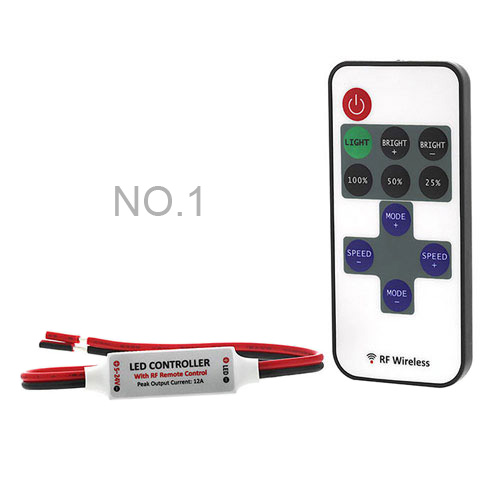 CONSC-RF-12
RF Remote Control LED Dimmer For Single Color LED Strip Lights
From $7.99View Specs →
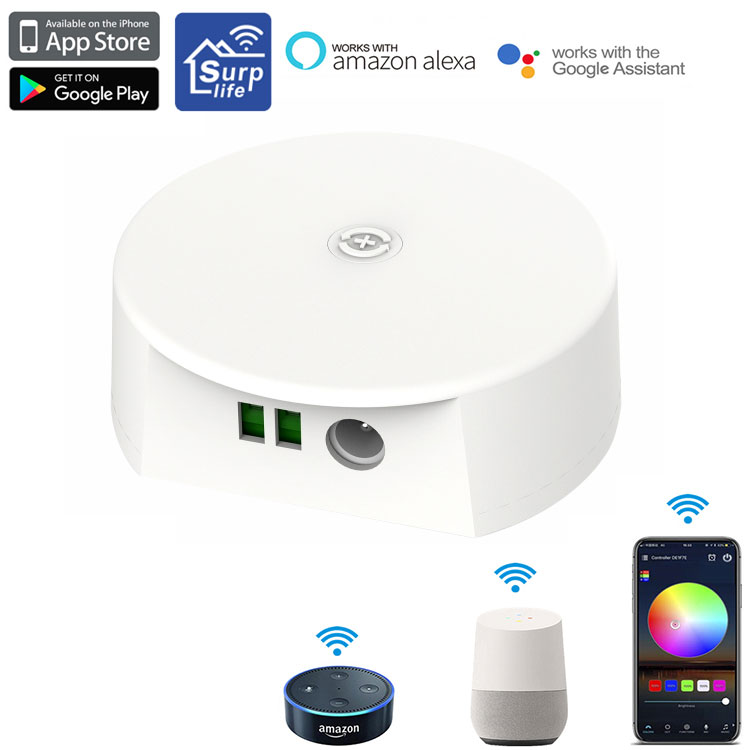 WIFI-372
DC12-48V Alexa Voice Control LED Strip Hardwired WiFi Controller For SC/CCT/RGB/RGBW/RGBCCT Lights
From $17.98View Specs →
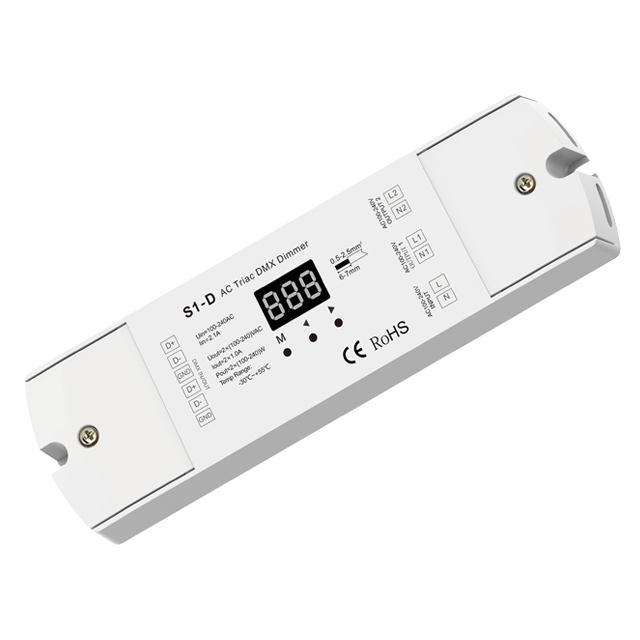 S1-D
AC Triac DMX Dimmer S1-D For LED strip lighting kit
From $23.98View Specs →
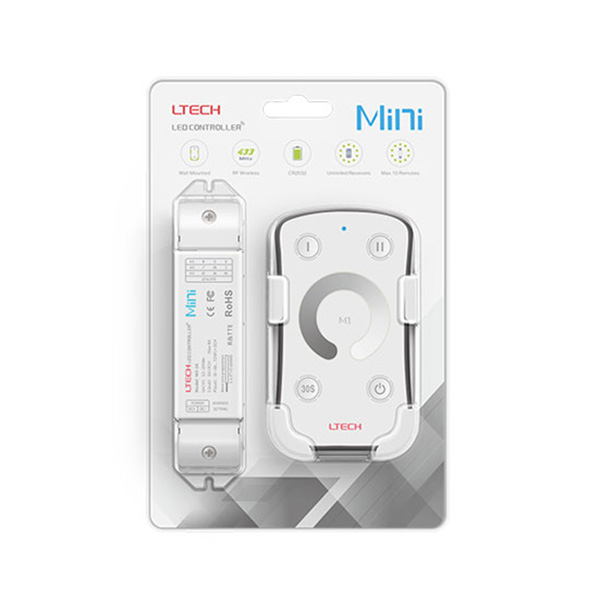 M1+M3-3A
DIM Controller M1+M3-3A
From $25.98View Specs →
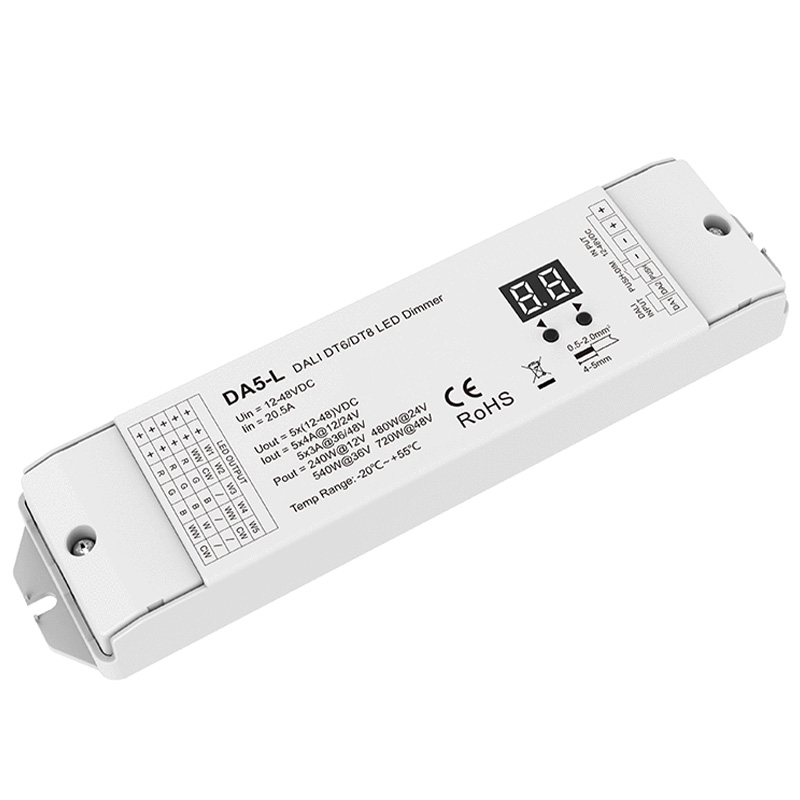 DA5-L
5 Channel Constant Voltage DT6 DT8 DALI Dimer for LED Strip DA5-L
From $22.98View Specs →
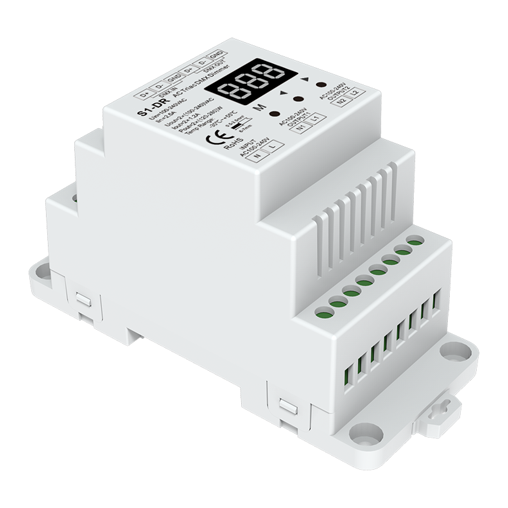 S1-DR
DIN rail AC Triac DMX Dimmer S1-DR For smart led strip lights
From $29.98View Specs →
Interactive Engineering Tools & Design Utilities
Use our free factory-maintained calculators, schematics, and BOM planners before finalizing parts or cutting hardware.
97 Schematics
LED Strip Wiring Diagram Library
Verified parallel injection, dimmer, controller, repeater, and multi-zone schematics with exact parts lists.
Browse 97 Diagrams →
Calculator Suite
Power & Voltage Drop Calculators
Compute exact PSU amperage with 20% headroom, wire gauge (AWG), max run length, cut increments, and lumen targets.
Open Calculators →
Guided Builder
Interactive LED Project Planner
Step-by-step bill-of-materials generator matching strips, channels, controllers, and UL-listed drivers for your room.
Launch Project Wizard →
Datasheet Vault
Spec Sheet & Manual Library
Download photometric reports, wiring diagrams, UL/CE compliance sheets, and controller manuals by model.
Browse Spec Sheets →
Engineering Datasheets & Specification PDFs
Download primary technical manuals and test sheets directly from our PDF specification library.
Hands-On Video Demonstrations
Watch bench tests and step-by-step wiring demos from our LED Video Library.
 Demo
Steps to Connect DC 24V LED Strips to Driver & Dim Lights Without Additional Dimmer
 Demo
10A High Power LED Dimmer Switch With Wireless Wall Panel Controller - superlightingled
 Demo
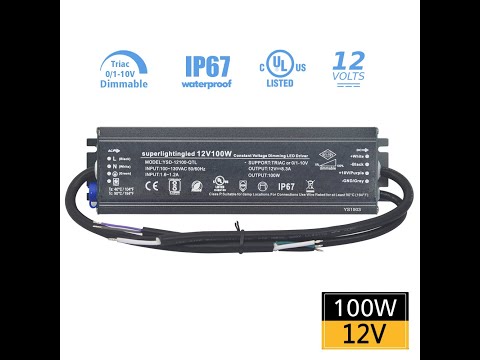
Hot sell UL-Listed Waterproof IP67 Dimming 0-10V&TRIAC Power Supply
 Demo
Dimmerable Dream Color Music WS2812B LED Controller
 Demo
led RGB controller and single color dimmer
 Demo
How To Setup WT-SPI Tuya RF Addressable RGB/RGBW/White LED Controller?- superlightingled
Matching Hardware Categories & Reference Hubs
LED Smart Controller Series
LED TRIAC 0-10V 2in1 Dimmable Driver
DALI Series
0-10V Control System Series
Triac Series
Alexa|Google|TuYa|WiFi Controllers
SkyDance Control System
Miboxer LED Light&Controller
How to Choose LED Strip Light Controllers
LED Strip Wiring Diagrams (DALI/0-10V/TRIAC)
LED Strip Knowledge Map
Technical Support Desk
01My 5V addressable LED strip flickers and shows wrong colors at the far end. Is this a controller issue or something else?
This is classic voltage drop, not a faulty controller. On a 5V system, the voltage can fall below the 4.5V required by the ICs over a long run, causing data corruption ('pinking' or wrong colors) and flickering. For a 5V strip drawing significant current (e.g., 60mA/LED), you must inject power every 2-3 meters. Use a voltage drop calculator to determine appropriate wire gauge (e.g., 18 AWG for a 5A run under 10ft). Power injection adds a parallel power line from the PSU to points further down the strip. The data line remains a single, continuous connection from the controller. For detailed diagrams, see the LED Strip Wiring Diagram Library.
02Can I use a standard wall dimmer like a Lutron Diva with a 24V RGBW LED strip?
No, you cannot directly wire a standard AC wall dimmer to a low-voltage DC LED strip. A 24V RGBW strip requires a specific multi-channel PWM (Pulse Width Modulation) controller to manage color and brightness. To integrate wall dimming, you need a compatible system. For example, use a 0-10V wall dimmer like the Lutron DVSCSTV-DIVA, which sends a 0-10V analog signal to a 0-10V Control System Series decoder. The decoder then translates that signal into the correct PWM output for the 24V strip. This ensures smooth, flicker-free dimming. Always match the controller/decoder voltage to your strip's voltage.
03What causes a high-pitched buzzing sound from my LED dimmer or power supply?
The buzzing is often caused by the Pulse Width Modulation (PWM) frequency of the dimmer interacting with components in the power supply. Many basic dimmers use a low PWM frequency (100-400 Hz) which can cause vibrations in the magnetic components of the driver, creating audible noise. To avoid this, select a high-quality dimmer and driver combination that uses a high PWM frequency, ideally 25 kHz or higher. This is well above the range of human hearing. Explore advanced options in the SkyDance Control System for flicker-free and silent operation.
04How do I connect my new WiFi LED strip controller? It's not showing up in the app.
First, ensure your phone is connected to a 2.4GHz WiFi network, as most smart controllers do not support 5GHz networks. The controller itself needs to be in pairing or 'Smart Link' mode, often indicated by a rapidly blinking light. If it's not, you may need to reset it by long-pressing a 'SET' or 'RST' button for 3-5 seconds. Check that the controller's voltage (e.g., 12V or 24V) matches your power supply and LED strips. For specific app instructions, such as for Tuya, refer to a guide like How to Connect LED Strip Lights To Tuya SmartLife?.
05What's the difference between an RGB and an individually addressable (pixel) LED strip controller?
A standard RGB LED strip controller sends the same signal to the entire strip, making all LEDs the same color at any given time. An individually addressable controller sends a digital data signal (like SPI) to each IC (Integrated Circuit) on the strip. On a 5V WS2812B strip, each LED has an IC. On 12V or 24V strips (like WS2811), one IC might control a group of 3 or 6 LEDs. This allows for complex chasing effects, gradients, and animations where each LED or small group can be a different color. This requires a programmable controller like those used with WLED or Madrix software.
06I'm using a 0-10V dimmer, but my LED strips don't turn completely off. They just dim to about 10% and stay on. Why?
This is a common issue with 0-10V dimming systems. The 0-10V signal is for intensity control, not on/off power switching. When the dimmer is at its lowest setting (sending ~1V, not 0V), the driver dims to its minimum level (often 1% or 10%). To achieve a full 'off' state, you need a dimmer with an integrated switch (like the Lutron DVSCSTV, which has a separate on/off switch) or a separate power-cutting relay in the circuit. For more details on this protocol, read Things You Need to Know About 0-10V Dimmer & Dimming.
07For a long run of 24V LED strips (15 meters), what gauge wire should I use for power injection to avoid voltage drop?
For a 15-meter (approx. 50 ft) run, wire gauge is critical. Assuming a 24V strip at 15W/meter, the total power is 225W, drawing about 9.4A. Using a single power feed with 18 AWG wire over that distance would result in a significant voltage drop (~3-4V), causing dimming and color shift. A better approach is to power from the center or use multiple injection points. For a 9.4A load, a 12 AWG wire would keep the drop below 5%. Use the Power & Voltage Drop Calculators to model your exact scenario and select the correct wire gauge to maintain consistent brightness.
08What is a 'Push Dim' LED strip controller and how is it wired?
A 'Push Dim' controller allows you to dim and switch your LED strips using a simple, commercially available non-latching (momentary) wall switch. A short press of the switch turns the lights on or off. A long press ramps the brightness up or down. This provides a clean, modern wall control without a traditional dimmer. The momentary switch is wired to the 'Push' and 'AC-L' or common terminals on the controller, separate from the high-voltage input and low-voltage output. See the LED Strip Wiring Diagrams (DALI/0-10V/TRIAC) for specific examples.
09My addressable LED strip (WS2811) works for the first few meters then starts flickering or showing random colors. What's wrong?
This is likely a data signal integrity issue, not a power problem. The data signal degrades over distance. For most addressable strips like the WS2811 or WS2812B, the data signal becomes unreliable after about 5-10 meters of wire between the controller and the strip, or between strip segments. To fix this, you need a data signal amplifier or a null pixel. A null pixel is a single pixel from the same strip type placed in the data line to regenerate a clean signal. For long-distance transmission, consider controllers with differential signal outputs. For help selecting the right controller, see How to Choose LED Strip Light Controllers.
10Can I control multiple separate zones of LED strips with a single WiFi controller?
It depends on the controller. Many basic WiFi controllers have a single output channel, meaning all connected strips act as one zone. However, more advanced systems allow for multi-zone control. For example, a Miboxer LED Light & Controller system uses a single gateway or remote that can be paired with multiple individual receiver-controllers. Each receiver acts as a separate zone (e.g., Zone 1 for under-cabinet, Zone 2 for cove lighting), allowing you to control them independently or synchronously from one app or remote interface. This provides flexibility without needing a separate WiFi connection for each zone.
11What is the difference between TRIAC, 0-10V, and DALI dimming for LED strips?
These are three distinct dimming control protocols. TRIAC dimming is a common 2-wire, phase-cutting method used in residential AC dimmers but can sometimes cause flickering with LEDs. 0-10V is an analog, low-voltage system common in commercial applications, using two extra control wires to send a voltage signal (0-10V) from the dimmer to the driver. DALI is a digital, 2-wire protocol that offers individual and group addressing of fixtures, providing the most control flexibility. Each requires a specific type of driver. Learn more here: What Is DALI Dimming? and A Quick And Deep Understanding Of TRIAC Dimmer & Dimming.
12How do I choose the right voltage (5V, 12V, or 24V) for my RGB LED strip controller?
The controller voltage MUST match the voltage of your LED strips. Using a 12V controller with a 5V strip will instantly destroy the LEDs. Using a 24V controller with a 12V strip will do the same. The voltage is printed on the strip itself, usually next to the copper cut marks. 24V systems are generally superior for longer runs as they suffer less from voltage drop (current is halved compared to 12V for the same power). 5V is common for high-density, individually addressable strips but requires more frequent power injection. Always select a controller, like a Alexa|Google|TuYa|WiFi Controllers, that explicitly matches your strip's voltage rating.