
 1:53
1:53Step-by-step tutorial
THE LED STRIP VIDEO HELP MAP
Start with your question. Follow a setup tutorial, compare a feature, or find the test that addresses your problem. Each video is labelled by what it shows.
Setup tutorials and feature demonstrations serve different purposes. A moving-light showcase is labelled as a demonstration; it is not presented as a wiring or repair guide.
Compare light quality, colour, construction and special features before choosing a model.
Get power into the LED strip and join the sections with the right connections.
Find the operation or control method for your remote, wall panel, app or sensor.
Work with addressable LED strips, software, DMX, music and moving effects.
Explore channel installation, bending, light diffusion and mounting details.
Find neon assembly, bending, connection and repair demonstrations.
See the parts and effects used in stairs, cabinets, ceilings, signs and outdoor projects.
Start with an actual fault or test. Product test videos illustrate the named test, not a guarantee for every installation.
Find fiber optics, fixtures and specialist demonstrations; company and legacy videos remain in the archive.
Need a specific model or an older video?
Power, cut & connect
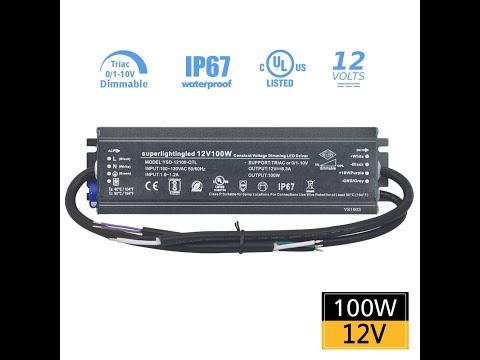
Find power-supply operation and connection demonstrations. Use the calculator and wiring guide to check voltage, load and feed points.
Open the related written guide →11 matching videos
Tutorials first · model-specific procedures
1:53Step-by-step tutorial
 1:15
1:15Step-by-step tutorial
 1:17
1:17Step-by-step tutorial
 1:39
1:39Step-by-step tutorial
 1:28
1:28Step-by-step tutorial
 1:49
1:49Step-by-step tutorial
 5:28
5:28Step-by-step tutorial
 SHORTS
Step-by-step tutorial
 2:15
2:15Feature & effect demonstration
 0:40
0:40Model reference
 1:23
1:23Model reference
No matching videos. Try a different model, remove a filter or choose another question.
A demonstration uses specific parts. Check your voltage, controller, connections and layout before copying the setup.