
Zigbee Scene Panel & Handy Remote
9 productsSkydance Zigbee handheld remotes and scene wall panel controllers bring LED lighting to a new level by providing a convenient and flexible way to control LED strip lights via Zigbee controllers or adjust constant-current light fixtures via Zigbee CC drivers.
With a handheld LED remote, users have the ability to control their LED lights from anywhere in the room. Scene panel controllers allow users to control multiple LED lights at once with a single device. This is especially useful in large spaces where multiple lights are used.
Using Zigbee 3.0 wireless technology, these LED remote controllers can be integrated with other control methods, to make your lighting more intelligent.
.jpg)
.jpg)
.jpg)
.jpg)
-1-Scene-Zigbee-Wall-Remote.jpg)
-2-Scene-Zigbee-Wall-Remote-Control.jpg)
-3-Scenes-Zigbee-Wall-Mount-Touch-Panel-Remote.jpg)
How to Choose the Right Zigbee Remote or Scene Panel
When choosing a Zigbee remote or wall panel for your LED lighting system, consider three important factors: Zigbee compatibility, lighting mode, and pairing method. Although Zigbee is a standardized wireless protocol, not every Zigbee remote or scene panel can directly control every Zigbee LED controller. Compatibility depends on the supported device functions, smart home platform, and configuration method.
Match the Remote to Your LED Lighting Mode
- CCT LED lighting: The R2(WZS) is designed for compatible dual-color LED controllers and drivers, allowing convenient brightness and color-temperature adjustment, along with recall of configured scenes.
- RGB, RGBW, and RGB+CCT lighting: The RVF(WZS) supports compatible single-color, CCT, RGB, RGBW, and RGB+CCT Zigbee controllers or drivers, making it a flexible option for different lighting configurations.
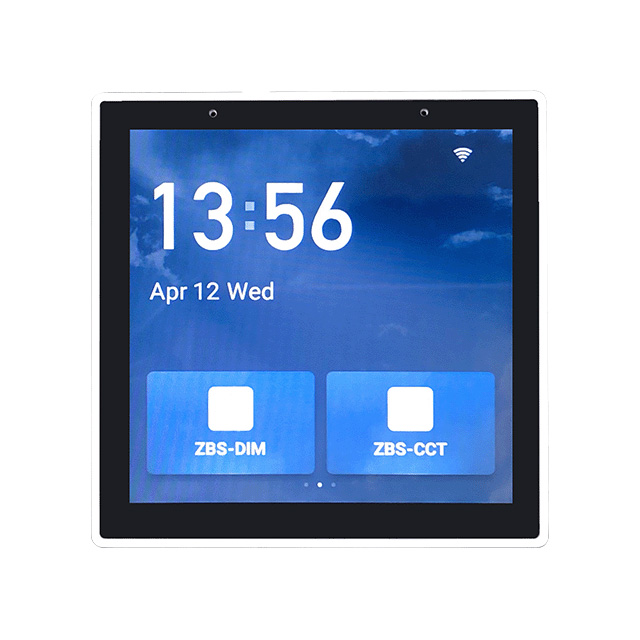
- Scene-based lighting control: TS Series touch panels and PK Series button panels let you recall preset lighting scenes. Depending on the model, you can configure multiple buttons or touch zones to activate lighting scenes through a compatible Tuya Zigbee system.
Before ordering, verify the remote model, supported lighting mode, gateway requirements, and pairing instructions to ensure that the selected controls work with your existing Zigbee lighting system.
FAQ About Zigbee Scene Panel & Handy Remote
Direct engineering answers on wiring line-voltage scene panels, pairing handy remotes, gateway requirements, and setting up multi-zone lighting scenes.
A battery Zigbee remote runs on a coin cell and mounts anywhere with adhesive, while an AC mains Zigbee scene panel wires directly to 100-240VAC line power in a wall switch box. In our 9-model lineup for this category, 3 models take line-voltage AC power, which is distinctive because our sibling controller categories operate almost entirely on low-voltage DC. AC scene panels like the PK4(WZS) and TS4(WZS) never require battery replacements and fit flush into standard switch backboxes, making them ideal for permanent entryway or room-control stations.
The R2(WZS) 10-key handheld unit is the best zigbee remote in our range for dual-color setups because it features dedicated color temperature buttons alongside stepped dimming and four preset scene keys. Powered by a single CR2032 coin cell, it transmits over 30 m in open space and connects directly through Tuya Zigbee 3.0 to manage tunable white LED strips. You can jump instantly between warm 2700K accent tones and cool 6000K task lighting without cycling through awkward toggle menus.
Wire the AC line hot wire to the L terminal and the neutral wire to the N terminal on the back of the panel. These mains-powered panels do not carry switched load outputs—they only draw roughly 1.5W internally to power their Zigbee radio and logic board. That means your LED strip power supply does not wire through this switch box. If your wall cavity lacks a neutral conductor, you cannot run an AC model like the TS4(WZS) and should use a battery-powered wall remote like the TS3(WZS) instead.
Expect about 10 to 15 m of reliable range indoors through two standard drywall partitions, compared to the rated 30 m line-of-sight spec. Zigbee operates at 2.4GHz, so solid concrete, metal studs, and tile walls will attenuate the signal faster. Because handheld remotes are sleep-mode battery end-devices, they do not route mesh traffic. If your receiver sits in a distant ceiling cove, ensure you have an AC-powered Zigbee driver or wall panel between them to act as a mesh repeater.
One button on a Zigbee scene panel can easily trigger multiple independent receivers across different zones through Tuya app automation. When you create a scenario linkage, a single press on a button like Scene 1 can drop your cove lights to 20% warm white while bringing kitchen task lights to 100% neutral white. It sends a broadcast command across the mesh, eliminating the delay you get when trying to adjust multiple wall dimmers manually.
This happens when your scene linkage relies on cloud execution inside the Tuya app rather than local Zigbee gateway linkage. If an automation references third-party Wi-Fi devices or weather conditions, the app routes the command through cloud servers, which stalls when your broadband drops. To maintain offline wall control, configure your button actions as local smart scenes bound to Zigbee receivers on the same gateway, allowing commands to process locally across the RF mesh.
A standard CR2032 lithium coin cell lasts between 12 and 18 months under typical household use of 15 to 25 button presses per day. The handheld remote sleeps at microamp current levels until a key is pressed, waking instantly to transmit a Zigbee 3.0 data burst before going dormant again. When the battery drops below 2.5V, you will notice sluggish response times or the LED indicator flashing dimly, signaling it is time to pop the rear latch and slide in a fresh cell.