
Zigbee to RF Bridge
7 productsZigbee-to-RF Bridges provide an effective way to connect existing SkyDance RF lighting control systems with Zigbee-based smart home networks. By combining Zigbee wireless communication with RF 2.4GHz transmission, these devices allow compatible traditional RF LED controllers, dimmers, and lighting drivers to receive commands from smart home platforms such as Tuya Smart and Smart Life.
Instead of replacing your existing RF lighting equipment, you can add a compatible Zigbee-RF bridge to your smart home network and use it as an intermediary to transmit wireless control commands to paired RF devices. This makes it easier to modernize existing LED lighting installations while retaining compatible RF receivers and their original lighting connections.
Through supported platforms such as Tuya Smart and Smart Life, users can conveniently manage lighting operations from a smartphone, create lighting scenes, schedule automatic on/off actions, and integrate compatible devices into broader smart home routines.
Dual-Mode Control for Flexible Lighting Applications
These SkyDance Zigbee and RF products combine two uses to offer greater flexibility across different lighting applications. In addition to operating as Zigbee-RF converters, they can also function as independent LED controllers, dimmers, or AC switching devices with their own wired output terminals.
This dual-mode design makes the product range suitable for both upgrading existing RF lighting systems and building new Zigbee-enabled lighting installations.
.jpg)

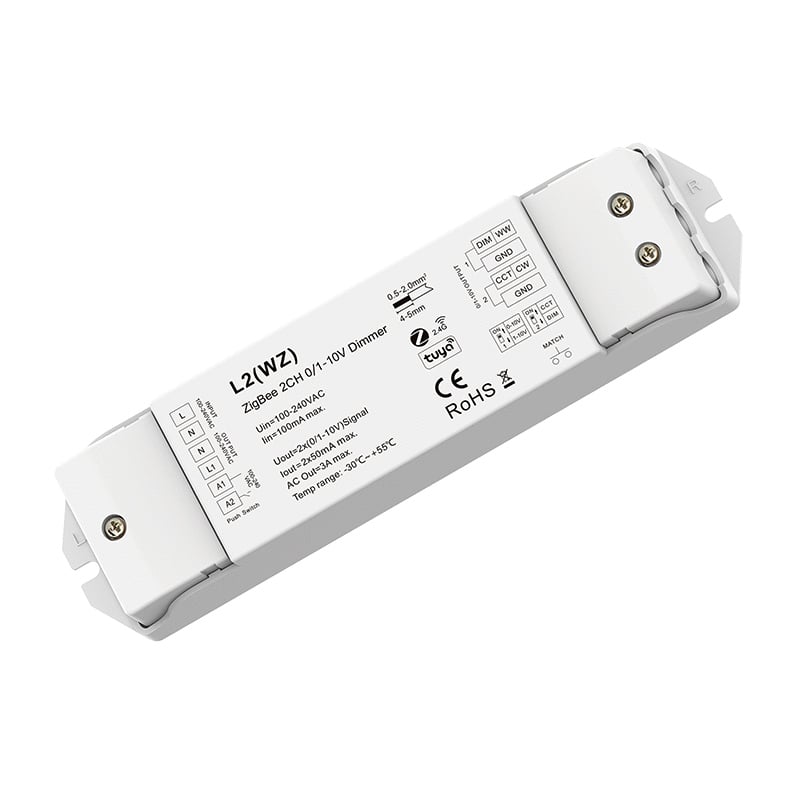
 12-48VDC 5CH6A ZigBee & RF Tuya Push Dimming 5 in1 LED Controller.jpg)


.jpg)
What Is a Zigbee-to-RF Bridge and How Does It Work?
A Zigbee-to-RF bridge is a wireless interface device that links a Zigbee smart home network with compatible RF-controlled lighting equipment. It receives control instructions through the Zigbee network and retransmits them as RF wireless commands that compatible SkyDance RF receivers can understand.
Unlike a conventional Zigbee LED controller that only manages its own wired output, a Zigbee-RF bridge can extend wireless commands to separate compatible RF devices, allowing multiple lighting components to be managed through one smart control environment.
How to Set Up a Zigbee-RF Bridge with Existing RF Controllers
Integrating a Zigbee-RF bridge into an existing lighting installation involves connecting the bridge to a compatible Zigbee smart home network and pairing it with the target RF devices.
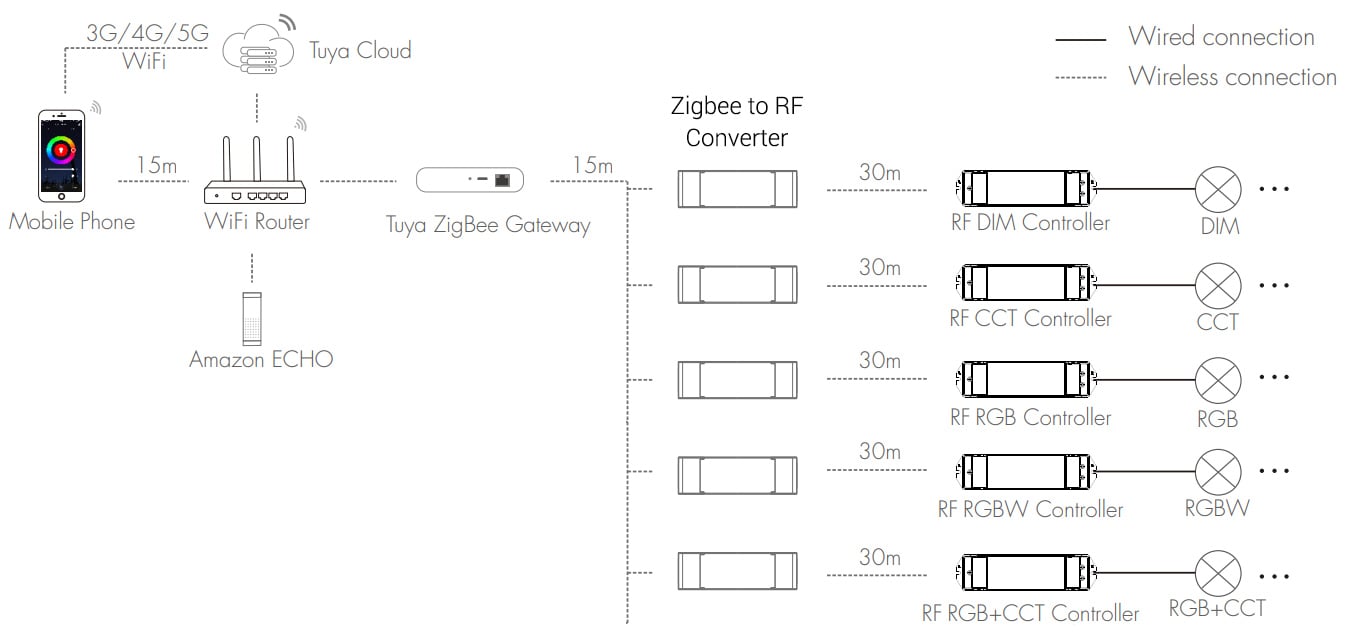
First, add the Zigbee-enabled bridge or controller to a compatible Zigbee hub, such as the WG-Z, and its supported smartphone app. Next, activate the RF pairing mode on your existing SkyDance RF LED controller or dimmable driver. Use the bridge to transmit the corresponding RF matching command so the original receiver can establish a wireless connection.
Once pairing is complete, the smart home app can send control instructions through the Zigbee network to the bridge, which then relays them to the paired RF equipment.
Check Zigbee Hub and RF Device Compatibility Before Pairing
Before selecting a Zigbee-to-RF bridge, verify that the device supports your existing RF receiver's wireless frequency, communication protocol, and lighting control functions.
A compatible Zigbee hub or coordinator is generally required to connect Zigbee devices to the smart home app. Proper compatibility between the Zigbee network, RF equipment, and connected lighting ensures reliable communication and the expected control performance.
FAQ About Zigbee to RF Bridges
Direct engineering answers on wiring, pairing, range limits, and protocol conversion for Zigbee and RF control hardware.
A zigbee RF bridge translates incoming Zigbee 3.0 network signals from your hub into 2.4GHz RF commands that operate SkyDance RF receivers. At the same time, most units in this category feature their own direct output terminals to power an LED strip locally. That means one unit can drive an under-cabinet run directly while wirelessly commanding secondary RF receivers hidden inside ceiling coves up to 30 m away without running extra signal wiring.
Yes, a Zigbee to RF bridge requires a standard Zigbee 3.0 gateway or Tuya Zigbee hub connected to your local network router. Unlike WiFi devices that bind straight to a 2.4GHz home router, Zigbee hardware communicates across a low-power personal mesh network. Once paired with the Tuya hub, the bridge exposes dimming, CCT, and RGB controls to the Tuya or Smart Life app, plus Amazon Alexa and Google Assistant voice platforms.
Every dual-mode Zigbee to RF bridge in our line functions simultaneously as a hardwired LED controller and an RF transmitter. For instance, when you dim an LED strip wired to the bridge's terminal blocks via your mobile app, the unit automatically broadcasts that identical 2.4GHz RF dimming packet across the room. Any SkyDance RF receiver paired to the bridge mimics the adjustment instantly with zero perceptible sync delay.
The operating voltage of a Zigbee to RF bridge depends on whether you select a low-voltage DC model or an AC line-voltage unit. Low-voltage models like the WZ1 take 12V to 24V DC, while the V5-L(WZ) 5-in-1 controller handles a wider DC 12V to 48V range. Line-voltage units like the S1-B(WZ) wire straight into 100V to 240V AC mains to feed dimmable phase-cut drivers.
A standard Zigbee to RF bridge transmits wireless 2.4GHz RF signals up to 30 m in open air to paired SkyDance receivers. In real job sites with drywall and timber studs, plan on a reliable 15 m radius. If steel studs, foil-backed insulation, or concrete firewalls choke your signal, keep the bridge out of metal junction boxes, or pair downstream RF repeaters to carry the command across partition walls.
A zigbee RF bridge provides local mesh networking and lower network congestion compared to standalone WiFi-RF converters. WiFi converters dump every lighting zone onto your home router's client table, whereas Zigbee devices talk locally through a single gateway and build a self-healing mesh that stays responsive even under heavy home network traffic.
Pairing failures almost always happen when the Zigbee to RF bridge sits too far from the gateway during initial handshaking or has not entered pairing mode. Press and hold the match key on the housing for 2 seconds until the run LED flashes rapidly, and ensure your phone's Tuya app connects to the same 2.4GHz network band as the hub. If you previously paired the unit to another test coordinator, hold the match key for 5 seconds to factory-clear the old network key before searching again.
Yes, an AC-powered Zigbee to RF bridge like the L1(WZ) or L2(WZ) outputs 0/1-10V dimming signals, while the S1-B(WZ) provides AC phase-cut Triac control. These units take 100V to 240V AC line power directly, making them practical for commercial retrofits where existing junction boxes feed architectural 0-10V dimmable drivers or line-voltage fixtures. They bridge your commercial driver bank right into the Tuya Zigbee app ecosystem while relaying RF commands to wireless accent LED strip lights in the same room.
A noticeable lag between the Zigbee to RF bridge and paired downstream receivers usually points to gateway cloud latency rather than RF airtime. While the local 2.4GHz RF hop from bridge to receiver takes under 20 ms, cloud automation routing through overloaded cloud servers can add 300 to 800 ms. For instant response, bind your wireless wall remotes directly to the RF receivers via RF matching, allowing physical buttons to respond locally even if your internet connection drops.