
WiFi-RF Converter
11 productsWiFi-RF Converters, also known as WiFi-to-RF Gateways, RF-WiFi Bridges, or Smart RF Hubs, provide a convenient way to connect existing SkyDance RF lighting control systems with modern WiFi-based smart home platforms.
Instead of replacing your installed 2.4GHz RF LED controllers or drivers, these devices receive lighting commands from a compatible smartphone app over WiFi and retransmit them as RF wireless signals that compatible SkyDance RF devices can recognize.
By adding a suitable WiFi-RF gateway to an existing RF lighting setup, users can bring traditional wireless lighting equipment into a smart control environment, enabling convenient app-based lighting operation while retaining their existing RF control hardware.
Depending on the gateway, paired RF devices, and app capabilities, available functions include power on/off, brightness adjustment, color selection, color temperature tuning, zone control, lighting scenes, scheduling, and other smart lighting features. This provides a flexible way to upgrade existing wireless LED lighting installations for more convenient everyday operation.
Two Ways to Use These WiFi-RF Devices: Gateway Upgrade or Direct LED Control
If you already have a compatible SkyDance RF lighting system, just use these products as a dedicated WiFi-RF gateway for a wireless bridge. The gateway only handles wireless signal transmission and does not directly drive LED strips.
For new LED strip lighting installations, you can instead use their built-in output terminals, connecting compatible LED strips or lighting loads directly and controlling them through a smartphone app or RF remote.


UL-Listed 5In1 LED Strip Controller WT5 (Tuya WiFi + RF)


 100-240VAC 01-10V Tuya WiFi & RF Tunable White Push LED Dimmer.jpg)


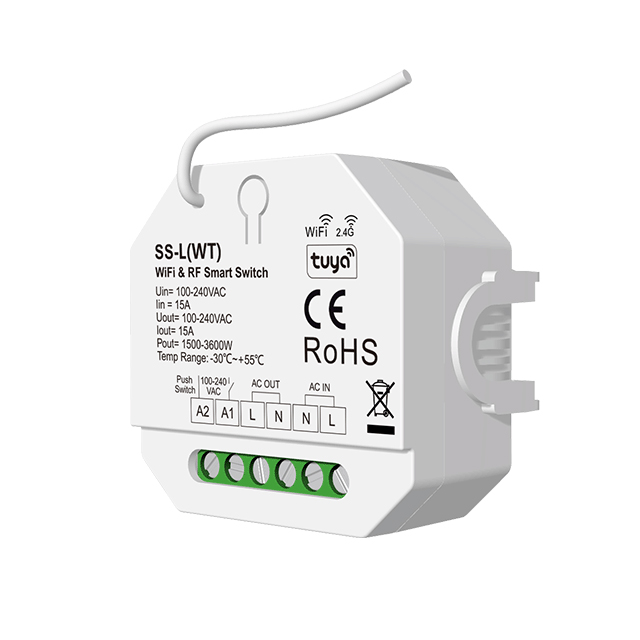
100 to 240VAC WiFi and RF Smart Dimmer Light Switch SS-C(WT)
.jpg)

How Does a WiFi-RF Gateway Work?
A WiFi-RF gateway works as a wireless command translator between two communication environments. When a user operates the lighting controls in a compatible smartphone app, the command travels through the WiFi network to the gateway.
The gateway then transmits the corresponding RF wireless command to the paired SkyDance RF receiver or dimmable LED driver. The original RF device receives and executes the command, adjusting the connected LED lighting accordingly.
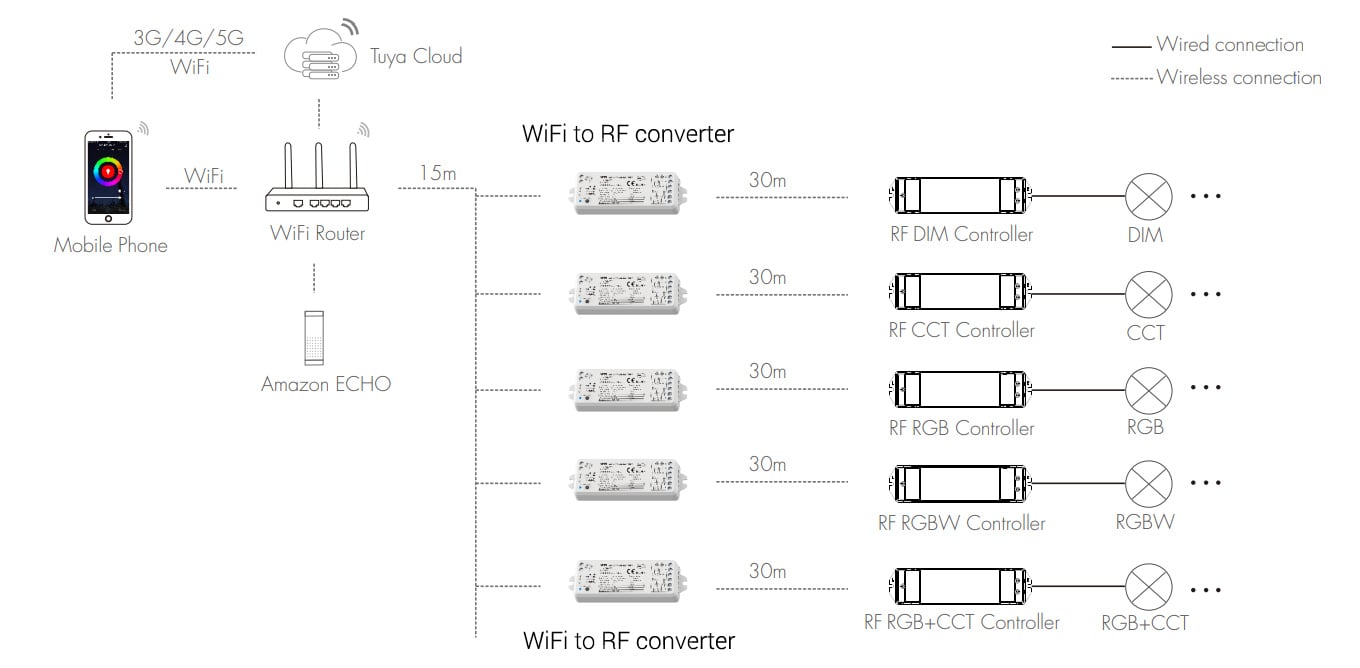
The typical control path is: Smartphone App → WiFi Network → WiFi-RF Gateway → RF Wireless Signal → Existing RF Controller or LED Driver → LED Lighting. The gateway does not replace the original LED controller or directly drive the LED strip; it extends the control capabilities of compatible RF devices through smart wireless connectivity.
How to Connect a WiFi-RF Gateway to Your Existing RF Lighting System
Adding a WiFi-RF gateway to an existing SkyDance RF lighting installation is generally straightforward. First, power the gateway using a compatible DC12V or DC24V power adapter, according to the model's rated input voltage, and connect it to the compatible WiFi network using its supported smartphone app.
The gateway serves exclusively as a wireless signal transmission and bridging device. Apart from its DC power connection, no wired control-output connections to the existing RF controllers or LED lighting are required, as all control commands are transmitted wirelessly via RF signals. Next, put the existing RF LED controller, dimmer, or driver into its RF pairing or matching mode.
Use the gateway or app to send the corresponding RF pairing command, allowing the original RF device to recognize and connect with the gateway. Once pairing is successful, the existing lighting equipment can be operated through the app.
There is usually no need to replace the original RF receiver or change its LED output wiring. Pairing procedures, supported RF devices, and connection requirements may vary by model, so always follow the relevant product instructions.
RF Compatibility and Wireless Pairing Considerations
Before selecting a WiFi-RF converter, check whether it is compatible with the frequency, wireless protocol, and control functions of your existing SkyDance RF devices.
Choosing a compatible WiFi-RF gateway ensures reliable wireless communication and a smoother transition from conventional RF control to smart app-based lighting management.
FAQ About WiFi-RF Converters
Direct answers to common technical, wiring, and pairing questions about SkyDance WiFi to RF converters and Tuya-enabled smart LED controllers.
A WiFi-RF converter translates incoming 2.4 GHz Wi-Fi commands from your local router or Tuya cloud into 2.4 GHz RF wireless signals that SkyDance receivers understand. It eliminates the gap between cloud-based smartphone control and local radio-frequency dimmers. That means you can adjust constant-voltage LED strip lights via phone apps or smart speakers without ripping out existing RF controllers or running new control wires through finished walls.
A WiFi-RF converter provides an effective RF transmission range of up to 30 meters line-of-sight to paired LED receivers. In practice, interior drywall and wood studs drop that working distance to roughly 15 to 20 meters. Keep the converter within solid coverage of your 2.4 GHz Wi-Fi router, and ensure receivers are spaced so that metal framing, mirrors, or concrete structural columns do not completely block the 2.4 GHz radio path.
A WiFi to RF converter fails to pair almost every time because the router is broadcasting a blended 5 GHz network rather than a separated 2.4 GHz channel. These control modules contain 2.4 GHz radio chips and cannot communicate over 5 GHz bands. Temporarily split your Wi-Fi SSID into distinct 2.4 GHz and 5 GHz networks or disable 5 GHz during pairing. For step-by-step setup assistance, check our guide to connecting LED strip lights to Tuya.
You can pair an RF handheld remote or wireless wall panel directly to the receiver at the same time it receives commands via Wi-Fi. The controller simply acts on whichever signal it receives last. If you dim an LED strip down to 20% using the wall remote, the mobile app reflects the state, and you can later turn the fixture off from your phone or voice assistant without signal conflict.
An integrated WiFi-RF controller combines the radio converter and the DC output dimmer on one terminal block, while a standalone gateway only broadcasts wireless commands. If you are wiring low-voltage LED strip lights directly to power, an integrated unit like the V5-L(WT) 5-in-1 controller handles DC 12–48V power and dimming in one box. If your dimmers are already installed across multiple rooms, a standalone WiFi-Relay gateway is the device that bridges them to the app.
A WiFi to RF converter can operate 0/1-10V ballasts or mains-voltage dimmable power supplies when paired with our specialized AC-input receivers. Units like the L1(WT) output an active 0/1-10V sinking control signal to command commercial drivers, while the S1-B(WT) provides 1.5A AC phase-cut dimming for TRIAC or ELV dimmable drivers. This lets you integrate standard commercial fixtures and residential line-voltage loads into the same Tuya and RF ecosystem.