
RF CCT Panel Remote Control
15 productsThe SkyDance RF CCT Panel Remote Control Series is designed to provide convenient wall-mounted wireless control for compatible SkyDance RF CCT controllers and dimmable drivers. By installing an RF wall panel in an accessible location, you can adjust your tunable white LED lighting without having to operate the controller directly.
Available in button-operated, touch-sensitive, and rotary knob designs, these RF wall panels let you control compatible tunable white LED lighting with ease. Depending on the model, supported functions include turning lights on and off, adjusting brightness, changing color temperature between warm white and cool white, recalling lighting scenes, and selecting individual lighting zones.
For lighting applications that require automatic operation, SkyDance provides RF wireless PIR motion sensing. This sensor-based wireless controls can activate CCT lighting when movement is detected and allow the lights to remain off when the area is unoccupied, according to the sensor settings.
All wall-mount panels in this category can be used as wireless RF remotes, they are powered by AC line voltage (100–240V), low-voltage DC (12–48V), AAA batteries, or coin-cell batteries, giving you different installation options.
**Important Installation Notice:** When a CCT panel is used as a wireless RF remote, it functions as a wireless control transmitter and should not ouput signal and power to the LEDs.

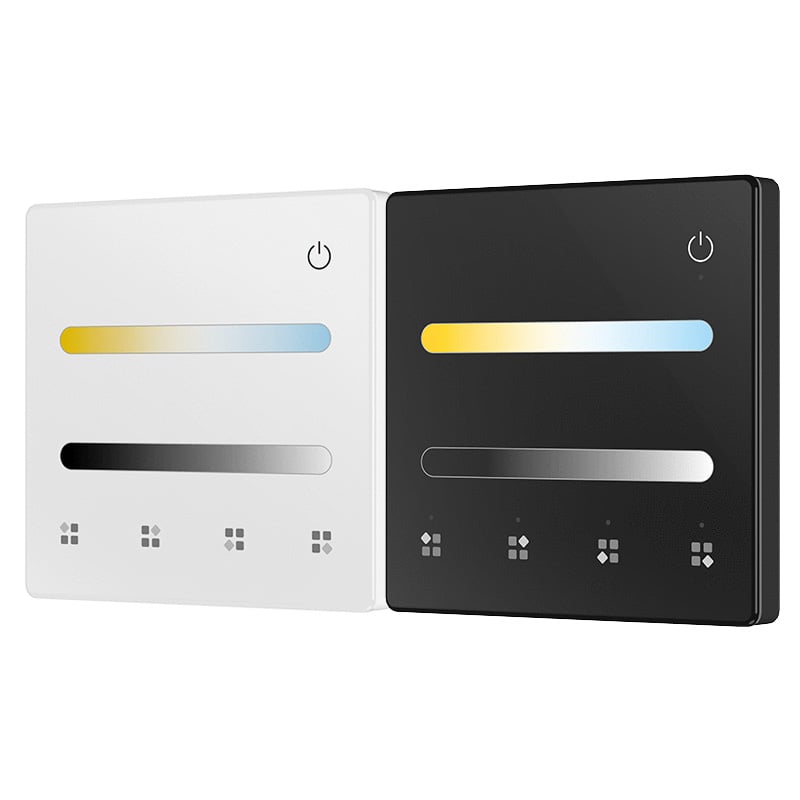
4 Scene or 4 Zone CCT Touch Panel RF Remote TL2

4 Zone CCT Battery LED Wall Touch Panel Remote Control TW2-4

TW2 CCT LED Wall Panel Dimmer - Touch Control RF Remote | Skydance


Skydance T22 2.4G 4-Zone CCT Remote Control - Glass Touch Panel


1 Zone CCT Rotary LED Remote | Wireless Light Control


T12-K 1-Zone DMX512 Rotary Panel - CCT/RGB Control, 85-265VAC

DMX512 4-Zone CCT Touch Panel T12(IT) - Wall Mount LED Controller

Frequently Asked Questions About RF CCT Panel Remote Controls
Direct engineering answers on wiring, wall box mounting, battery life, and pairing SkyDance 2.4GHz tunable white wall controllers.
An RF CCT panel remote control is a wall-mounted or desk-mounted 2.4GHz wireless interface designed to control color temperature and dimming on tunable white dual white LED strips without running control signal wires back to the driver. Unlike traditional hardwired 0-10V or phase dimmers that sit directly in line with your load wiring, a wireless RF panel sends digital commands over radio frequency to one or more matched receivers. We carry models powered by line voltage (85-265VAC), low-voltage 12-24VDC, or standard 3V CR2032 coin cell batteries, allowing you to mount a permanent architectural control station anywhere on drywall without cutting into stud bays.
Yes, an RF CCT panel remote control works concurrently with handheld remotes on the exact same lighting circuit. Every SkyDance 2.4GHz receiver accepts pairings from up to 10 distinct transmitters simultaneously, which means you can mount a glass wall panel at the room entrance while keeping one of our handheld RF CCT remotes on the nightstand or coffee table. Both units broadcast on the same 2.4GHz frequency, so brightness levels and Kelvin adjustments track smoothly between them. If you adjust the Kelvin rating from 2700K to 5000K on the wall panel, adjusting brightness next from the handheld remote retains that exact color balance.
A multi-zone RF CCT panel remote control, such as the 4-zone T22 or T22-1, addresses four separate zones or rooms from a single touch glass faceplate. Each zone button pairs independently with an unlimited number of matched 2.4G RF receivers within transmission range. For example, Zone 1 can manage kitchen under-cabinet LED strip lights, Zone 2 the ceiling cove, and Zone 3 the island toe-kicks. You select the target zone key, then adjust brightness or glide across the central color wheel to shift color temperature. Pressing and holding the master power key toggles all four zones off or on simultaneously.
Pairing an RF CCT panel remote control takes about five seconds using either the physical match key on the receiver or an AC power-cycle sequence. For the match key method, press the match button briefly on your RF CCT CV controller, then immediately tap the Zone key on a multi-zone panel or the On/Off key on a single-zone panel. The LED strip lights will flash three times to confirm the link. If your receiver is sealed in a drop ceiling cove without button access, toggle mains power off for 5 seconds, switch it back on, and immediately tap the panel zone key 3 times. The fixture flashes 3 times when paired successfully.
Intermittent lag from an RF CCT panel remote control occurs when metal junction boxes or foil-backed insulation absorb the 2.4GHz radio transmission, reducing the line-of-sight 30-meter range down to 8 to 10 meters. Never mount an RF panel inside a deep metallic enclosure without plastic front clearance, as steel backboxes act as Faraday cages. Furthermore, SkyDance receivers feature automatic signal cascading: each powered receiver re-transmits the command to adjacent receivers within 30 meters. If one fixture lags, install an intermediate receiver or move the driver outside metal enclosures so the mesh relay chain remains intact.
A 2.4 g rf remote panel controller lets operators manually sweep dual-color white fixtures from relaxing 2700K warm white to alert 6500K daylight to align with circadian schedules. In our guide to tunable white lighting, we detail how dual-channel PWM duty cycles rebalance power across alternating warm and cool diodes while maintaining linear overall lumen output. Panels like the TL2 also store up to 4 custom lighting scenes, so an office manager can assign a 5000K high-focus preset for morning work hours and a 3000K warm preset for late-afternoon tasks, recalled instantly with a single button press.
An RF CCT panel remote control does not need to store settings during an outage because the non-volatile memory resides inside the receiving LED driver or controller, not inside the transmitting panel. When line power drops across the building, the matched RF receiver preserves the exact dimming level, Kelvin balance, and zone state in internal EEPROM. As soon as power is restored to the 12V or 24V supply, the LED strip lights return immediately to their previous state without requiring you to touch the wall panel or re-sync the wireless link.
This color inversion happens when the positive and negative channel output leads on your receiver are reversed during initial wiring. Dual white LED tape uses three conductors: a common DC positive anode (V+) and two independent negative cathode channels (WW for warm white and CW for cool white). If the technician terminates the cool white lead into the WW screw terminal and warm white into the CW terminal, your touch panel will operate in reverse. Shut down the low-voltage power supply, swap the two negative return wires on the receiver output block, and test again.
The CR2032 coin cell in a wireless RF CCT panel remote control provides 12 to 24 months of service life under an average duty cycle of 20 to 30 presses per day. In quiescent standby mode, the internal circuit draws less than 10 microamps, preventing parasitic drain while the panel rests idle. When commands become sluggish or the LED indicator flashes dimly, slide the glass faceplate upward or insert a flat precision screwdriver into the bottom release notch to separate the panel from its magnetic backplate. Pop the depleted 3V cell out and insert a fresh battery with positive terminal facing upward.