
RF RGB Panel Remote Control
15 productsThe SkyDance RF RGB Panel Remote Control Series offers independently powered wall-mounted wireless control for compatible SkyDance constant-voltage (CV) and constant-current (CC) RGB controllers. Depending on the model, these RGB LED panels are powered by AC line voltage, low-voltage DC, or batteries. They communicate with compatible RGB controllers through 2.4GHz RF wireless pairing, allowing you to control your RGB LED strip lighting from convenient wall locations without running control wires between the panel and the receiver.
Available in touch-sensitive glass and rotary knob designs, these RF panels provide convenient access to essential RGB lighting functions. You can switch lights on or off, adjust brightness, select static RGB colors, fine-tune color saturation, and customize dynamic color-changing effects and their operating speeds. Zone and scene-selection functions are also available.
Wall-Mounted Wireless RGB Lighting Control
A single SkyDance RF RGB panel remote can be paired with multiple compatible RGB controllers, allowing several RGB LED strips or fixtures to operate together through one wall-mounted control point. Multi-zone panels provide additional flexibility by letting you operate different groups of RGB strip lighting independently or synchronize them when needed.
For automatic lighting applications, SkyDance also offers RF PIR motion-sensing products that work as independent wireless control devices. When motion is detected, the sensor sends a wireless command to activate compatible RGB lighting. Once the area is no longer occupied, the lights can automatically turn off after the configured delay.
**Wireless Remote Installation Notice:** When an RF RGB panel is paired and used as a wireless remote, it functions as a control transmitter and does not directly power or output lighting signals to the LED load. The connected RGB LED strips or fixtures must be driven by a separately installed, compatible SkyDance RF RGB controller.


4 Zone Constant Voltage RGB LED Touch Panel RF Remote TW4-4

TW4 Touch Wall Panel RGB RGBW Controller - Wireless LED Strip Dimmer

Rotary RGB DMX512 Wall Panel T13-K - 1 Zone LED Controller | Skydance 2.4G

DMX512 Touch Panel T13 - 4 Zone RGB Master Remote for LED Strips

DMX512 4-Zone Touch Panel & RF Remote T13-1 - RGB LED Strip Controller

DMX512 4 Zone RGB Touch Panel T13(IT) - Wall Mounted Master Controller


2.4G RGBW Remote Control T24 - 4 Zone Touch Slide Dimming | Skydance LED
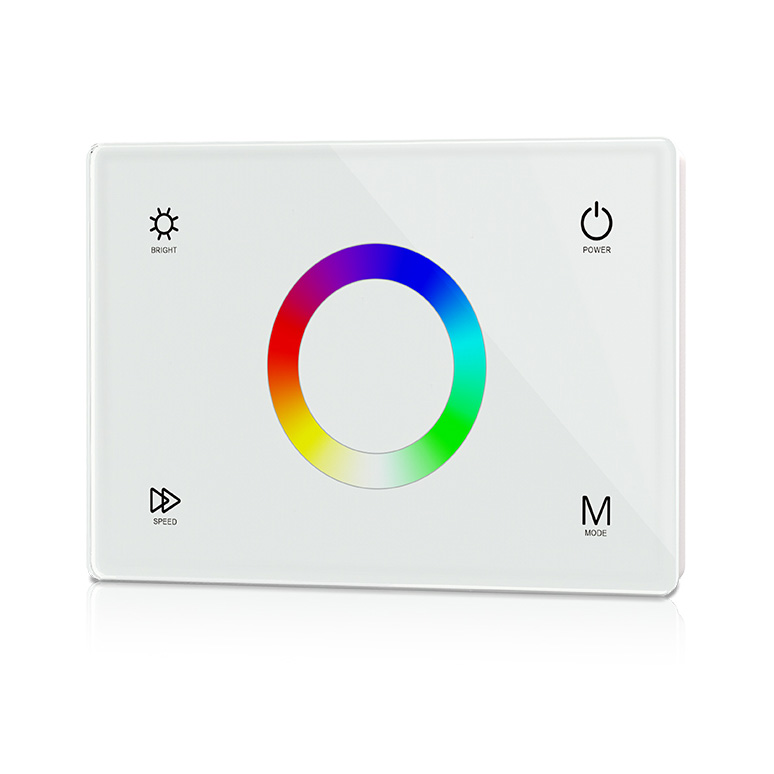
12-24VDC Constant Voltage Color Changing RGB LED Touch Wall Mounted Controller

T24-1 4 Zones Wireless Wall Mounted RGB LED Touch Panel Controller


FAQ About RF RGB Panel Remote Control
Direct answers to common technical, wiring, and installation questions about our in-wall and surface-mounted 2.4G RF RGB panel controllers.
An RF RGB panel remote control is a wall-mounted or desktop 2.4GHz wireless transmitter that sends color-mixing and dimming commands to remote receivers without sending mains AC power to the light fixture. Unlike a traditional TRIAC wall dimmer that chops 120V line voltage to dim a single circuit, an RF panel sends digital radio packets to hidden DC receivers. This lets you select static colors along a touch wheel, control dynamic color-changing speeds, and manage up to 4 separate lighting zones from one fixed architectural touch glass or rotary faceplate.
An AC-powered RF RGB panel remote control wires directly into standard 85–265V AC wall wiring inside a standard junction box, eliminating battery changes and offering continuous backlighting. Battery-powered models run on a 3V CR2032 coin cell or two AAA batteries, lasting 6 to 24 months depending on daily touch cycles. If you are retrofitting a room with no switch drop or placing a panel on tile, glass, or cabinetry, battery models install in minutes with double-sided tape without cutting into finished drywall.
You can mount a battery-powered RF RGB panel remote control directly onto finished drywall, tile, or wood millwork using either the included 3M adhesive backing or two countersunk screws through the base plate. The base plate separates from the glass touch face with a small flathead screwdriver inserted into the bottom release slot. Once you anchor the base plate flat against the wall, pop in the CR2032 battery and snap the magnetic glass faceplate back on. You never need an electrical gang box or behind-the-wall clearance.
When an RF RGB panel remote control fails to change LED strip colors, the transmitter is usually unpaired, the receiver lacks DC input power, or the panel touched an active capacitive surface during initial power-up. First, verify the receiver has steady 12V or 24V DC input. Next, press the physical Match button on your receiver for 1 second, then immediately press the Zone On key on your wall panel within 5 seconds; the connected RGB LED strip lights will blink 3 times to confirm successful pairing.
A 4-zone RF RGB panel remote control pairs independently with an unlimited number of wireless receivers across four distinct addresses. For example, Zone 1 can run your ceiling cove, Zone 2 the under-cabinet lighting, Zone 3 the bar kick, and Zone 4 exterior soffits. You can tap Zone 2 to turn the under-cabinet lighting amber at 30% brightness, then tap Zone 1 to cycle dynamic fades, or press the Master On button to control all four zones in complete synchronization.
Yes, desktop models such as the RK3 rotary controller provide full RF RGB panel remote control features in a compact, weighted round housing designed for nightstands, conference tables, and studio desks. Powered by an internal 3V CR2032 battery with rubber non-slip footpads, it requires no cutouts or wall anchors. A quick press toggles lights on or off, rotating the dial adjusts smooth 0.1% to 100% dimming, and a double-click switches the rotary dial into RGB color-cycling mode.
Capacitive touch glass on an RF RGB panel remote control becomes sluggish or unresponsive if the glass faceplate was snapped onto the base plate while the unit was powered. The micro-controller calibrates touch sensitivity at power-up; touching the glass while inserting the battery causes the baseline reference to drift. Disconnect the AC line or pop out the CR2032 battery for 15 seconds, reinstall the glass faceplate completely without touching its front surface, and restore power. Keep fingers dry during use.
An RF RGB panel remote control delivers an unobstructed open-field range of 30 meters (approximately 100 feet), which reduces to 15 to 20 meters indoors when signaling through standard drywall, timber studs, or hollow interior doors. Metal framing, foil-backed insulation, and concrete block walls will attenuate the 2.4GHz signal further. Fortunately, our compatible RF receivers feature automatic signal cascading: each receiver that receives a command re-transmits it up to another 30 meters to neighboring receivers, reliably extending multi-room coverage across several hundred meters.