
RF CCT CC Dimmable LED Driver
3 productsThe SkyDance RF CCT CC Dimmable LED Driver Series is specifically designed for tunable white constant-current LED fixtures and compatible track lighting systems. With dual-channel constant-current output, these drivers independently regulate warm white (WW) and cool white (CW) LED channels, allowing you to adjust both brightness and color temperature. Depending on the model, available output current ranges include 150–450mA and 150–500mA to accommodate different CCT lighting fixtures.
SkyDance combines constant-current CCT driver technology with 2.4GHz RF wireless and Wi-Fi connectivity, providing flexible control options for tunable white LED lighting. Pair the CCT drivers with compatible SkyDance RF CCT handheld remotes or wall-mounted panel remotes to conveniently turn lights on or off, adjust brightness, and change color temperature, etc. Also support Tuya Smart / Smart Life APP control directly from a smartphone.
Whether you are installing tunable white spotlights, downlights, or compatible magnetic track lighting, these wireless constant-current drivers provide an integrated power and lighting control solution. Choose the appropriate driver according to your LED fixture's rated current, output voltage, power requirements, and preferred control method.
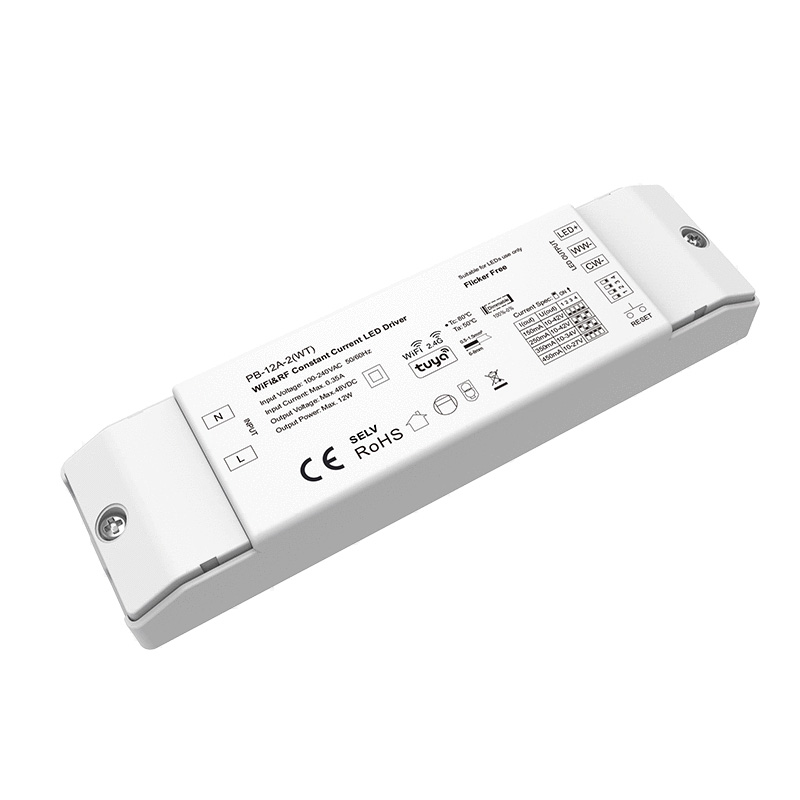
 WiFi & RF MAX 29.4W Tunable White Dimmable Constant Current LED Driver.jpg)
FAQ About RF CCT CC Dimmable LED Driver
Direct answers to technical questions about wiring, voltage limits, and wireless protocols for our constant-current tunable white drivers.
An RF CCT CC dimmable LED driver equipped with integrated Tuya WiFi connects directly to your standard 2.4GHz home or office WiFi router without needing any external bridge. If your project uses Zigbee models, you will need a standard Zigbee 3.0 gateway to bridge commands to your phone, whereas WiFi models connect straight to the Tuya or Smart Life app out of the box.
The Push Dim terminal on an RF CCT CC dimmable LED driver lets you wire an ordinary normally-open momentary wall switch in parallel with your wireless RF remotes. A quick tap on the wall button turns the light on or off, while holding the button down smoothly ramps the brightness up or down. A quick double-click shifts the push switch into color-temperature adjustment mode, cycling between warm and cool white. The driver's internal memory synchronizes both inputs seamlessly, meaning you can adjust the CCT with a handheld RF remote and later dim the brightness from the wall switch without control conflicts.
An RF CCT CC dimmable LED driver maintains accurate color temperature across its entire 0% to 100% dimming range because it uses digital PWM dimming rather than analog amplitude reduction. In analog current reduction, lowering the current through an LED die changes its junction temperature, which noticeably shifts phosphor emission and alters your calibrated Kelvin value. By switching the preset constant current on and off thousands of times per second at 100% instantaneous amplitude, the driver preserves the exact spectral balance between the warm and cool dies even at late-night accent levels.
Flickering on an RF CCT CC dimmable LED driver is almost always caused by an open circuit loop, an LED forward voltage floating outside the driver's voltage window, or heavy RF interference. Start by checking your wire splices; a loose secondary terminal creates micro-arcing that disrupts constant-current regulation. Next, measure the operating voltage across WW- and V+ with a multimeter while illuminated to confirm it sits within the driver's window (such as 10-42V). If the flicker only appears when adjusting settings via the app, relocate the driver outside any sealed metal junction box that shields the 2.4GHz antenna.