
Related Products
Tick the accessories you need and add them in one go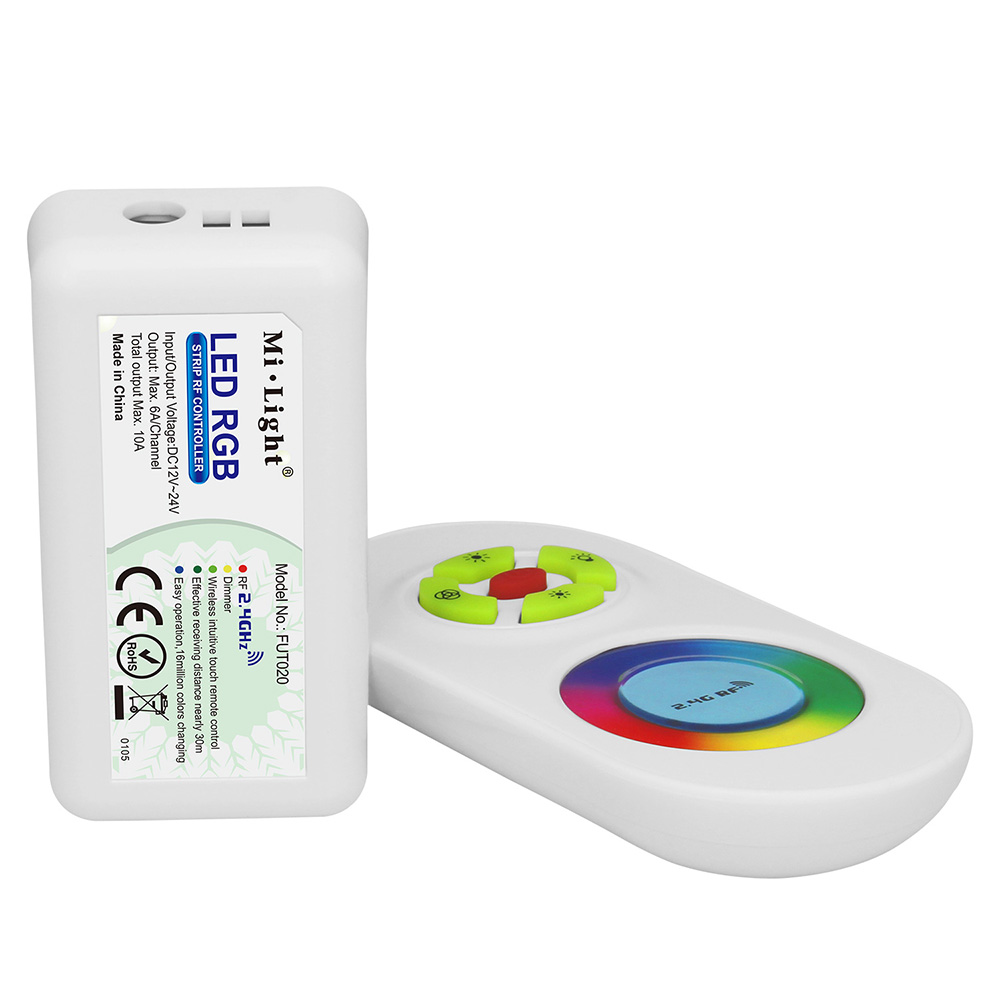 €13.24
 €33.54€39.7416% off
 €19.41€41.4853% off
 €28.24€49.4343% off
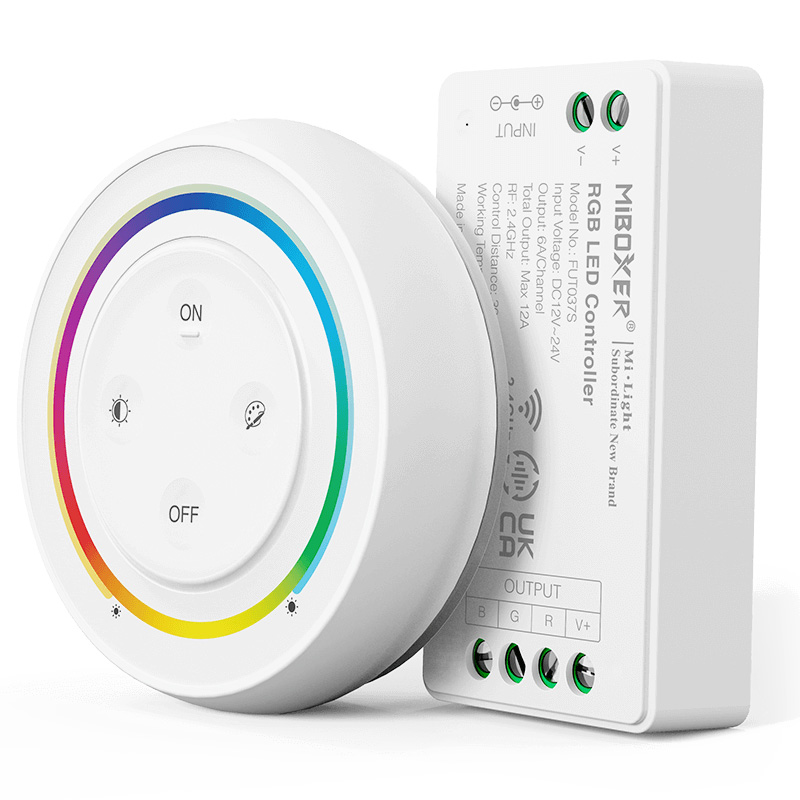 €18.53
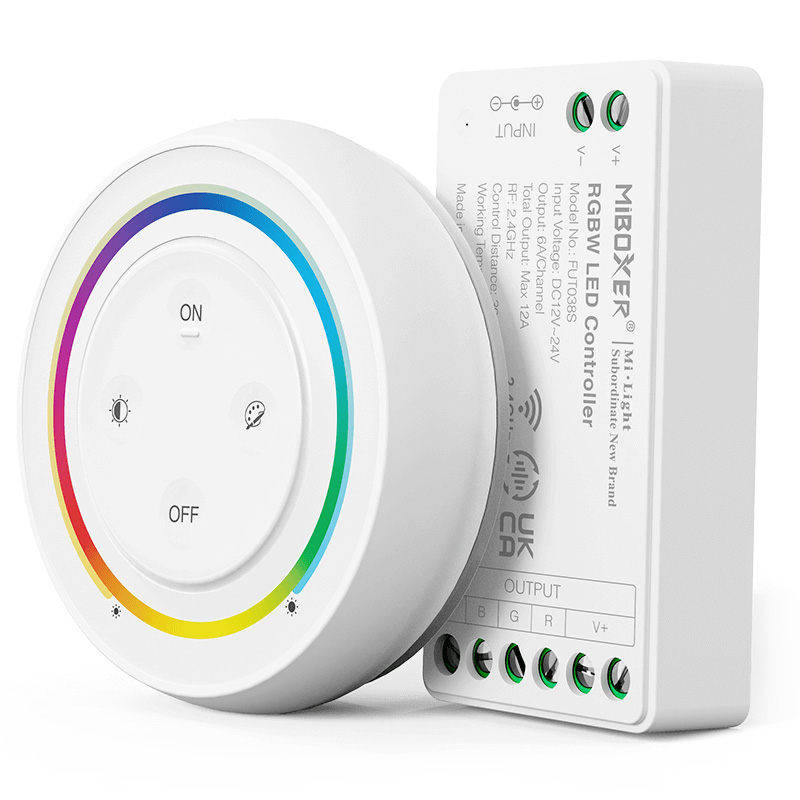 €18.53
Product Information
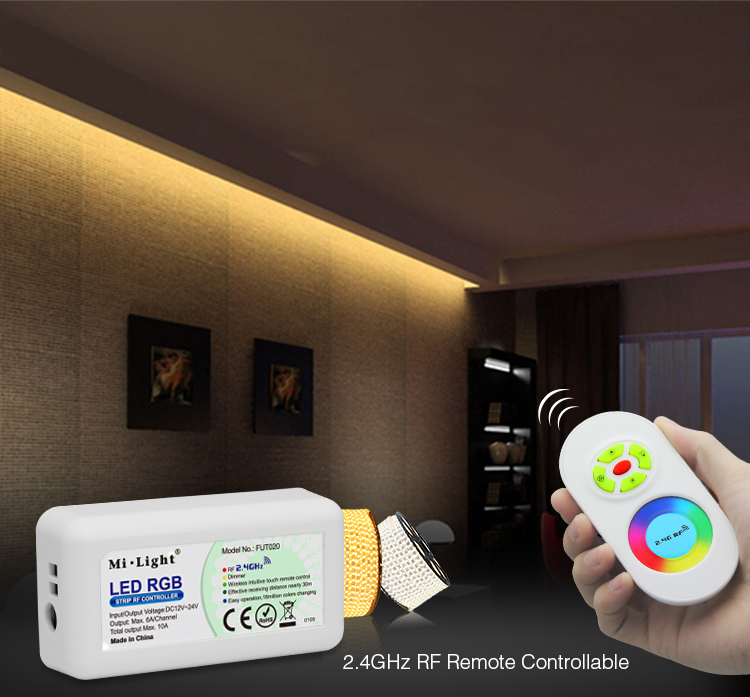
The MiBoxer FUT020 is a dedicated 2.4GHz RF RGB LED strip controller designed for simple, reliable, and effective control of your color-changing lighting. This complete kit, including both the receiver and a handheld remote, provides a straightforward solution for managing standard 4-pin RGB LED strips. Utilizing advanced 2.4GHz wireless technology, it ensures a stable connection up to 30 meters away, free from the line-of-sight limitations of older infrared systems. With a robust 10A maximum output, the FUT020 can power substantial lengths of LED tape, making it an excellent choice for accent lighting, cove lighting, and decorative installations in both residential and commercial settings. For users looking to integrate into a smart home system, this rgb controller can be paired with a MiBoxer WiFi gateway (sold separately) to unlock smartphone app and voice control capabilities.
Key Features
Dedicated RGB Control
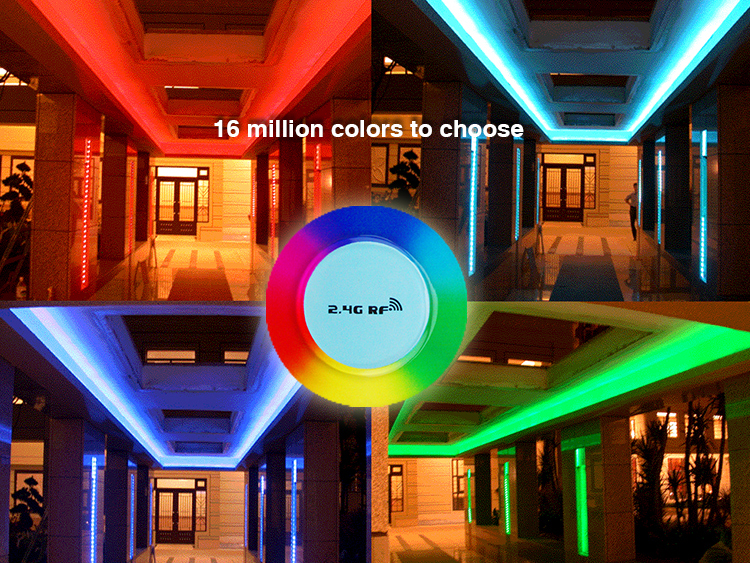
Specifically engineered for 3-channel (Red, Green, Blue) LED strips, providing precise color mixing and smooth transitions.
2.4GHz RF Wireless Technology
Offers a long control range of up to 30 meters (98 feet) and a stable signal that works through walls and obstacles.
Broad Voltage Compatibility
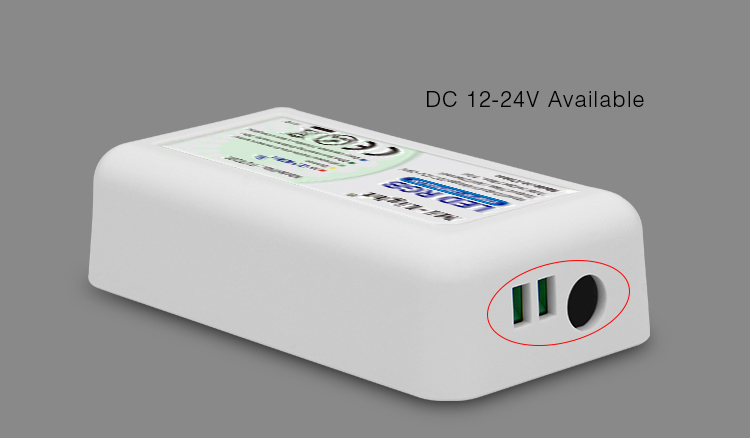
Operates on a flexible DC 12V-24V input, making it compatible with the most common types of RGB LED strips.
High Load Capacity
Supports a maximum of 6A per channel and a total output of 10A, capable of driving long runs of LED strip lighting.
Intuitive Remote Control
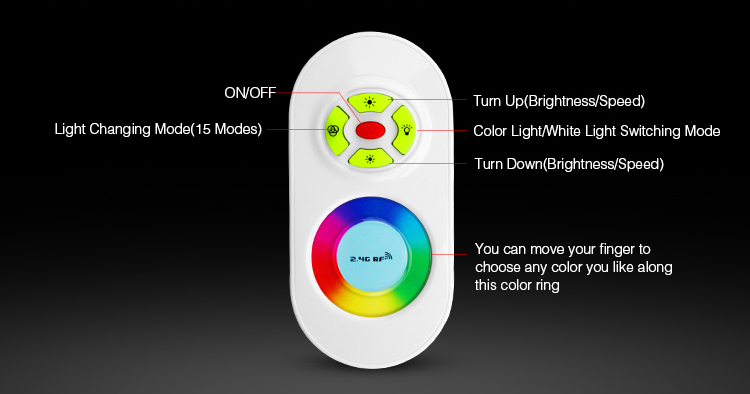
Features a user-friendly remote with a color wheel, brightness adjustment, and pre-programmed dynamic modes for easy operation.
Smart Control Ready
Expand your system by pairing the controller with a MiBoxer WiFi gateway (sold separately) for control via smartphone app and voice assistants.
Technical Highlights
- Stable 2.4GHz RF transmission for reliable control up to 30 meters.
- Auto-synchronization function for controlling multiple receivers simultaneously.
- Memory function retains the last used color and brightness setting when powered off and on.
- Low power consumption for energy-efficient operation.
Product Specifications
| Parameter | Details |
|---|---|
| Product Name | 2.4GHz RGB LED Strip Controller |
| Model | FUT020 |
| Input Voltage | DC 12V - 24V |
| Output Current (Per Channel) | Max. 6A |
| Total Output Current | Max. 10A |
| Control Technology | 2.4GHz RF |
| Control Distance | 30m (approx. 98 ft) |
| Controller Dimensions | 85 x 45 x 22.5 mm |
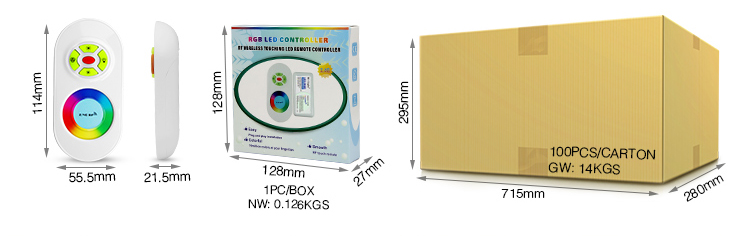
| Remote Dimensions | 114 x 55.5 x 21.5 mm |
| Working Temperature | -20~60°C |
| Connection Type | Common Anode |
Application Scenarios
How to Control & Use This Controller
- Ensure your power supply is turned off before wiring.
- Connect your 12V or 24V DC power supply to the controller's INPUT terminals (V+, V-).
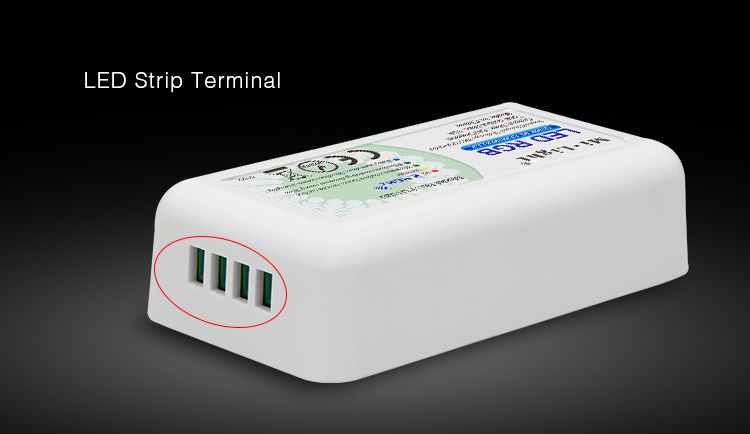
- Connect your 4-pin RGB LED strip to the controller's OUTPUT terminals, matching V+ to V+, R to R, G to G, and B to B.
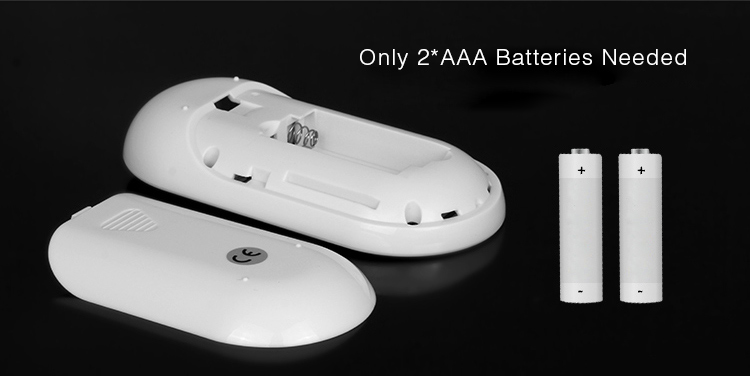
- Insert batteries into the handheld remote control.
- Power on the controller. Within 3 seconds, press the 'ON' button for one of the zones on the remote. The connected LED strip will flash three times to confirm successful pairing.
- You can now use the remote to select colors, adjust brightness, and switch between dynamic modes.
- The input voltage of the power supply must match the working voltage of your RGB LED strips.
- Do not exceed the maximum load of 6A per channel or 10A in total. Overloading may damage the controller.
- This controller is for indoor use only and is not waterproof.
- For controlling strip lengths that exceed the controller's 10A capacity, a separate LED signal amplifier is required.
What's in the Box
- ✓1 x FUT020 RGB LED Controller Receiver
- ✓1 x 2.4GHz RF Remote Control
- ✓1 x User Manual
⇩ Downloads & Documents
PDFFUT020-.pdf
Frequently Asked Questions
Q: What type of LED strip is the FUT020 controller compatible with?
A:This controller is designed specifically for standard 12V or 24V common anode 4-pin RGB LED strips.
Q: How is this different from the FUT021 or FUT022 controllers?
A:The FUT020 is exclusively for RGB (color-changing) strips. The FUT021 is a single-color dimmer, and the FUT022 is for dual-white (CCT) strips.
Q: Can I control this with my smartphone or Alexa?
A:Yes, but it requires the MiBoxer WL-Box1 WiFi gateway, which is sold separately. The gateway bridges the RF signal to your WiFi network.
Q: What is the maximum length of LED strip I can connect?
A:This depends on the power consumption (watts per meter) of your LED strip. The total power must not exceed the controller's maximum output (10A x 12V = 120W; 10A x 24V = 240W).
Q: What are the advantages of 2.4GHz RF over infrared (IR)?
A:2.4GHz RF technology provides a much longer range (30m vs. ~5m), does not require a direct line of sight, and is less prone to interference, offering more reliable control.
Q: Can one remote control multiple FUT020 receivers?
A:Yes, the included remote has multiple zones. You can pair multiple receivers to the same zone to control them synchronously, or pair them to different zones for independent control.
Reviews
Customer Experience
Your feedback is important to us! Share your thoughts and photos with other customers.
Downloads
Files for FUT020Images
These images were taken with Canon EOS 5D Mark IV and the studio light source is provided by Ra 98's full spectrum LED strip to realistically reproduce the colors of the item itself. All copyrights are created by the superlightingled team, please feel free to browse and download if you are a registered user!
LED Strip Lights Guide
Here you can learn anything about LED strip lights — pick the topic you are interested in to go deeper. We cover LED strip lights, power supplies, controllers, accessories, and how to connect LED strip lights. You can also watch our demo videos.
Led strip lights
►Everything you need to know before you buying led strip lights
| Top 6 Considerations Before Buying LED Strip Lights 1. Where do I want to place the LED strip lights? Indoor or outdoor? • What are waterproof led strip lights? • How to cut and connect waterproof led strip lights? 2. How much LED brightness do I need? 3. The working voltage is available? • 5V VS 12V VS 24V led strips • AC VS DC 4. How long is the LED strip light suitable for my project? 5. Do I need an LED light controller to adjust the LED color and brightness? 6. How to power the LED strip lights? 1. How do led strip lights work? 2. How long can you run an LED strip? 3. How long do LED strip lights last? Is it worth getting led strip lights? 1. Do LED strip lights use a lot of electricity? 2. Why are LED lights energy efficient? 3. Are LED Strip Lights sustainable? 4. What are the pron and cons of led strip lights? 5. Precautions for led strip lights 1. Do LED strip lights overheat? 2. How do you stop LED strips from overheating? 3. Can LED strips catch fire? 4. Is it safe to sleep with LED strip lights on? What are the types of led strip lights? Flexible led strip lights VS rigid led strip lights - 1. What are flexible led strip lights? 2. What are rigid led strip lights? 3. What happens if you bend LED strip lights? 4. What is the difference between flexible led strips and rigid led strips? 1. Can you cut led light strips? 2. What happens if you cut an led strip? 3. How to cut led strip lights? 4. How to connect RGB color changing led strip lights with a connector? 5. How to know what your led strip light is? How to choose the correct SMD led for your strip? Which is the brightest SMD LED? What does SMD 5050 mean? How many lumens is a 5050 SMD LED? How to know what type of LED strip? What is the difference between 2835 and 5050 LED? |
►COB led strip light
| 1. What is COB? 2. What is the COB production process? 3. Different types of COB strip lights 4. What is the difference between COB and SMD led strip lights? 5. What is the difference between COB and LED? 6. Are COB led strips better? 7. How to cut and connect COB led strips? 8. How to install COB led strip lights? 9. Can COB light strips use aluminum channels? 10. Why choose superlightingled? |
►Led neon lights
| 1. What is led neon light? 2. What are neon led lights used for? 3. Are led neon lights good? 4. How to choose led neon rope lights? 5. Are led neon ropes use DC or AC? 6. Can you change the light-emitting angle or the luminous way of neon led strip? 1. How to cut led neon lights 2. Can led neon lights be connected? 3. Easy 7 steps to make led neon lights 4. How to install led neon rope? |
►Addressable led strip
| Ultimate Guide to Choosing the Right Addressable LED Strip What is an addressable LED strip? Can you cut addressable LED strips? How to judge if an LED strip is individually addressable? How to choose the best DC12V addressable led strips? How to choose the best DC5V digital led strips? How to choose the right IC for your project? Which IC is most commonly used? How do I know my IC type? How do I know if my IC is good or bad? How many types of IC are there? |
►Color, color temperature, and CRI
| The Color Difference Between Warm White 2700K, 3000K, 4000K, 6000K Pure White and 7000K Cool White 1. What is color temperature? 2. What color temperature is right for me? • 2700K VS 3000K • How obvious is the difference between 2700K and 3000K? • Warm White 3000K VS Natural White 4000K VS Daylight White 6000K • Warm White VS Cool White 3. Enjoy 2700K, 4000K, 6000K 4. Further Reading: How to install Warm White LED light strip? How to choose the right color for your led strip lights? - 1. How many colors are in LED strip lights? 2. What do LED light colors mean? 3. Why do white LED light turns to yellow? 4. Why are your led strip lights not the same color? 5. What is the most relaxing color for LED lights? 6. What color led lights is best for sleeping? 7. Are led lights bad for your eyes? 8. Is cool white or warm white better for eyes? 1. What is the best color temperature? 2. Does color temperature keep the same as time goes by? 3. What color temperature is best for night? 4. Led strip lights about color temperature,CCT VS RGBW VS RGBCCT; What is color rendering index? 1. What is CRI in led lights? 2. How to choose the right CRI when buying led strip lights? 3. What is the relationship between CRI and brightness? 4. Is higher CRI better? High CRI VS Low CRI; 5. How to find CRI value? |
Led strip light connection
| How to connect led strip lights? 1. How to connect led strip lights together? 2. How to connect LED light strips without connectors? 3. How to solder wires to LED strips? 4. How to connect LED strips without soldering? 5. Which one is better between soldering and using a connector? 6. How to connect mutiple led strip lights? 7. How many LED strip lights can you connect? How to connect led strip to the power supply? 1. Ensuring the working voltage and power first 2. How to hardwire led strip lights? 3. Can I connect multiple LED strips to the same LED power supply? How to wire led strip lights? How to wire single color led strip lights? How to wire tunable white/CCT led strip lights? How to wire RGB color changing led strip lights? |
Controller for led strip lights
| How to choose led strip light controllers? 1. WIFI controller 2. RF controller 3. IR controller 4. Bluetooth controller 5. Remote control and panel control 6. Single color controller and multi-color controller 7. DMX512 controller 8. SPI controller 9. DALI controller 10. 0/1-10V dimmer 11. Triac series 12. Sonsor series |
Led power supply
| How to calculate power for led strip lights? 4 steps to calculate the power you need Performance And Reasons Of LED Voltage Drop How to choose led strip light power supply? 1. Alternating current power supply VS Direct current power supply 2. Constant current power supply VS Constant voltage power supply 3. How to choose the best led power supply for your led strip light? |
Led strip light installlation
| How to install led strip lights? What accessories will be needed? 1. Adhesive installation for IP20 and IP65 led strip lights 2. How to choose the right led tape? 3. Can IP20 and IP65 led strip lights use aluminum profiles? 4. How to use aluminum profiles? 5. Mounted clip installation for IP67 and IP68 light strips How to install LED sensor stair lights? Lighting Up Your Stairs With LED Strip Lights Ideas How to install led strip lights on TV? How to install led strip lights outdoor? |
Accessories
| How to choose led strip light connectors? 1. Are all LED light strip connectors the same? 2. How do LED strip lights connectors work? 3. What connectors do you need for LED strip lights? 4. What are the different kinds of LED connectors? 5. How to choose the right connector for your led strip lights? Ultimate Guide on Aluminum Profile for LED Strip Lighting 1. What are aluminium profiles used for? 2. Why choose aluminum profiles? 3. Different types of LED aluminum profiles 4. LED aluminum profile VS COB LED strips 5. How to install LED aluminum channels? 6. How To Get Ideal Light Diffuser For Your LED Strip? 7. Add Black Aluminum LED Light Diffusers For Your Home Lighting 8. How To Find The Right Aluminum LED Light Strip Diffuser Channel? |