
Related Products
Tick the accessories you need and add them in one go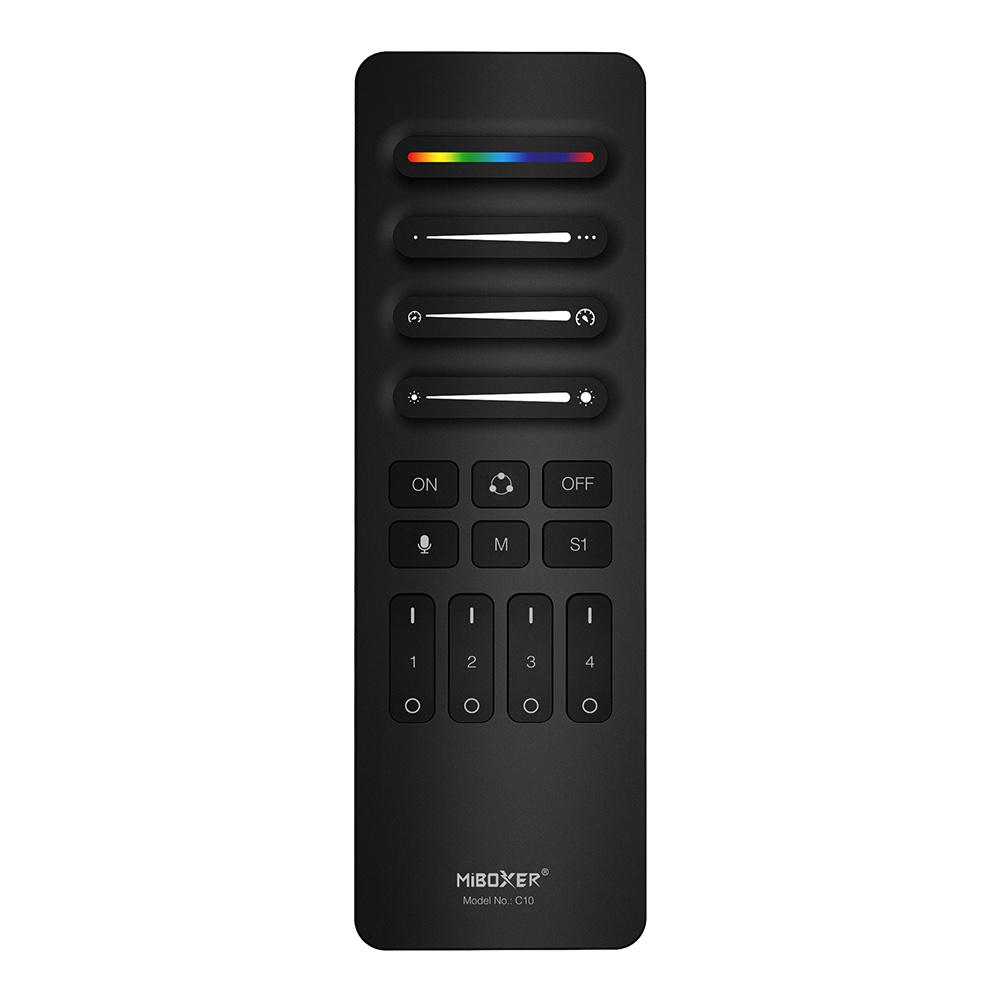 A$21.53
 A$25.84
 A$35.90
 A$28.71
 A$17.22
 A$18.65
 A$18.65
Product Information
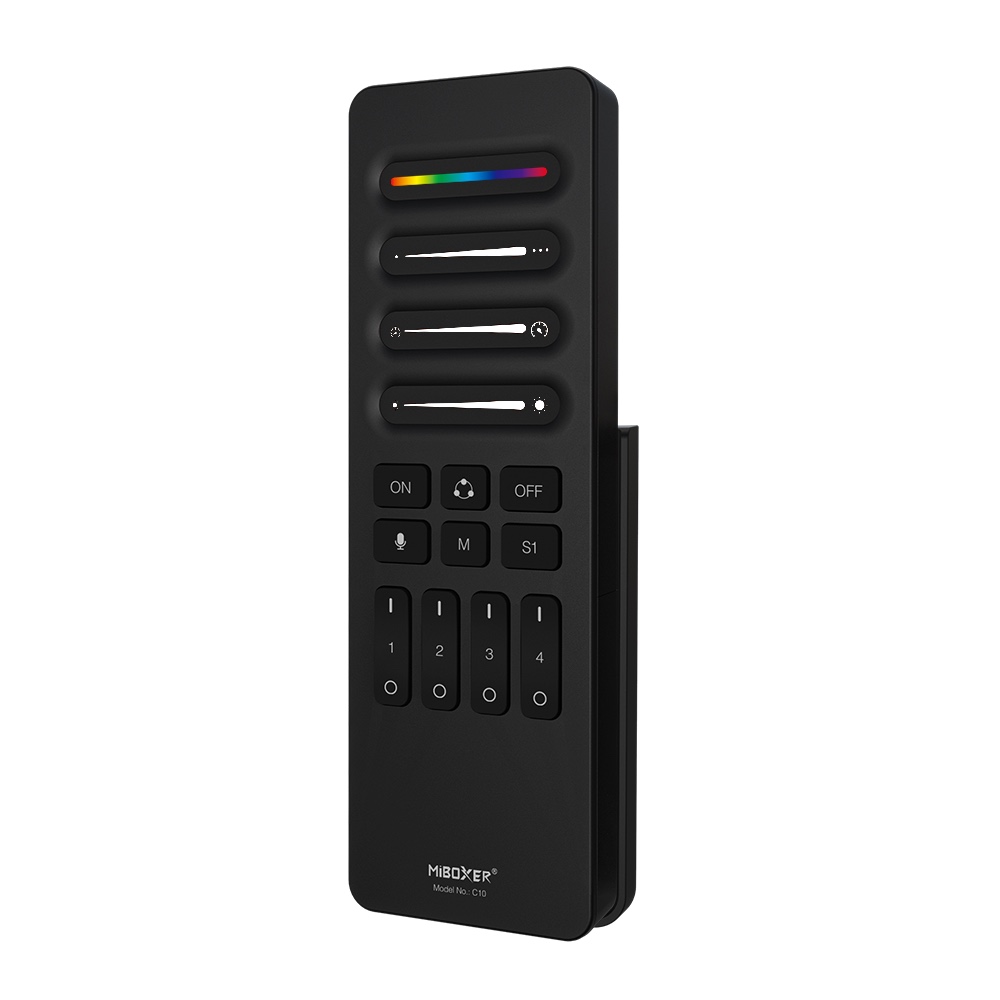
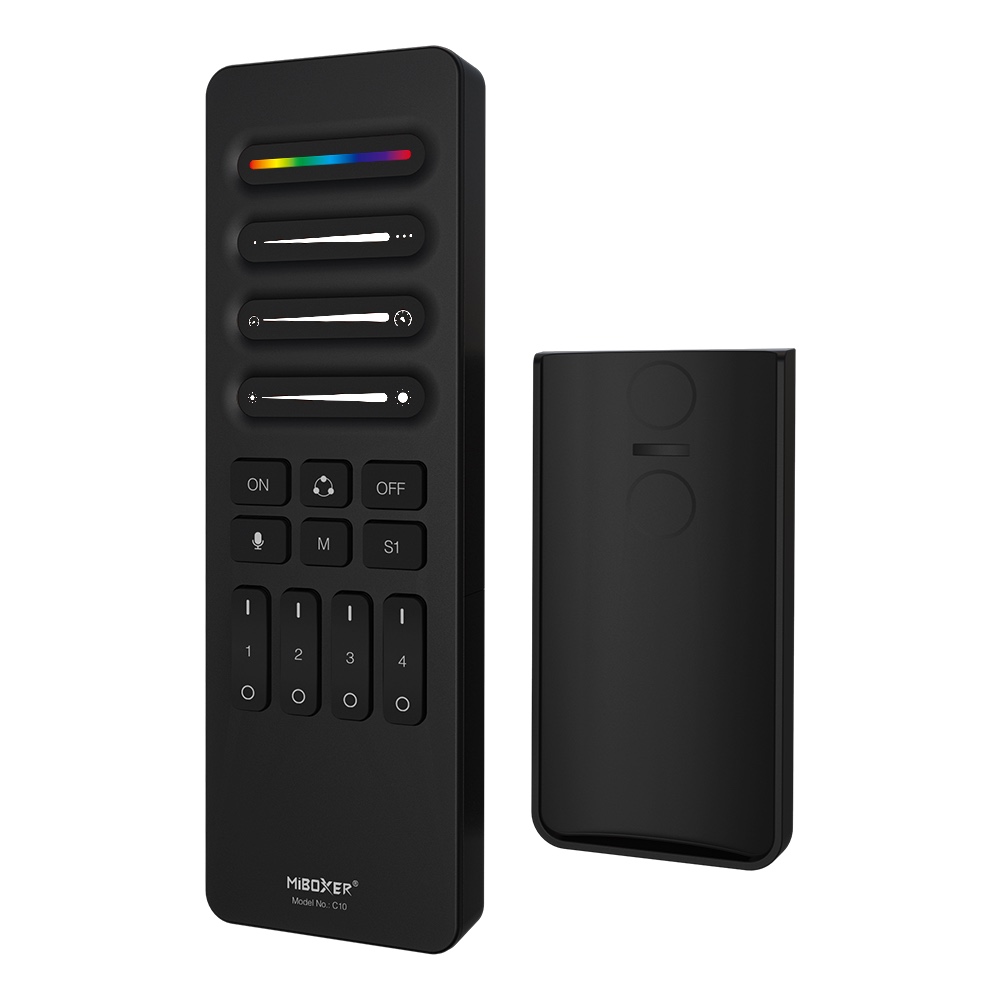
The C10 is a 4-channel wireless remote designed for detailed control over addressable SPI LED lighting. Using a stable 2.4GHz RF signal, it allows you to manage up to four separate zones of lighting from a single, intuitive interface. It must be paired with a compatible SPI LED controller to function.
This remote is ideal for installers and users who need precise control over their lighting effects. You can adjust static colors, select dynamic modes, change speed and brightness, and even set the exact number of pixels in your LED strip. The C10 also features a music-sync mode and the ability to save and recall up to four custom scenes, making it a versatile tool for both commercial and residential ambient lighting projects.
Browse more in Addressable SPI RGBIC LED Strip Controller.
Key Features
- Support 4 individual channel
- Setting your favorite mode, color and brightness
- Dynamic, static,music mode adjustable
- Adjust color, pixel point, speed, dynamic and static mode
- Support to save 4 scenes
- Working with mulit controllers ( control distance 30m)
- Simple installation, magnetic installation
Why Choose This Model
The C10 remote offers granular control that goes beyond basic remotes. Its key feature is the ability to define the length of your addressable LED strip, supporting anywhere from 8 to 2048 pixels for precise mapping of effects. The 2.4GHz wireless protocol ensures a reliable connection with a control distance of up to 30 meters (approx. 98 feet), allowing for flexible placement and control across large spaces. The ability to manage four independent channels and save custom scenes makes it easy to create complex, multi-part lighting designs and recall them with a single button press.
Specifications
| Product Name | 4-Channel SPI Remote |
|---|---|
| Model No. | C10 |
| Working Voltage | 3V (AAA*2PCS) |
| Standby Power Consumption | 15μA |
| Transmitting Power | 6dBm |
| RF | 2.4GHz |
| Modulation Method | GFSK |
| Control Distance | 30m |
| Working Temperature | -10~40°C |
| EMC Standard (EMC) | ETSI EN 301 489-1 V2.2.3 (2019-11) ETSI EN 301 489-3 V2.3.2 (2023-01) |
| Safety Standard (LVD) | EN 61347-2-11:2001+A1:2019 EN 61347-1:2015+A1:2021 EN 62493:2015 +A1:2022 |
| Radio Equipment (RED) | ETSI EN 300 440 v 2.2.1 (2018-07) |
| Certification | CE, EMC, RED |
Wiring & Installation
The remote includes a magnetic holder for simple, tool-free installation. Before starting, insert two AAA batteries (not included) into the remote.
- Clean the desired mounting surface to ensure it is free of dust and grease.
- Remove the protective film from the adhesive sticker on the back of the holder.
- Press the holder firmly onto the wall or surface.
- The remote can now be placed into the holder, where it will be held magnetically.
Setup & Operation
The C10 remote must be linked to a compatible SPI controller before use. Follow these procedures for setup and operation.
Linking and Unlinking
- To Link: Turn the power to your SPI controller OFF for at least 10 seconds. Turn the power back ON. Within 3 seconds, short press the desired zone's 'ON' ( | ) button 3 times. The connected LED strip will flash 3 times slowly to indicate a successful link.
- To Unlink: Turn the power to your SPI controller OFF for at least 10 seconds. Turn the power back ON. Within 3 seconds, short press the linked zone's 'ON' ( | ) button 5 times. The connected LED strip will flash 10 times quickly to indicate it has been successfully unlinked.
Configuration
- Setting Pixel Length (8-2048 pixels): Long press the main 'ON' button for 5 seconds. The strip will light up white, and the last pixel will start blinking. Use the 'Pixel points slider' or the +/- buttons to set the correct number of pixels for your strip. Short press the main 'ON/OFF' button to save and exit.
- Setting Width for Dynamic Modes: In certain dynamic modes that use multiple sections, the 'Pixel points slider' can be used to adjust the width or number of pixels in each section, altering the appearance of the effect.
- Setting ON/OFF Timer and Color: Press the main 'OFF' button 5 times continuously. The LED strip will enter a 'running horse' state to indicate it's in timer setting mode. Use the 'Speed' slider to set the ON/OFF time and the 'RGB' slider to set the color that will be used. Short press the main 'ON/OFF' button to save and exit.
Typical Applications
- Multi-zone residential ambient lighting
- Commercial accent lighting in retail or hospitality
- Creating dynamic effects for entertainment venues
- Controlling custom cove and under-cabinet lighting
- Synchronizing multiple addressable LED strip installations
- Architectural lighting with precise pixel control
Frequently Asked Questions
What do I need to use the C10 remote?
Is this remote compatible with any addressable LED strip?
How many separate areas can I control with one remote?
How do I pair the C10 remote to my controller?
What is the maximum number of pixels I can control?
What is the wireless range of the C10 remote?
What does the music mode do?
What kind of batteries does the C10 remote use?
Precautions
- This remote is only compatible with MiBoxer brand SPI LED controllers.
- Do not use in areas with high humidity or high temperatures.
- Remove batteries if the remote will not be used for an extended period to prevent leakage.
- Keep the remote away from large metal objects or strong magnetic fields, as they can interfere with the wireless signal and reduce the control distance.
Reviews
Customer Experience
Your feedback is important to us! Share your thoughts and photos with other customers.
Downloads
Files for C10Images
These images were taken with Canon EOS 5D Mark IV and the studio light source is provided by Ra 98's full spectrum LED strip to realistically reproduce the colors of the item itself. All copyrights are created by the superlightingled team, please feel free to browse and download if you are a registered user!
LED Strip Lights Guide
Here you can learn anything about LED strip lights — pick the topic you are interested in to go deeper. We cover LED strip lights, power supplies, controllers, accessories, and how to connect LED strip lights. You can also watch our demo videos.
Led strip lights
►Everything you need to know before you buying led strip lights
| Top 6 Considerations Before Buying LED Strip Lights 1. Where do I want to place the LED strip lights? Indoor or outdoor? • What are waterproof led strip lights? • How to cut and connect waterproof led strip lights? 2. How much LED brightness do I need? 3. The working voltage is available? • 5V VS 12V VS 24V led strips • AC VS DC 4. How long is the LED strip light suitable for my project? 5. Do I need an LED light controller to adjust the LED color and brightness? 6. How to power the LED strip lights? 1. How do led strip lights work? 2. How long can you run an LED strip? 3. How long do LED strip lights last? Is it worth getting led strip lights? 1. Do LED strip lights use a lot of electricity? 2. Why are LED lights energy efficient? 3. Are LED Strip Lights sustainable? 4. What are the pron and cons of led strip lights? 5. Precautions for led strip lights 1. Do LED strip lights overheat? 2. How do you stop LED strips from overheating? 3. Can LED strips catch fire? 4. Is it safe to sleep with LED strip lights on? What are the types of led strip lights? Flexible led strip lights VS rigid led strip lights - 1. What are flexible led strip lights? 2. What are rigid led strip lights? 3. What happens if you bend LED strip lights? 4. What is the difference between flexible led strips and rigid led strips? 1. Can you cut led light strips? 2. What happens if you cut an led strip? 3. How to cut led strip lights? 4. How to connect RGB color changing led strip lights with a connector? 5. How to know what your led strip light is? How to choose the correct SMD led for your strip? Which is the brightest SMD LED? What does SMD 5050 mean? How many lumens is a 5050 SMD LED? How to know what type of LED strip? What is the difference between 2835 and 5050 LED? |
►COB led strip light
| 1. What is COB? 2. What is the COB production process? 3. Different types of COB strip lights 4. What is the difference between COB and SMD led strip lights? 5. What is the difference between COB and LED? 6. Are COB led strips better? 7. How to cut and connect COB led strips? 8. How to install COB led strip lights? 9. Can COB light strips use aluminum channels? 10. Why choose superlightingled? |
►Led neon lights
| 1. What is led neon light? 2. What are neon led lights used for? 3. Are led neon lights good? 4. How to choose led neon rope lights? 5. Are led neon ropes use DC or AC? 6. Can you change the light-emitting angle or the luminous way of neon led strip? 1. How to cut led neon lights 2. Can led neon lights be connected? 3. Easy 7 steps to make led neon lights 4. How to install led neon rope? |
►Addressable led strip
| Ultimate Guide to Choosing the Right Addressable LED Strip What is an addressable LED strip? Can you cut addressable LED strips? How to judge if an LED strip is individually addressable? How to choose the best DC12V addressable led strips? How to choose the best DC5V digital led strips? How to choose the right IC for your project? Which IC is most commonly used? How do I know my IC type? How do I know if my IC is good or bad? How many types of IC are there? |
►Color, color temperature, and CRI
| The Color Difference Between Warm White 2700K, 3000K, 4000K, 6000K Pure White and 7000K Cool White 1. What is color temperature? 2. What color temperature is right for me? • 2700K VS 3000K • How obvious is the difference between 2700K and 3000K? • Warm White 3000K VS Natural White 4000K VS Daylight White 6000K • Warm White VS Cool White 3. Enjoy 2700K, 4000K, 6000K 4. Further Reading: How to install Warm White LED light strip? How to choose the right color for your led strip lights? - 1. How many colors are in LED strip lights? 2. What do LED light colors mean? 3. Why do white LED light turns to yellow? 4. Why are your led strip lights not the same color? 5. What is the most relaxing color for LED lights? 6. What color led lights is best for sleeping? 7. Are led lights bad for your eyes? 8. Is cool white or warm white better for eyes? 1. What is the best color temperature? 2. Does color temperature keep the same as time goes by? 3. What color temperature is best for night? 4. Led strip lights about color temperature,CCT VS RGBW VS RGBCCT; What is color rendering index? 1. What is CRI in led lights? 2. How to choose the right CRI when buying led strip lights? 3. What is the relationship between CRI and brightness? 4. Is higher CRI better? High CRI VS Low CRI; 5. How to find CRI value? |
Led strip light connection
| How to connect led strip lights? 1. How to connect led strip lights together? 2. How to connect LED light strips without connectors? 3. How to solder wires to LED strips? 4. How to connect LED strips without soldering? 5. Which one is better between soldering and using a connector? 6. How to connect mutiple led strip lights? 7. How many LED strip lights can you connect? How to connect led strip to the power supply? 1. Ensuring the working voltage and power first 2. How to hardwire led strip lights? 3. Can I connect multiple LED strips to the same LED power supply? How to wire led strip lights? How to wire single color led strip lights? How to wire tunable white/CCT led strip lights? How to wire RGB color changing led strip lights? |
Controller for led strip lights
| How to choose led strip light controllers? 1. WIFI controller 2. RF controller 3. IR controller 4. Bluetooth controller 5. Remote control and panel control 6. Single color controller and multi-color controller 7. DMX512 controller 8. SPI controller 9. DALI controller 10. 0/1-10V dimmer 11. Triac series 12. Sonsor series |
Led power supply
| How to calculate power for led strip lights? 4 steps to calculate the power you need Performance And Reasons Of LED Voltage Drop How to choose led strip light power supply? 1. Alternating current power supply VS Direct current power supply 2. Constant current power supply VS Constant voltage power supply 3. How to choose the best led power supply for your led strip light? |
Led strip light installlation
| How to install led strip lights? What accessories will be needed? 1. Adhesive installation for IP20 and IP65 led strip lights 2. How to choose the right led tape? 3. Can IP20 and IP65 led strip lights use aluminum profiles? 4. How to use aluminum profiles? 5. Mounted clip installation for IP67 and IP68 light strips How to install LED sensor stair lights? Lighting Up Your Stairs With LED Strip Lights Ideas How to install led strip lights on TV? How to install led strip lights outdoor? |
Accessories
| How to choose led strip light connectors? 1. Are all LED light strip connectors the same? 2. How do LED strip lights connectors work? 3. What connectors do you need for LED strip lights? 4. What are the different kinds of LED connectors? 5. How to choose the right connector for your led strip lights? Ultimate Guide on Aluminum Profile for LED Strip Lighting 1. What are aluminium profiles used for? 2. Why choose aluminum profiles? 3. Different types of LED aluminum profiles 4. LED aluminum profile VS COB LED strips 5. How to install LED aluminum channels? 6. How To Get Ideal Light Diffuser For Your LED Strip? 7. Add Black Aluminum LED Light Diffusers For Your Home Lighting 8. How To Find The Right Aluminum LED Light Strip Diffuser Channel? |