
Related Products
Tick the accessories you need and add them in one go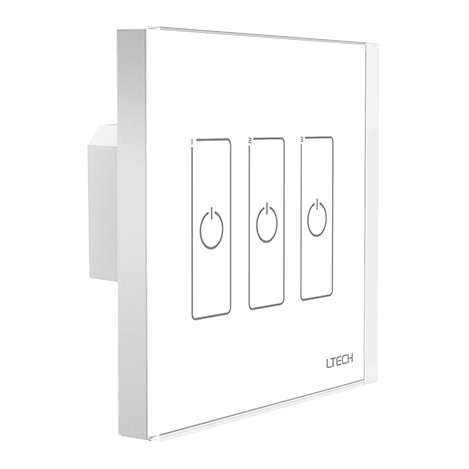 $48.99
 $36.98$49.9826% off
 $52.98$56.987% off
 $57.99
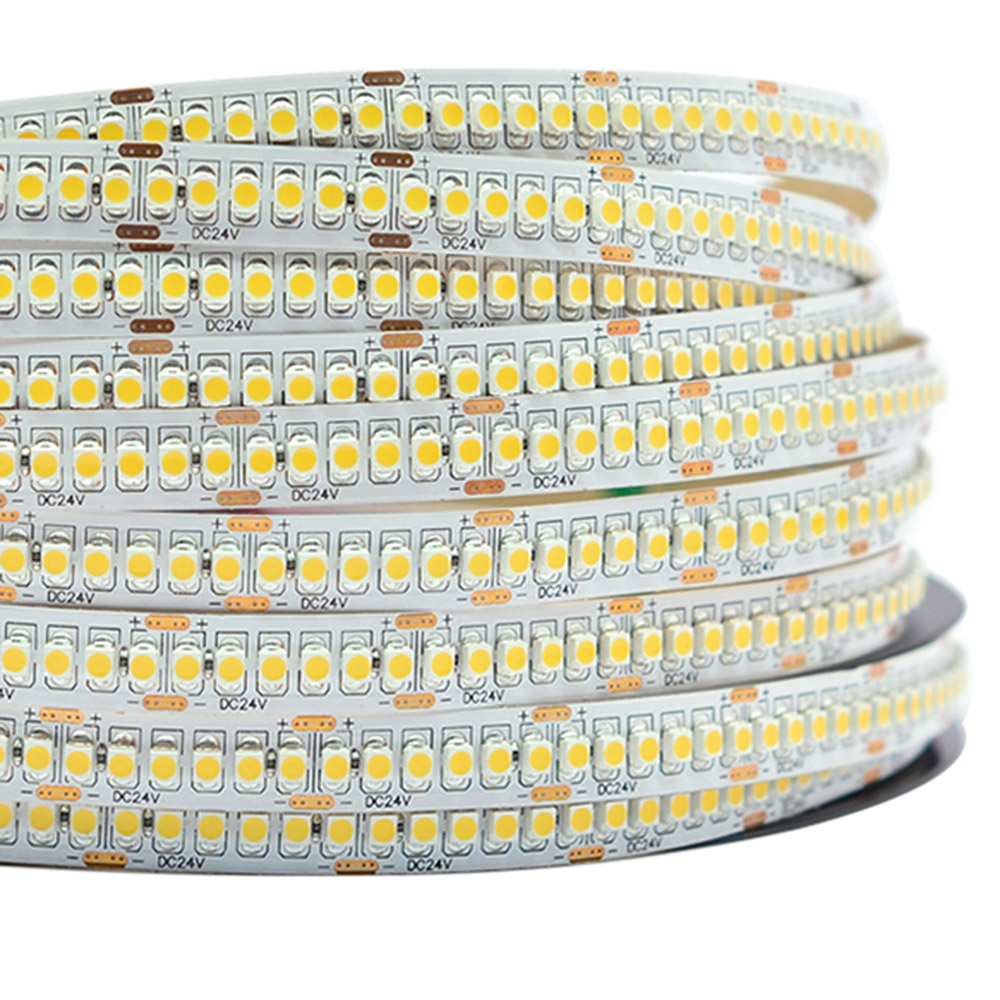 $22.98$45.0049% off
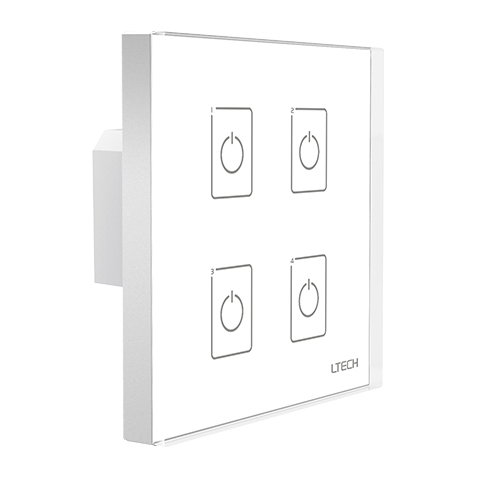 $49.99
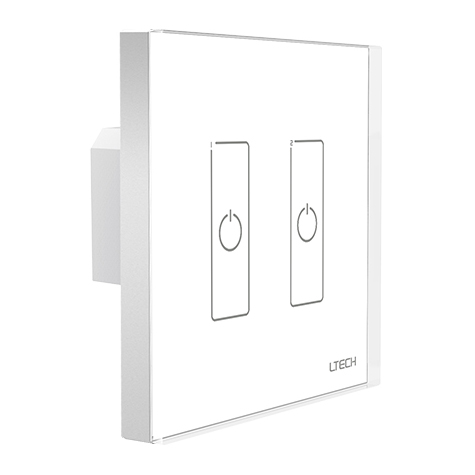 $46.99
Product Information
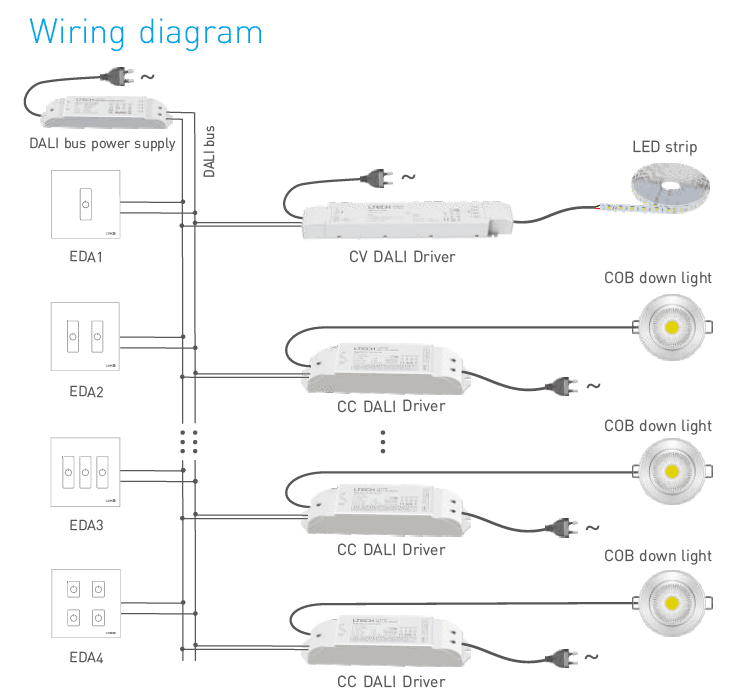
The LTECH EDA3 is a wall-mounted 3-channel DALI touch panel dimmer engineered to control static white and architectural lighting circuits over an IEC62386 DALI bus. Operating completely on bus power without requiring an auxiliary AC line or external low-voltage power supply, the unit draws only 6mA static current and 4mA standby current at 16V. It integrates two rotary encoding switches (X and Y) on the backplate, enabling quick hardware configuration for unicast (0-63), group (0-15), scene (0-15), and broadcast control modes without specialized software programming tools. Designed to fit standard European 86 style electrical back boxes, the EDA3 provides smooth switching and logarithmic 0.1% to 100% dimming response across 3 independent channels.
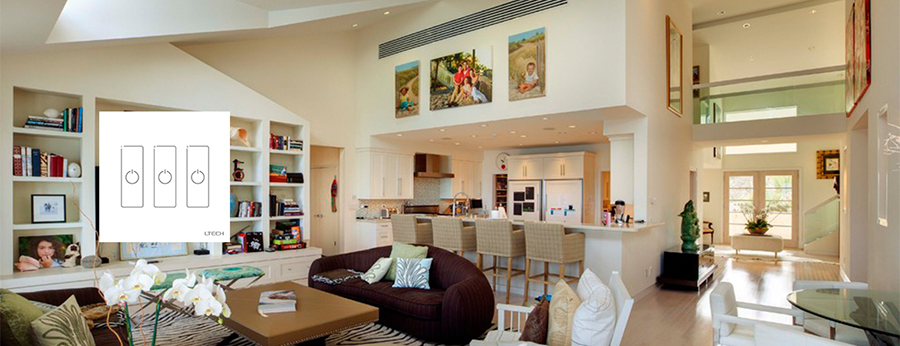
Key Features of the EDA3 Touch Panel Dimmer
Standard IEC62386 Protocol
Full compliance with international DALI standards guarantees seamless interoperability across standard DALI bus networks and third-party certified drivers.
DALI Bus Powered Design
Draws operating energy directly from the two-wire signal line with a low static current of 6mA at 16V, eliminating dedicated high-voltage AC feeds behind the switch box.
3 Independent Touch Channels
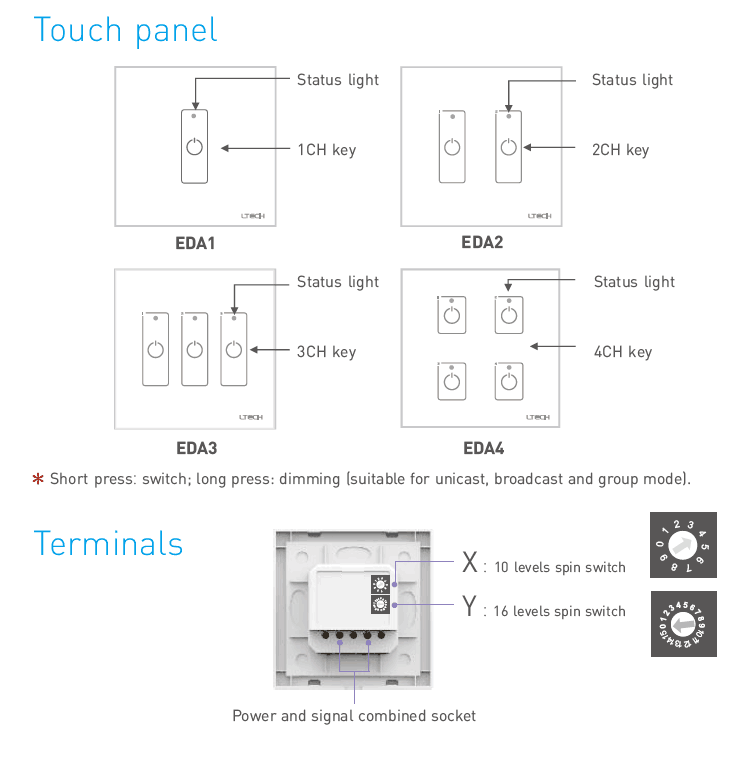
Features 3 discrete capacitive touch keys with integrated status LED backlighting for quick tap on/off control and smooth press-and-hold dimming.
Dual Rotary Address Switches
Onboard 10-level (X) and 16-level (Y) rotary switches allow direct setup of unicast addresses, 16 groups, 16 scenes, or full broadcast mode.
European 86-Style Form Factor
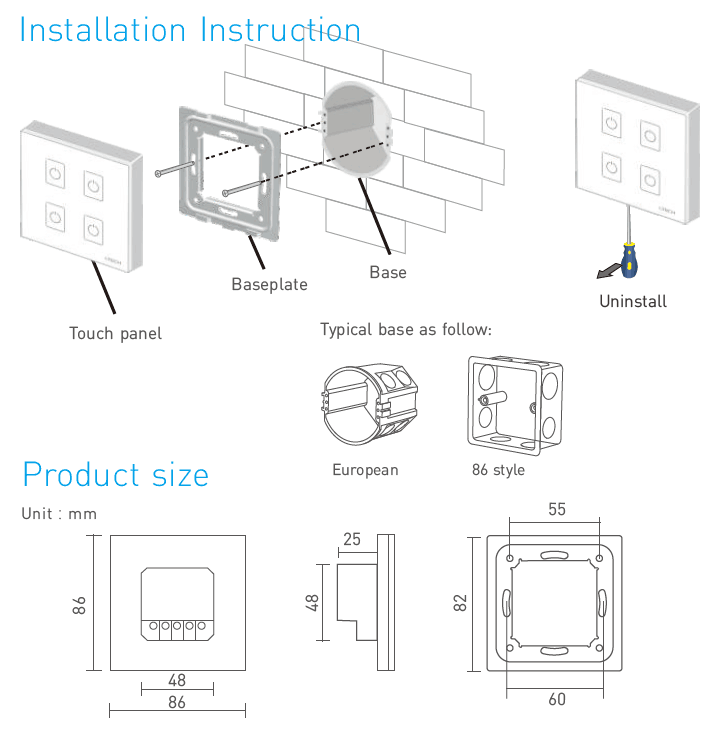
Compact dimensions of 86 × 86 × 37 mm mount neatly onto standard European 86-type embedded junction boxes.
Wide Operating Temperature
Tested and rated for stable performance across harsh industrial and commercial temperature bands from -30℃ to 55℃.
Technical Highlights & System Integration
- Eliminates complex software setup: hardware rotary switches X and Y let installers commission initial addresses, zones, or scenes directly on site.
- X switch selects mode: 0-6 for unicast addresses (0-63), 7 for group mode (0-15), 8 for scene recall (0-15), and 9 for broadcast mode.
- Short touch toggles light output on or off; sustained long press smoothly raises or lowers brightness without perceptible flicker.
- Ultra-low power consumption on the DALI line: 6mA operating static current and 4mA idle standby current at 16V bus potential.
- Sturdy glass-surface touch interface with subtle status indicators provides clear tactile visual feedback under dim ambient conditions.
Product Specifications
| Parameter | Details |
|---|---|
| Product Model | EDA3 |
| Product Type | DALI Touch Panel Master Dimmer |
| Communication Protocol | DALI (IEC62386 standard) |
| Power Supply | DALI Bus Power |
| Static Current | 6mA @ 16V |
| Standby Current | 4mA @ 16V |
| Output Signal | DALI Digital Signal |
| Controlled Channels | 3 Channels (3 Touch Keys) |
| Control Modes | Unicast (0-63), Group (0-15), Scene (0-15), Broadcast |
| Addressing Method | Dual Rotary Dial Switches (X: 10-level, Y: 16-level) |
| Dimming Action | Short press switch ON/OFF; long press continuous dimming |
| Operating Temperature | -30℃ ~ 55℃ |
| Dimensions (L × W × H) | 86 × 86 × 37 mm |
| Package Dimensions | 113 × 112 × 50 mm |
| Gross Weight | 200 g |
| Wall Box Compatibility | European standard 86 style back box |
Practical Application Scenarios
How to Control & Use This Controller
- Step 1: Disconnect all mains power to the DALI bus power supply before starting installation.
- Step 2: Carefully pry off the front touch glass faceplate from the baseplate using a flat-blade tool at the bottom slot.
- Step 3: Connect the 2-wire DALI signal bus cable into the rear screw terminals labeled for DALI signal/power. Note that standard DALI lines are polarity-free.
- Step 4: Set your desired operating mode and start address using the rotary switches on the back. Set switch X between 0 and 6 for unicast addressing (Initial Address = X*10 + Y), set X to 7 for group control (Group = Y), set X to 8 for scene recall (Scene = Y), or set X to 9 for broadcast control.
- Step 5: Secure the mounting baseplate to the European 86 style wall box using the supplied screws.
- Step 6: Align and snap the front glass touch panel firmly back onto the baseplate until it clicks into position.
- Step 7: Power on the DALI bus power supply. Tap a key briefly to toggle the corresponding channel on or off; press and hold the key to dim brightness up or down smoothly.
- Ensure the DALI bus has an active certified DALI bus power supply (12V-20.5V DC, typically 16V DC nominal) installed on the circuit.
- Do not connect 100-240V AC line voltage directly to the EDA3 terminals, as this will permanently damage the controller and bus components.
- Total current consumption of all control panels, sensors, and drivers on a single DALI loop must not exceed the power rating of the bus supply (maximum 250mA per standard loop).
- Keep total DALI bus line cable run under 300 meters using minimum 1.5 mm² two-core copper cable to prevent signal voltage drop.
What's in the Box
- ✓1 × LTECH EDA3 3-Channel DALI Touch Panel Controller
- ✓1 × User Manual & Wiring Reference Sheet
⇩ Downloads & Documents
PDFEDA3
Frequently Asked Questions
Q: Does the EDA3 touch panel require an external 12V or 24V power supply?
A:No. The EDA3 is completely powered by the DALI bus line, drawing a nominal 6mA at 16V during operation and 4mA in standby.
Q: Can the EDA3 control 3 separate DALI addresses independently?
A:Yes. In unicast mode, the 3 touch keys control 3 consecutive DALI short addresses starting from the initial address set by the rotary switches.
Q: How do I configure the DALI address without software?
A:Use the two rotary switches on the rear of the panel. Dial X sets the mode (unicast, group, scene, or broadcast) and tens digit, while dial Y sets the units value.
Q: What is the difference between short pressing and long pressing a key?
A:A short press toggles the assigned channel or group on or off, while a continuous long press raises or lowers the brightness level.
Q: Will the EDA3 fit standard US gang boxes?
A:The EDA3 is built to standard European 86 style dimensions (86 × 86 mm) with 60 mm screw spacing, designed for European 86-type embedded wall boxes.
Q: Can I use the EDA3 with constant current and constant voltage DALI drivers?
A:Yes. As an IEC62386 master controller, it transmits standard digital DALI commands compatible with all compliant constant voltage and constant current drivers.
Reviews
Customer Experience
Your feedback is important to us! Share your thoughts and photos with other customers.
Downloads
Files for EDA3Images
These images were taken with Canon EOS 5D Mark IV and the studio light source is provided by Ra 98's full spectrum LED strip to realistically reproduce the colors of the item itself. All copyrights are created by the superlightingled team, please feel free to browse and download if you are a registered user!
LED Strip Lights Guide
Here you can learn anything about LED strip lights — pick the topic you are interested in to go deeper. We cover LED strip lights, power supplies, controllers, accessories, and how to connect LED strip lights. You can also watch our demo videos.
Led strip lights
►Everything you need to know before you buying led strip lights
| Top 6 Considerations Before Buying LED Strip Lights 1. Where do I want to place the LED strip lights? Indoor or outdoor? • What are waterproof led strip lights? • How to cut and connect waterproof led strip lights? 2. How much LED brightness do I need? 3. The working voltage is available? • 5V VS 12V VS 24V led strips • AC VS DC 4. How long is the LED strip light suitable for my project? 5. Do I need an LED light controller to adjust the LED color and brightness? 6. How to power the LED strip lights? 1. How do led strip lights work? 2. How long can you run an LED strip? 3. How long do LED strip lights last? Is it worth getting led strip lights? 1. Do LED strip lights use a lot of electricity? 2. Why are LED lights energy efficient? 3. Are LED Strip Lights sustainable? 4. What are the pron and cons of led strip lights? 5. Precautions for led strip lights 1. Do LED strip lights overheat? 2. How do you stop LED strips from overheating? 3. Can LED strips catch fire? 4. Is it safe to sleep with LED strip lights on? What are the types of led strip lights? Flexible led strip lights VS rigid led strip lights - 1. What are flexible led strip lights? 2. What are rigid led strip lights? 3. What happens if you bend LED strip lights? 4. What is the difference between flexible led strips and rigid led strips? 1. Can you cut led light strips? 2. What happens if you cut an led strip? 3. How to cut led strip lights? 4. How to connect RGB color changing led strip lights with a connector? 5. How to know what your led strip light is? How to choose the correct SMD led for your strip? Which is the brightest SMD LED? What does SMD 5050 mean? How many lumens is a 5050 SMD LED? How to know what type of LED strip? What is the difference between 2835 and 5050 LED? |
►COB led strip light
| 1. What is COB? 2. What is the COB production process? 3. Different types of COB strip lights 4. What is the difference between COB and SMD led strip lights? 5. What is the difference between COB and LED? 6. Are COB led strips better? 7. How to cut and connect COB led strips? 8. How to install COB led strip lights? 9. Can COB light strips use aluminum channels? 10. Why choose superlightingled? |
►Led neon lights
| 1. What is led neon light? 2. What are neon led lights used for? 3. Are led neon lights good? 4. How to choose led neon rope lights? 5. Are led neon ropes use DC or AC? 6. Can you change the light-emitting angle or the luminous way of neon led strip? 1. How to cut led neon lights 2. Can led neon lights be connected? 3. Easy 7 steps to make led neon lights 4. How to install led neon rope? |
►Addressable led strip
| Ultimate Guide to Choosing the Right Addressable LED Strip What is an addressable LED strip? Can you cut addressable LED strips? How to judge if an LED strip is individually addressable? How to choose the best DC12V addressable led strips? How to choose the best DC5V digital led strips? How to choose the right IC for your project? Which IC is most commonly used? How do I know my IC type? How do I know if my IC is good or bad? How many types of IC are there? |
►Color, color temperature, and CRI
| The Color Difference Between Warm White 2700K, 3000K, 4000K, 6000K Pure White and 7000K Cool White 1. What is color temperature? 2. What color temperature is right for me? • 2700K VS 3000K • How obvious is the difference between 2700K and 3000K? • Warm White 3000K VS Natural White 4000K VS Daylight White 6000K • Warm White VS Cool White 3. Enjoy 2700K, 4000K, 6000K 4. Further Reading: How to install Warm White LED light strip? How to choose the right color for your led strip lights? - 1. How many colors are in LED strip lights? 2. What do LED light colors mean? 3. Why do white LED light turns to yellow? 4. Why are your led strip lights not the same color? 5. What is the most relaxing color for LED lights? 6. What color led lights is best for sleeping? 7. Are led lights bad for your eyes? 8. Is cool white or warm white better for eyes? 1. What is the best color temperature? 2. Does color temperature keep the same as time goes by? 3. What color temperature is best for night? 4. Led strip lights about color temperature,CCT VS RGBW VS RGBCCT; What is color rendering index? 1. What is CRI in led lights? 2. How to choose the right CRI when buying led strip lights? 3. What is the relationship between CRI and brightness? 4. Is higher CRI better? High CRI VS Low CRI; 5. How to find CRI value? |
Led strip light connection
| How to connect led strip lights? 1. How to connect led strip lights together? 2. How to connect LED light strips without connectors? 3. How to solder wires to LED strips? 4. How to connect LED strips without soldering? 5. Which one is better between soldering and using a connector? 6. How to connect mutiple led strip lights? 7. How many LED strip lights can you connect? How to connect led strip to the power supply? 1. Ensuring the working voltage and power first 2. How to hardwire led strip lights? 3. Can I connect multiple LED strips to the same LED power supply? How to wire led strip lights? How to wire single color led strip lights? How to wire tunable white/CCT led strip lights? How to wire RGB color changing led strip lights? |
Controller for led strip lights
| How to choose led strip light controllers? 1. WIFI controller 2. RF controller 3. IR controller 4. Bluetooth controller 5. Remote control and panel control 6. Single color controller and multi-color controller 7. DMX512 controller 8. SPI controller 9. DALI controller 10. 0/1-10V dimmer 11. Triac series 12. Sonsor series |
Led power supply
| How to calculate power for led strip lights? 4 steps to calculate the power you need Performance And Reasons Of LED Voltage Drop How to choose led strip light power supply? 1. Alternating current power supply VS Direct current power supply 2. Constant current power supply VS Constant voltage power supply 3. How to choose the best led power supply for your led strip light? |
Led strip light installlation
| How to install led strip lights? What accessories will be needed? 1. Adhesive installation for IP20 and IP65 led strip lights 2. How to choose the right led tape? 3. Can IP20 and IP65 led strip lights use aluminum profiles? 4. How to use aluminum profiles? 5. Mounted clip installation for IP67 and IP68 light strips How to install LED sensor stair lights? Lighting Up Your Stairs With LED Strip Lights Ideas How to install led strip lights on TV? How to install led strip lights outdoor? |
Accessories
| How to choose led strip light connectors? 1. Are all LED light strip connectors the same? 2. How do LED strip lights connectors work? 3. What connectors do you need for LED strip lights? 4. What are the different kinds of LED connectors? 5. How to choose the right connector for your led strip lights? Ultimate Guide on Aluminum Profile for LED Strip Lighting 1. What are aluminium profiles used for? 2. Why choose aluminum profiles? 3. Different types of LED aluminum profiles 4. LED aluminum profile VS COB LED strips 5. How to install LED aluminum channels? 6. How To Get Ideal Light Diffuser For Your LED Strip? 7. Add Black Aluminum LED Light Diffusers For Your Home Lighting 8. How To Find The Right Aluminum LED Light Strip Diffuser Channel? |